
Resident Evil Requiem on Xbox Ally X – Best Settings, FSR3 Performance & Handheld Benchmarks
Xbox Ally X AIZ2 Extreme Hardware Overview and 24GB RAM Performance Expectations of Resident Evil Requiem.
Hardware by Tanisha Aria on Mar 08, 2026
Resident Evil Requiem works amazingly well on current handhelds, with great optimization and scalability that don't hurt the graphics. When the Xbox Ally X is powered by the AIZ2 Extreme and equipped with 24GB of RAM, performance stays smooth no matter the setup.
The game offers extensive customization options, including different resolutions, FSR3 support, and adjustable graphics presets. This makes the experience very flexible, and the performance is stable whether you choose to focus on graphics or framerate.
.jpg)
Performance Overview on Xbox Ally X (AIZ2 Extreme, 24GB RAM)
We used the full-screen mode to play the game on the Xbox Ally X. Even though it doesn't have a standard full-screen option, the borderless window mode works well. There are three resolution options: 1080p, 900p, and 720p. 1080p is the most popular choice because it strikes the best mix between clarity and performance.
The game works well and can be scaled up or down. It works a little better here than on similar handheld devices, which is probably because the drivers are younger. We see stable performance at 25w TDP in performance mode in demanding areas, such as the early outdoor parts of the game, which are usually more demanding than indoor areas.
A few frames are lost when the TDP is lowered to 17w, but the game can still be played. If you want to save power, you can work within a 15–20 W range, but going to 25 W will give you better consistency.
Resolution and Upscaling Options
When it comes to fine-tuning speed, resolution scaling is very important. The game can hit up to 70 frames per second in less demanding scenes at 720p and FSR3 performance, even before frame generation is turned on. Native 720p on a 7-inch screen still looks good and works well without upscaling.
However, 1080p with FSR3 in performance or balanced mode gives you the clearest, smoothest picture. When you use presets, the system instantly switches to FSR1, which is not as good. By setting FSR3 by hand, you can achieve better picture reconstruction and smoother output.
900p is a good middle-ground choice if you want the most clarity without scaling much. But 1080p with FSR3 at max speed is still the most balanced setup overall.
Frame Generation Performance
This is a great place for AMD's FSR3 frame creation to shine. There isn't much artifacting, ghosting, or jitter, so the implementation quality is good. Input lag doesn't seem to bother the picture, and it stays clean and stable.
Enabling frame generation makes the experience much smoother when the base speed stays between 40 and 60 fps. If you limit your framerate or turn up the graphics settings a bit, frame generation helps keep motion smooth without any obvious problems. On handheld gear, it works a lot better than I thought it would.
Graphics Presets and Custom Settings
The lowest preset works pretty well, but it sacrifices some visual features. There is a clear drop in frame rate when going from the lowest option to the low setting, which looks like the medium setting. The normal setting makes it even less powerful, but it can still be played at 25w.
When we used custom settings at 1080p, FSR3 performance, and 25w TDP, we got the best balance. Normal textures were enabled to preserve surface detail, and lighting and effects were adjusted accordingly. This setting is between the lowest and normal settings. It improves picture quality without slowing down the camera too much.
Performance varies widely depending on where it's done. Outside places are harder on the system, while inside places work better. That's why it's important to adjust the settings based on the speed you want to reach.
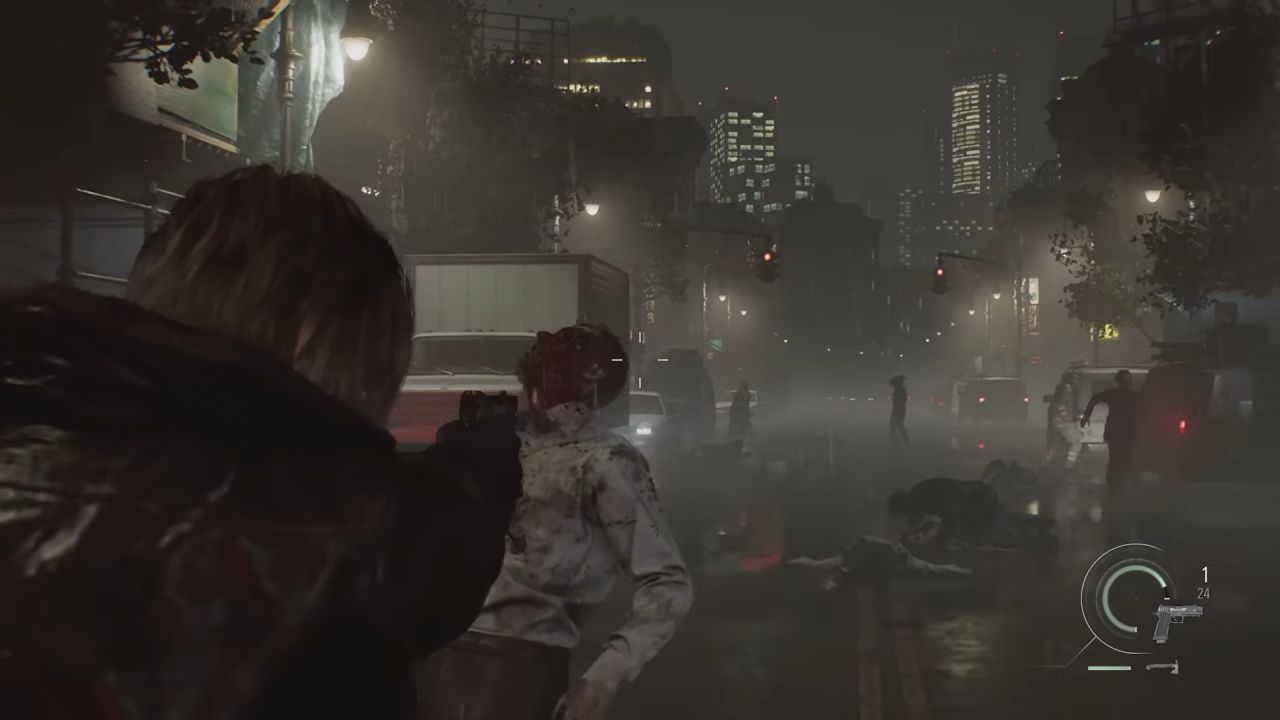
Ray Tracing Considerations
You can use ray tracing, but it significantly impacts performance. It's not possible to use RT at 1080p with this gear. It doesn't work consistently, even at 720p with FSR3 adjusted.
Of course, you could try ray tracing at smaller resolutions, but the visual improvements wouldn't be worth the performance hit. For this type of device, the picture that is upsampled from 1080p to FSR3 performance is cleaner and more stable, so it's a better experience all around.
It's better to turn off RT when playing games on a small device.
Gameplay Stability and Experience
At 25w, the game stays very stable in difficult opening spots. We saw frame rates close to 70 fps at 720p with FSR3 enabled. At 1080p and FSR3 speed, the experience stays smooth between 40 and 60 frames per second, especially with frame generation enabled.
The game feels responsive, has great graphics, and can be scaled up or down to find the best mix for your battery life and graphics quality. For example, hair strands can remain enabled with only a small impact on speed, while making characters look much better.
Final Thoughts
Resident Evil Requiem stands out as a great portable game that works well on a variety of devices. With FSR3 and a 25W TDP, the Xbox Ally X with the AIZ2 Extreme and 24GB RAM performs well in the game at 1080p.
We suggest you focus on unique settings rather than relying solely on presets. Resolution, scaling, and TDP can all be easily changed to find the best mix between performance and battery life. It is best to avoid ray tracing and use frame generation instead.
If you want a smooth gaming experience with clear graphics, 1080p with FSR3 performance and frame generation turned on is the best setting for this gear.
Also, check our other hardware articles:
- AMD Ryzen 9 9950X3D Review: Setting The Standard For 2025 Gaming CPU
- Amazon Luna 2025 Review: Is Prime Gaming's Cloud Service Your Go-To For Casual Fun?
- AMD RX 9070 XT Review: AMD's RDNA 4 Champion for 1440p Gaming
- GeForce Now Ultimate: Ditching Your Gaming PC For Cloud RTX 4080 Power?
- NVIDIA GeForce RTX 5080 Review (2025): Still A 4K Gaming Powerhouse?
- Intel Core Ultra 9 285K Review And Performance Breakdown (2025)
- AMD Ryzen 7 9800X3D Review: 3D V-Cache Goes God Mode with Stunning Gaming Performance
- Intel Core Ultra 9 285K vs AMD Ryzen 7 9800X3D: In-Depth Gaming Performance and Benchmark Comparison
- NVIDIA GeForce RTX 5080 Super Performance In Cyberpunk 2077: Path Tracing & DLSS 4.0 Tested
- AMD Radeon RX 9070 XT In Cyberpunk 2077: Ray Tracing & FSR 4.0 Tested
- Intel Arc B580 Review: The $250 GPU Revolutionizing 1440p Gaming
- Intel Arc B570 Vs. B580: Value, Specs, And Real-World Gaming Performance
- RTX 5090 Laptop Vs. M4 Max MacBook Pro: Ultimate Raw Performance Vs. Battery Endurance
- Intel Arc b580 Vs. RTX 4060: Game Performance And Value Analysis
- RTX5090 Hell Is Us Demo 4K Ultra Benchmark: DLSS Vs. Native Performance Guide
- NVIDIA RTX 5070 Review: Mid-Range Muscle or Marketing Hype?
- Nintendo Switch 2 Review: Handheld Performance, Features & Value Breakdown
- RTX 5070 Ti Review: Performance, Thermals & Power Efficiency Tested
- Samsung Odyssey OLED G81SF Review 2025: Ultimate 32-Inch QD-OLED Gaming Monitor
- AMD RX 9070 Performance Review: Thermals, Clocks, and Real-World FPS
- AMD Ryzen 5 7600 Review: Best Budget Gaming CPU of 2025?
- AMD Radeon RX 7800 XT Review: RDNA 3 Power For Midrange Gaming
- Asus ROG RTX 5090 Astral OC Vs. Founders Edition: The 4K Gaming Benchmark
Contributor, NoobFeed
Gaming Hardware Updates
No Data.