
ROG Ally X Gets Xbox-Like Features with Latest Armoury Crate Update
latest Armory Crate update introduces seamless Game Bar integration and refined control options for the ROG Ally X.
Hardware by Tanvir Kabbo on Oct 10, 2025
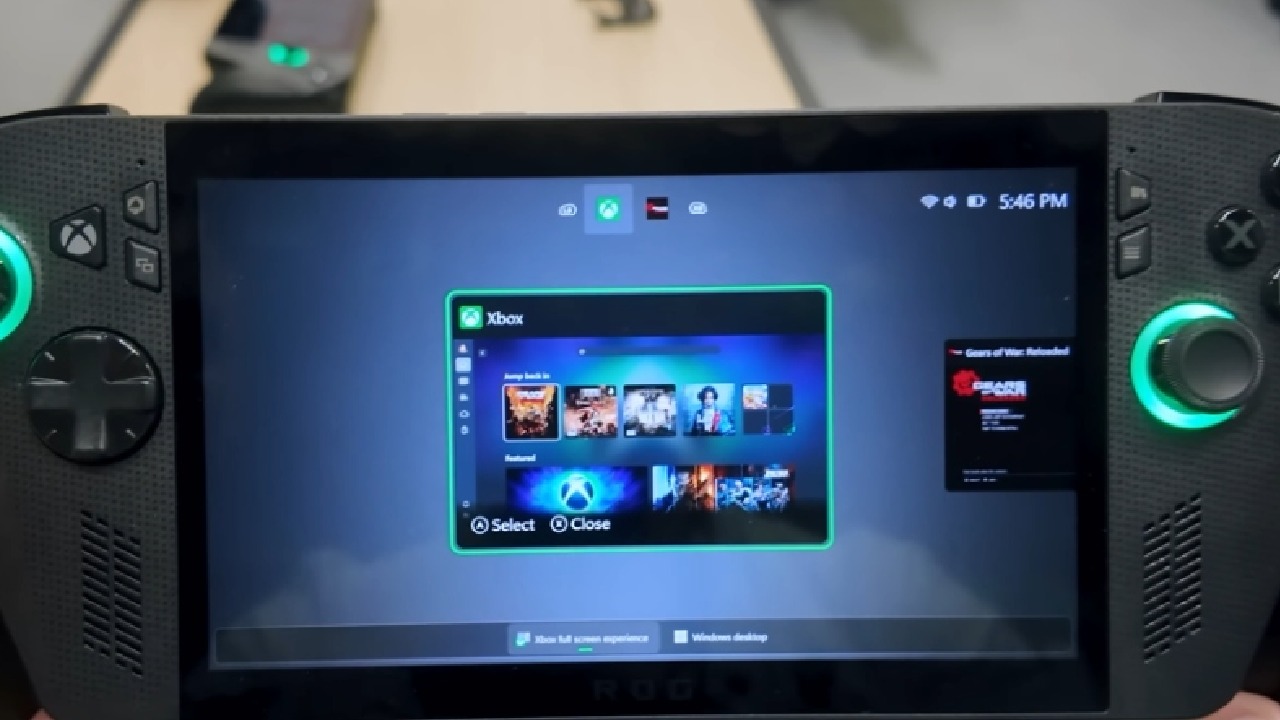
The ROG Ally X is now edging even closer to the Xbox Ally X experience, not just through the Xbox full-screen mode, but through deeper system integration.
The latest Armory Crate update brings a series of meaningful changes, merging familiar gaming controls with Windows functionality.
Discovery and Initial Impressions
While testing the MSI Claw A8 for performance comparisons against the standard Ally X, a notification appeared indicating an Armory Crate update. After installing it, a new interface was revealed—one that resembled the version seen during the Xbox Ally X showcase at Gamescom.
Upon pressing the command center button, the in-game command center appeared directly inside the Xbox Game Bar, marking a major interface improvement.
This integration is scheduled for public rollout on October 13th. Those running the Windows Insider or Xbox Insider builds may already see it earlier. The button press-and-hold shortcut still brings up Control+Alt+Delete instead of a snappy switcher, but the update's new features show clear improvement.
Updated UI and Layout
The Armory Crate now has a better UI when you open it. The layout of the control mode has been changed a little bit so that it looks more unified and is centered on one primary screen. The top bar retains tabs for Games and Settings, though now everything feels unified.
Most users will likely interact with the Games and Settings sections, where options such as General, Personalization, and Command Center are consolidated.
Under Command Center, users can now choose between the original “Classic Grid Mode” and a new “Gaming Panel Mode,” which integrates directly into the Game Bar. The new mode is smooth, clean, and responsive, making it easier to get to features without having to switch apps.
Game Bar Integration and Control Enhancements
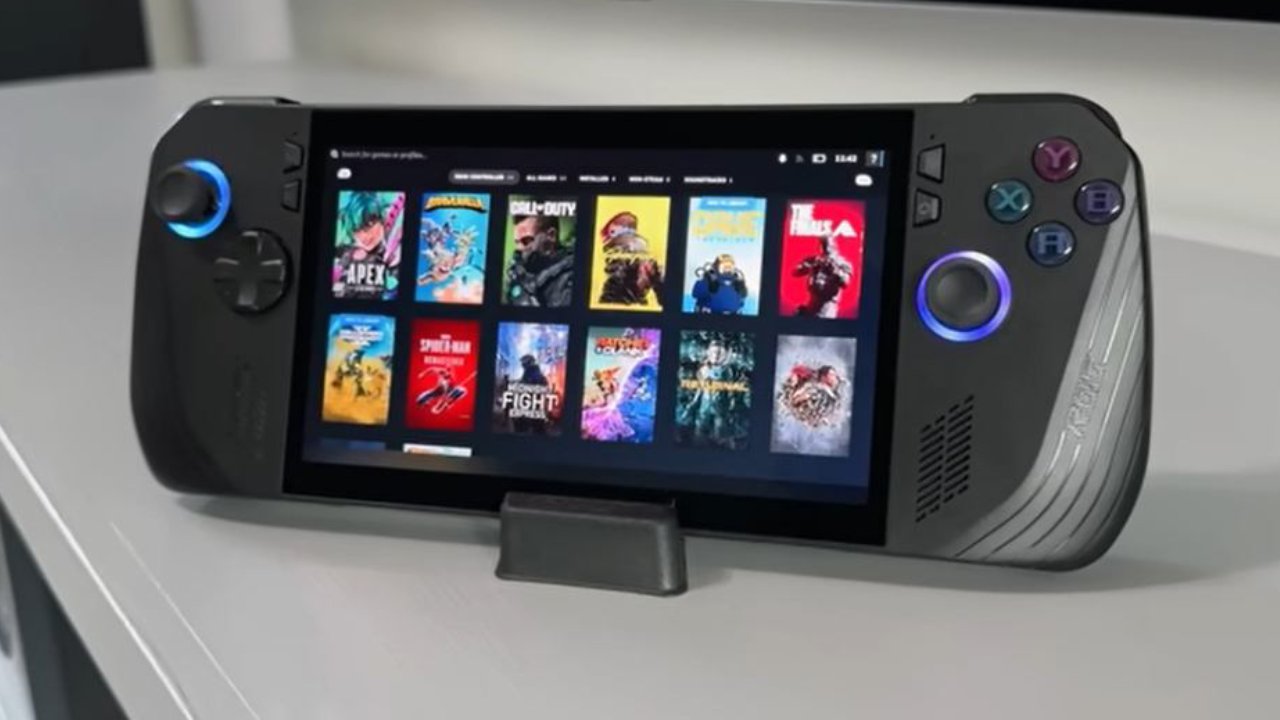
Adding Armory Crate to Game Bar makes it work like the MSI Claw A8, which is a great thing. It makes it easy to get to important features without having to assign extra keys. The performance modes are now linked with Windows Power Modes, enabling synchronization to balance performance and battery life. Although untested for accuracy, this feature promises more efficient system optimization.
Navigation within Game Bar is smooth and intuitive. The top section houses the operating mode selector for Windows, Silent, Performance, Turbo, or Manual options. Custom widgets can also be added for real-time monitoring, FPS limiting, LED brightness, AMD Chill, and resolution control. Everything is editable, allowing us to create a personalized layout that suits different gaming or productivity needs.
Added Features and Customization
One of the standout new options is the ability to enable or disable the touchscreen directly from the command center—a small but significant convenience.
The rest of the interface retains familiar options like airplane mode, screenshot, and record, but with better organization. Users can easily edit the layout either from the main tiles or through a dedicated edit button at the bottom.
Control modes and performance options are now easier to find, so users can rapidly switch between them. The new horizontal widget view shows more information at once than the old tile arrangement, which makes it easier to use.
Refinement and Experience
The redesigned Armory Crate seems more concentrated. All of the important settings are grouped together in one place, which makes it easier to find them. The Game Bar integration is especially great for players who need to make rapid changes in the game without stopping or reducing it.
We appreciate how this update continues to enhance the Ally X, ensuring it remains competitive with newer models like the Xbox Ally X. Even without press-and-hold customization for the Xbox button, the update successfully bridges the gap between PC gaming control and console-like fluidity.

Final Thoughts
This Armory Crate update delivers one of the most meaningful refinements yet for the ROG Ally X. From visual redesigns and Game Bar integration to improved control customization, it strikes a balance between power and simplicity.
We find the software’s direction promising and anticipate further improvements, especially in button mapping and mode switching.
The update signifies that existing Ally X owners continue to receive valuable support and new features, keeping the device fresh and functional for the evolving gaming ecosystem in the US and beyond.
Check our Other Handheld Articles :
- ASUS ROG Ally X Handheld Review: Double the Battery, Double the Comfort
- Nintendo Switch 2 Vs. Original Switch 1: A Full Comparison
- How To Connect A Camera And Join Voice Chat With Nintendo Switch 2
- Nintendo Switch 2 Review: Handheld Performance, Features & Value Breakdown
- ROG Xbox Ally X Vs. ROG Ally X: Display, Battery & Controls
- ASUS ROG Ally X vs. Steam Deck OLED: Display, Battery & Gaming Benchmarks
- MSI Claw 8 AI+ Review: Display, Controls & Gaming
- Nintendo Switch 2 vs. Steam Deck OLED: Gaming, Performance, Battery, Display and Value
- PlayStation Portal Review: Remote Play, Cloud Streaming & Travel Gaming
- PlayStation Portal vs. Lenovo Legion Go: Best Portable Gameplay
- Cyberpunk 2077 Patch 2.3 FPS Test on MSI Claw 8 AI+
Senior Editor, NoobFeed
Gaming Hardware Updates
No Data.