
Ryzen 7 9800X3D Motherboard Guide: Why ASRock Got Left Off the List
ASRock loses its spot on the list after owner failure trackers link most reported Ryzen 9000 CPU deaths to its boards.
Hardware by Nahe Yan on Jul 23, 2026
Choosing a motherboard for the Ryzen 7 9800X3D comes down to power delivery, feature set, and reliability history rather than raw performance, since the chip runs at the same speed on a $200 board as on a $500 one. Recent lab roundups combined with owner failure trackers narrowed a wide field down to seven boards worth a look, along with one brand that got left off the list entirely.
The owner failure trackers showed a pattern that the lab benchmarks would not have seen on their own. Eight out of ten Ryzen 9000 CPU problems reported by users occurred on ASRock boards, and reports kept coming in even after firmware fixes were released. That record was enough to rule out the name, no matter how much it cost or how many features it had on any given board.
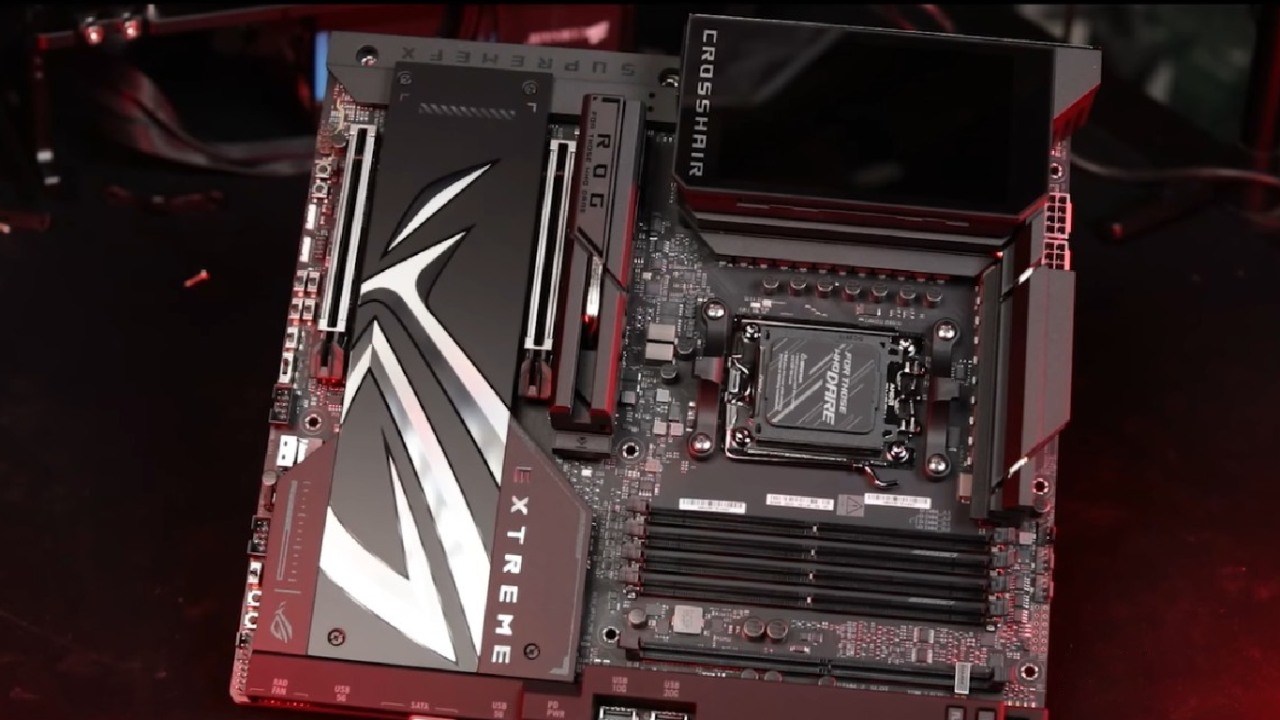
Built for Headroom: ASUS ROG Crosshair X870E Hero
At the time of this writing, the Crosshair X870E Hero costs 570 dollars. It used to cost 700 dollars when it first came out. With five M.2 slots, three of them Gen5, and one USB4 port, it has enough power for chips that use a lot more power than the 9800X3D.
That extra room is the catch: the X3D doesn't need it, and ASUS has started an investigation into the reliability of this board family. This means the day-one BIOS update is now required rather than just suggested. We would point this board toward a build where money was never an issue.
Strix X870-I is the best mini-ITX board for this platform. It has two USB4 ports, WiFi7, and a Gen5 slot for the graphics card, all in a space the size of a book. At the time of writing, it costs about $400. Some memory profiles on this board aren't working properly anymore due to newer firmware, and some builds have found a way to bypass cold boots.
Highest Memory Ceiling: MSI MPG X870E Carbon
Reviewers measured the highest memory overclocking ceiling in its class on the Carbon, past 8400 on DDR5, paired with dual USB4 and cooling built for chips well above the 9800X3D. It runs around $370 at the time of writing, a price that has settled since a newer Max revision replaced it at the top of MSI's lineup, making the original board the quieter deal at the high end.
A few units link their 5-gig LAN port at half speed, so that is worth checking before you commit. This is the board we would recommend to anyone chasing the last 1% in memory latency. MAG X870 Tomahawk runs around $240 at the time of writing. In the largest X870 lab roundup referenced here, it posted the top CPU result of the entire field, with power circuitry staying under 55°C while gaming.
It adds USB4, the one feature its cheaper sibling skips, and that is close to the only reason to pick it over that sibling. Retail pricing on this board swings by as much as $60, so it pays to shop around before buying. We would pick this one for anyone who needs fast external storage, docks, or a one-cable desk setup.
.jpg)
Best Value On Sale: Gigabyte B850 Aorus Elite WiFi7
Aorus Elite WiFi7 sits around $210 at the time of writing and regularly dips to $170 on sale, at which point it becomes one of the better deals on the platform. It carries three M.2 slots, power stages that run cool with headroom to spare, and a 5-year warranty, years longer than any other board on this list.
Gigabyte also holds the cleanest reliability record among the brands covered in the failure data referenced here. It skips USB4, and the extra expansion slots run at reduced speed. This board suits patient shoppers willing to wait for a sale price. MAG B850 Tomahawk Max lists around $210 at the time of writing and came up repeatedly across the 47-board lab stress test referenced here.
It runs 14 power stages rated at 80A on an 8-layer board, offers Gen5 for both the graphics card and the primary drive, and includes WiFi7 with 5-gig networking. A failure-tracker search for this board came back clean.
It skips USB4 and includes only one Gen5 drive slot. MSI sells a newer Max2 revision for $50 more, though reviewers describe the changes as cosmetic rather than functional, so the original remains the better buy.
This board is highly recommended to almost anyone building on this platform.
But they all get the same score when you play. Once memory is stable at 6000, a $200 board can play games at the same frame rates as a $500 board. This is because the 9800X3D's cache stays fast.
Instead, the extra cash will buy more M.2 slots, USB4, and faster networking. You can use any of these boards as long as you follow these rules: flash the BIOS before the first boot and tame auto-boosting so the cache can do its job.
B850 Tomahawk Max, which costs $210, has everything a gamer could ever need. Aorus Elite is hard to beat at $170 if you are ready to wait for a sale. If USB4 is important to you without spending a lot of money, the X870 Tomahawk fills that need.
Strix X870E has all the ports and slots you could want, as long as you don't mind the wired networking issue. The Carbon is made to keep memory records. The Strix X870-I's base is packed in a small case for a small build. Also, the Crosshair X870E Hero is still available if money is not an issue.
Editor, NoobFeed
Gaming Hardware Updates
No Data.