
Sapphire Edge AI 370 Mini PC Review and Performance Breakdown
A compact mini PC offering flexible configuration options, efficient performance, and accessible internal expansion through a magnetic top panel design.
Hardware by Nahe Yan on Nov 29, 2025
Sapphire has released the Edge AI series, a small, barebones micro PC that runs on AMD's Ryzen AI 9 HX370 processor and Radeon 890M graphics. The system comes in a tiny 0.39L case and features three APU options. The Ryzen AI7 350 and Ryzen AI5 340 come next, with the flagship HX370 model at the top.
All variants come as barebones devices, so users have to add memory, storage, and an operating system. However, the review sample came with 1TB of Gen4 SSD storage and 32GB of DDR5-5600 memory already installed.
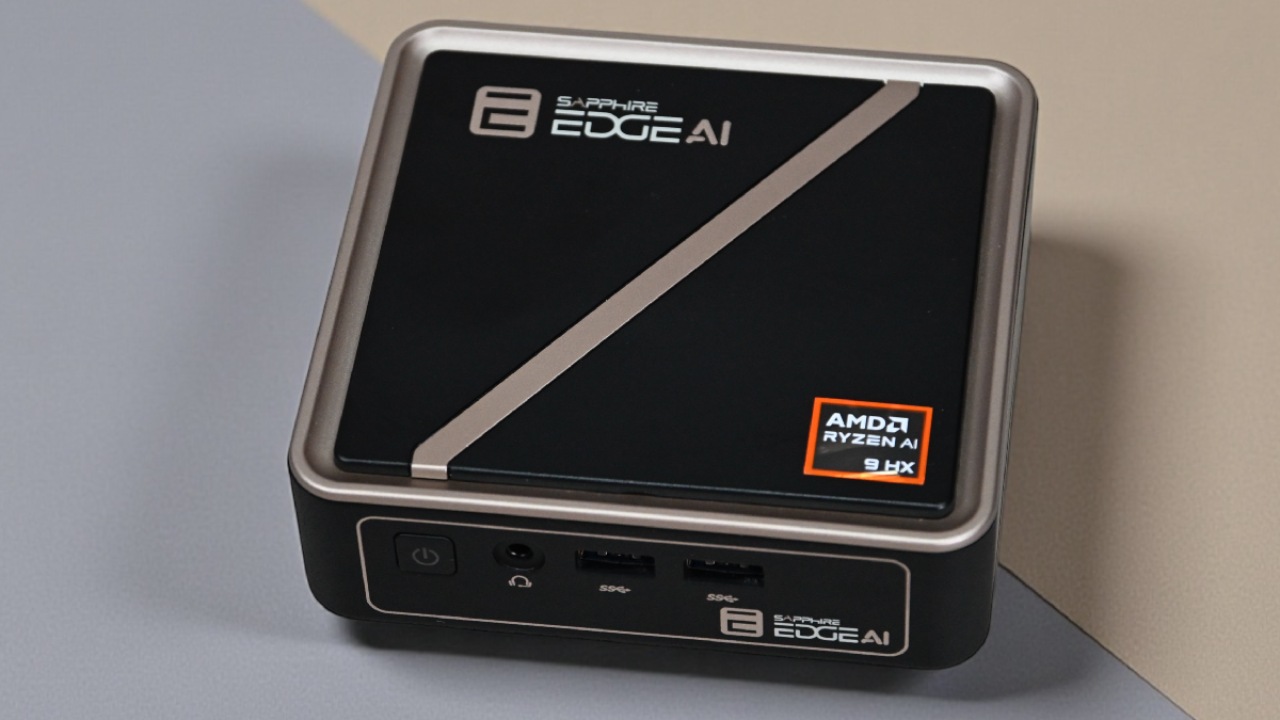
Design and Construction
The Edge AI is a little cube with a plastic outside and a golden-black finish. It is smaller than other tiny PCs, measuring 117×111×30mm. It has ventilation on the sides and bottom and exhaust at the back. The front I/O includes a power button, an audio jack, and two USB 3.2 Gen 2 ports.
The back panel features the remaining connections: two HDMI 2.1 ports, two USB 4 ports, one USB 3.2 Gen 2 port, one USB 2.0 port, and a 2.5 Gbps Ethernet port. There is no front USB-C port or SD card reader in the design.
The magnetic top panel is a major feature. It lifts off to show two SO-DIMM slots that can hold up to 96GB of memory and two M.2 Gen4 slots (2280 and 2242). You don't need any tools, and the magnetic system keeps everything in place, making upgrades easier.
Modes for the Processor and Performance
There are 12 cores and 24 threads in the Ryzen AI 9 HX370. There are four Zen5 cores and eight Zen5C cores. The Radeon 890M has 16CUs based on RDNA3.5 for graphics. Before testing, the BIOS was updated to version 2.10.
You can choose between Quiet, Balanced, and Performance modes. Balanced runs at less than 35W with Zen5 cores at 3.3–3.4GHz and Zen5C cores at 2.6GHz. In performance mode, the power goes up to 45W, which makes Zen5 cores run at 3.6–3.7GHz, and Zen5C cores run at 2.9GHz. Fan noise is 37dB in Balanced mode and 43dB in Performance mode, which is still lower than other systems of the same type.

Overall System Performance
General computing activities go off without a hitch. Lower-spec models may be enough for less demanding tasks. The Wi-Fi didn't work as well as expected. With a MediaTek RZ616 Wi-Fi 6E chip, downloads were about 300 Mbps, and uploads were about 85 Mbps. The Wi-Fi module is underneath the primary M.2 slot, and its antenna configuration may limit its range. You can still use the 2.5GB Ethernet port to connect to a wired network.
Performance of AI Workloads
The Edge AI can tackle AI workloads with the NPU, CPU, or GPU. It has an XDNA NPU that delivers 250 TOPS. Those who use NPU get better scores, which is the same as those who use the same processor.
The ability to adjust VRAM in the BIOS is very important for AI performance. The default 4GB allocation limits model runs, which stops some processes, such as Stable Diffusion XL, from working. These jobs can run, but slowly. If you increase VRAM to 16GB, the LLM's throughput increases by more than 20%. Geekbench AI tests show that the Radeon 890M scores highly in both single- and half-precision.
How well it plays games
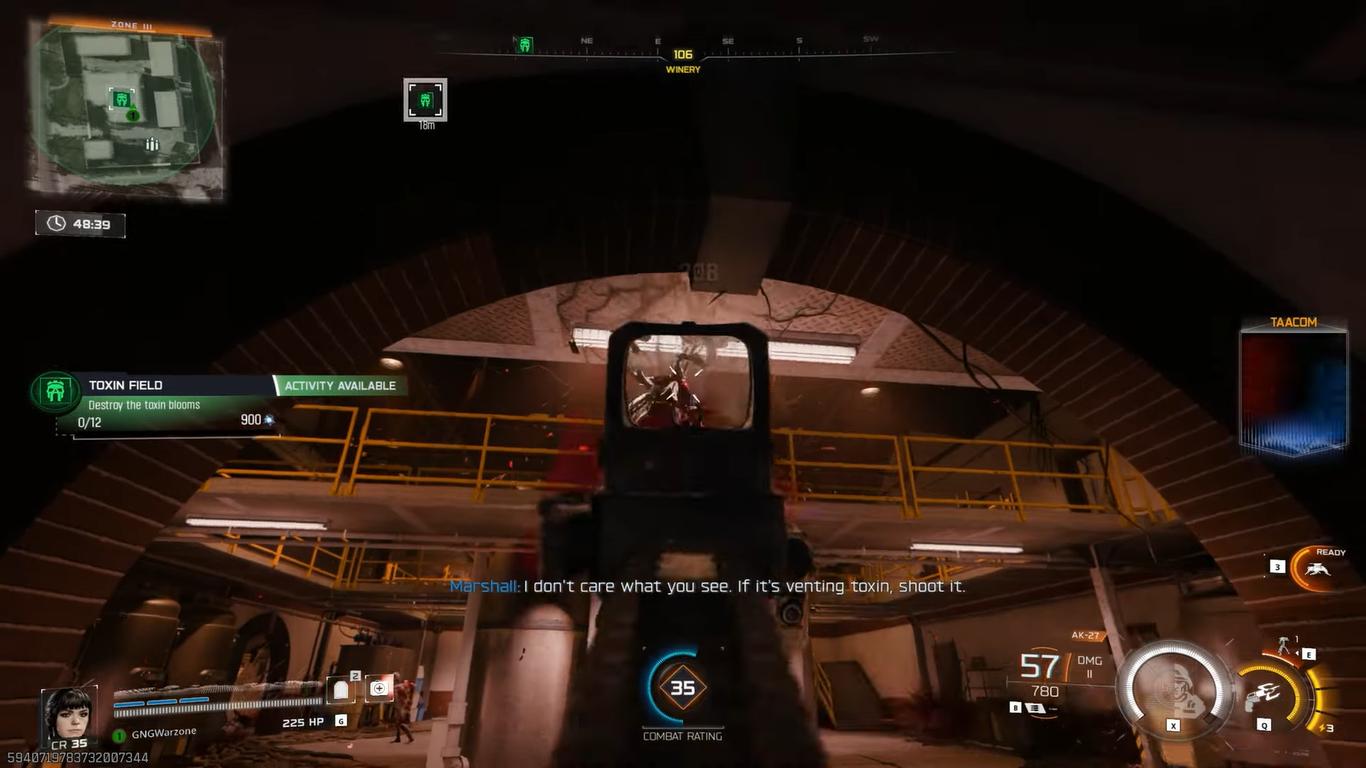
Counter-Strike 2 runs at 140–150 fps, but it doesn't need FSR because the bottleneck is elsewhere in the system. Cyberpunk 2077 runs at about 30 fps on its own, whereas FSR Balanced raises it to about 50 fps. Call of Duty: Black Ops 7 runs at 40-50 fps and 70-80 fps with FSR.
F1 25 gets close to 100 fps on Ultra Low settings and stays around 50 fps on High settings. Kingdom Come Deliverance 2 runs at about 40 fps. FSR Balanced makes the game run faster but makes it look softer. During hectic moments, Marvel Rivals drops below 30. FSR Balanced boosts performance to the low-to-mid 40s fps range.
Thermals and Sound
Thermal performance stays the same in all power modes. When testing with Cinebench in Balanced mode, the temperature reaches about 76°C, and in Performance mode, it reaches about 82°C. Thermal readings from the outside show that the top panel is in the low 50s °C, while the side panels are cooler due to wind. The back exhaust areas are warmer, but they are still safe.
Final Thoughts
Users can choose their own RAM and storage because it comes as a barebones kit. Adding a 2TB SSD and 32GB DDR5-5600 memory to the box costs about $230–$240, which keeps the total under $900. This puts it below fully occupied systems that compete with it.
Some people might care that the Edge AI doesn't have a front USB-C port, an SD card reader, or Wi-Fi 7. However, the magnetic access panel, small size, regulated thermals, and versatile configuration choices make it a good choice for a mini PC setup.
Check Our Other AMD articles below:
- AMD Ryzen 9 9950X3D Review: Setting The Standard For 2025 Gaming CPU
- AMD Ryzen 7 9800X3D Review: 3D V-Cache Goes God Mode with Stunning Gaming Performance
- AMD RX 9070 Performance Review: Thermals, Clocks, and Real-World FPS
- AMD Ryzen 5 7600 Review: Best Budget Gaming CPU of 2025?
- AMD Radeon RX 7800 XT Review: RDNA 3 Power For Midrange Gaming
- Sapphire NITRO+ AMD Radeon RX 9070 XT Review: The Ultimate 4K Gaming GPU
- AMD Ryzen 7 7800X3D: Delivers Gaming Performance Far Beyond Expectations
- AMD Ryzen 9 7900X Review: Powering the AM5 Era with DDR5 & PCIe 5.0
- ASRock Radeon RX 7800 XT Challenger OC Review: Best Price-to-Performance GPU of 2025
- Intel Core i9‑14900K vs. AMD Ryzen 7 7800X3D: Power Profiles & Gaming Benchmarks
Editor, NoobFeed
Gaming Hardware Updates
No Data.