
Nintendo Switch 2 Doesn't Beg for Attention, It Judges Your First Move
No splashy reveal, no hand-holding setup, just a quiet test of whether you configure it right or spend the next year wondering why it never quite feels magical.
News by Zahra Morshed on Dec 28, 2025
The Nintendo Switch 2 doesn't use fireworks to say hello. It has a strong and quiet look that can only be seen when the home screen stops moving. You only know a new system for a moment before having to make all the small decisions. When you sign in, transfers and changes happen. Then, what's the first real question? What gets set first?
If you're new to something, the quickest way to succeed is to be careful and organized when you do things. Sign in to your Nintendo Account, go to the home screen, and then pause before getting everything.
.jpg)
If you're moving from an older Switch, set the new machine as the main system after giving priority to save data that isn't fully cloud-friendly. That one thing stops license problems from happening later, mainly when an old device still believes it is in control.
Next is the update layer that can't be seen and that most people don't do.
System firmware gets a lot of attention, but driver firmware is also important and can fall behind. For uniform Joy-Con and Pro Controller behavior, first run console updates. Then look in settings for any controller changes. It's what makes the first week go well, instead of having a week full of little problems that won't go away.
Then there is the hardware handshake, which is a sign of this era. Joy-Con 2 sets up a new link with the machine based on a smoother way of attaching and detaching. Input flexibility is more interesting because "console controls" don't just mean hands anymore.
In supported experiences, Nintendo is pushing mouse-style input through Joy Con 2, and the rest of the industry is already building around it.
The best early changes to settings have to do with power, display, and speed.
Battery health choices are more important on devices that can't be opened, so setting a charging limit for daily use at home can be a long-term play. It is important to carefully adjust the display settings, especially the HDR settings, because forcing HDR on material that doesn't support it can change how it looks. If you can find software that works with HDR, set your target software to HDR once and slowly, as if it were a camera setting.
If the monitor chain can handle it, you should also flip the switch for 120 Hz support. Even if a game doesn't aim for 120 frames, smoother update rates can make some modes look and feel better. You shouldn't feel like you have to rush through the experience, and it should feel like the screen was reading your mind instead of your input.
That's the difference between a table and a plane.
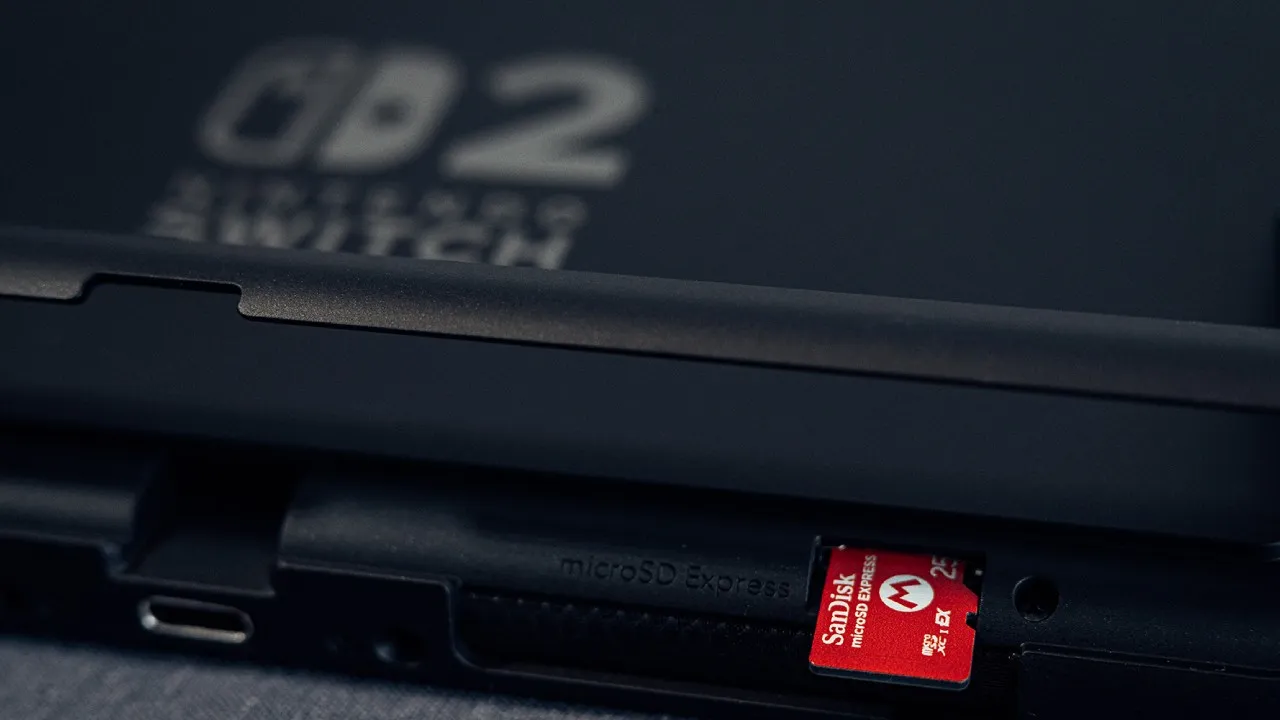
Now we have to face the thing that no one wants to think about on day one: the real deal about storage. With Switch 2, you can download more content, like games and patches, even when you buy them in person.
Nintendo clearly says that Switch 2 can only be used with microSD Express cards, not the normal microSD that was used on the original Switch. In early translation, plan to expand because modern installs use up room faster than nostalgia expects.
This also changes the way to use the eShop. With newer gear, browsing is faster, but the best move is still to strategically acquire things instead of hoarding them on a whim. As the system is still being tuned, only demos, free-to-play games, and quick downloads should show up.
If you can, connect the console to Ethernet for big installs, then let the console do the work in the background while you do something else.
When enabled, backwards compatibility turns into the hidden show-off feature. When frame pacing and resolution goals stabilize under load, many older games feel new again. Not every title works exactly, but the overall promise is easy to understand: the library's collection gets a second chance. The new era is starting off gently with the help of the old one.
Nintendo Switch Online is the other quick way to get into fast depth. For players who have been in the game before, the library can feel like a safe that suddenly got bigger while no one was looking. Don't think of it as just one subscription, but as a carefully chosen library, and don't just scroll for a long time, but try things out on purpose.
A test drive for a month and a year-long commitment are both like buying a game: you should think carefully before choosing one. The best non-dramatic Switch 2 tip is, it's a checklist that makes the system vanish so that the games can take over. It's exact.
Make sure the screen is set up correctly and that the right speed settings are turned on. Also, buy storage that fits the new rules. That's the point: after that, the computer is no longer a device and is instead a portal.
Contributor, NoobFeed
Related News
No Data.