
Steam Deck Emulation Gets Major Upgrade With RetroDeck Rewrite and New Emulator Support
Steam Deck emulation continues to evolve with major RetroDeck upgrades improving performance, stability, and long-term emulator support.
News by Masaru Hoshino on Jan 25, 2026
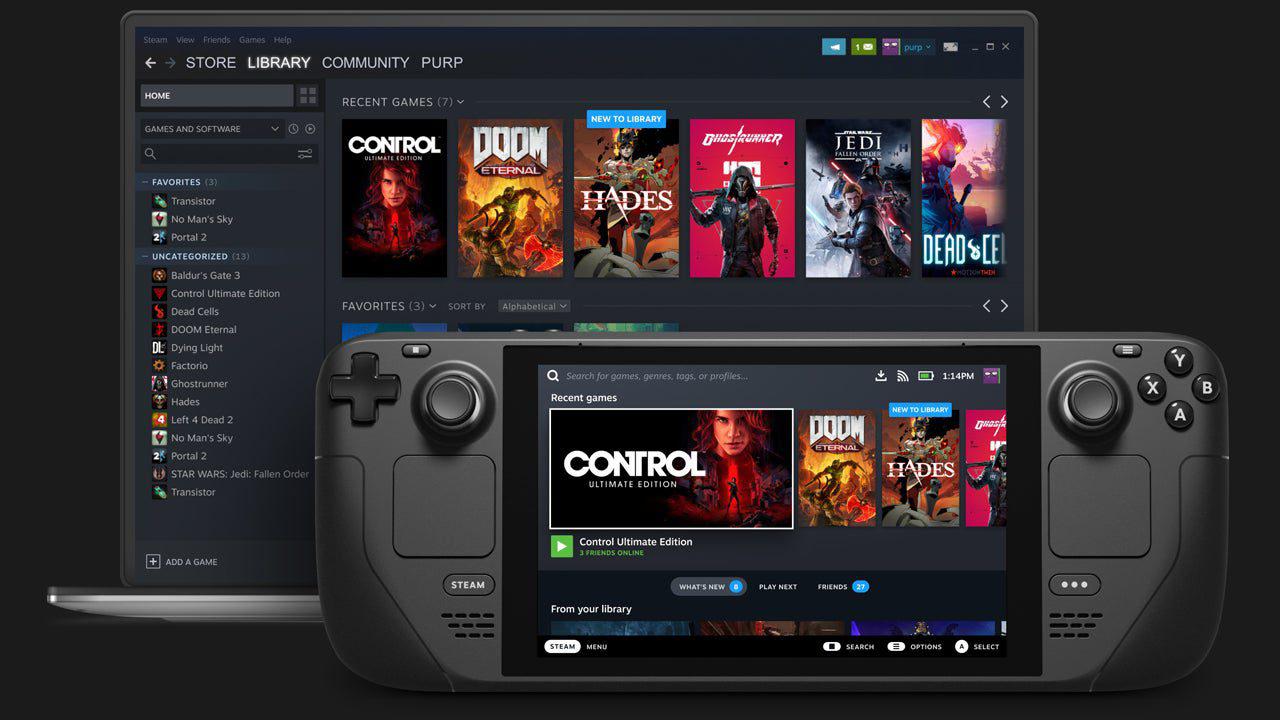
Steam Deck emulation has come a long way, giving gamers more options, better performance, and a clearer route to making the Steam Deck a complete gaming platform.
Steam Deck keeps making it harder to tell the difference between retro gaming and modern gaming convenience.
.jpg)
Recent software updates have made it easier to choose between emulation settings and made more games playable across generations.
Right now, there are two great ways to set up emulation on the Steam Deck: EmuDeck and RetroDeck. Both have great performance and support for a wide range of emulators, but RetroDeck just got a huge update that alters the game.
The new version of RetroDeck, 010.0b, adds new emulators and makes big changes to the program's internals. Azahar, a newer Nintendo3DS emulator that makes everything run much better, is one of the best new features.
In the past, 3DS emulation on the Steam Deck was often unstable, with frame drops and audio stutters, making it hard to justify over actual hardware. With Azahar, most of those problems are fixed, making the experience smoother and more high-end.
Ryujinx for Nintendo Switch emulation is another significant addition. Switch emulation is still a moving target because some projects have been paused, and updates for other emulators are slow to come. However, adding Ryujinx brings RetroDeck closer to matching the features of other emulators.
Not just one emulator, but a whole new version of the RetroDeck program is the most crucial component of the update. Emulators are now more separate from each other; changes made to one emulator won't break the others. This makes configuring far less frustrating and gives you greater control over the details.
This change to the architecture also enables upgrades to occur more quickly. You can now easily release fixes without having to do full regression testing on every emulation. Because of this, RetroDeck is ready to get smaller, more regular updates, which will bring it closer to EmuDeck's fast update schedule.
If you're new to Steam Deck emulation, the choice between EmuDeck and RetroDeck is more about what you like than how well they work.
RetroDeck is a single app that you can get directly from the Discover Store. It sets up controllers, installs all emulators, and consolidates everything into a single, easy-to-use interface. You start RetroDeck via Steam, pick a platform, and then pick your games from there.
EmuDeck is not the same. It downloads each emulator Flatpak independently and uses Steam ROM Manager to add each game to the Steam library. When you set it up, each ROM shows up as its own entry in Game Mode, sorted by console.
RetroDeck is the superior choice if you want everything in one program. EmuDeck is the best way to add individual titles straight to your Steam collection. Neither choice is objectively better in terms of usability and performance.
EmuDeck is much more useful for people who use multiple PCs or portable devices because it offers optional Patreon features. Cloud save synchronization lets you share progress between Windows PCs, SteamOS platforms, Steam Deck, and other handhelds. Saves automatically upload and download, especially when you use Decky Loader plugins. This makes it easy to move devices without losing progress.
For players who use only one device, both EmuDeck and RetroDeck remain easy to use and useful without any premium services.
People sometimes say that emulation is a way to make up for hardware problems. Still, it works best as an addition to modern gaming rather than a replacement. Retro games are great to play between big AAA games or when you have some free time.
If you only play older games, you can miss out on bigger talks about gaming. To keep things new and interesting, you should play a mix of vintage, independent, and modern games.
The Steam Deck's great strength is that it can play both old and new games on the same device. You may look at all the games in a franchise, from the first ones to the most recent remakes, without having to switch platforms.
For instance, you can simulate vintage Resident Evil games, and PC ports from stores like GOG offer DRM-free versions that look great on the Steam Deck OLED screen.
Steam also works well with modern remakes and recent games. Having all of these choices in one location shows how adaptable and long-lasting the platform is.
PC purchases are different from console purchases in that they are always available, can be transferred between systems, and don't require you to buy them again when you upgrade. One of the best things about the Steam Deck ecosystem is that it gives you independence.
The Steam Deck can emulate games and also work with Steam, GOG, and other PC stores. This means that one device can play almost any game, old or new. This freedom makes it easier for gamers who see games as both art and entertainment to fully study a franchise's history without compromise.
SuperWodenRallyEdge, a new game that feels like it was developed just for the Steam Deck, rounds off the experience. This game, based on SuperWodenGP2, adds a hybrid camera system that lets you switch between top-down and behind-the-car views.
The rally structure forces you to pay attention to the co-driver's callouts, making the game more intense and skill-based. The cars' physics feel different from each other, the progression feels like the satisfying structure of classic racing games, and the music keeps you motivated throughout the races.
The Steam Deck OLED runs great, staying at 90 fps most of the time. Locking at 60 fps @ 60 Hz gives you the best possible experience. At $9.99, it's a great deal for a game that feels like it was made for portable play.
The Steam Deck is one of the most versatile gaming devices out there because it has a huge upgrade for RetroDeck, EmuDeck is still being improved, and it works with a lot of other stores. It handles old games, new games, and independent gems equally easily, making it even more of a universal gaming machine.
Editor, NoobFeed
Related News
No Data.