
ASUS ProArt PX13 vs. Zephyrus G14: Creator Power or Gaming Beast?
A deep comparison of performance, display, thermals, battery life, and value between two compact powerhouse laptops.
Hardware by Tanisha Aria on Mar 09, 2026
Both the ProArtPX13 and the ZephyrusG14 are very powerful, but they are built very differently on the inside. One is clearly made for creative professionals who need a lot of memory that works quickly and efficiently. In contrast, the other is clearly made to be a high-performance gaming machine.
Even though they look the same in terms of size and build quality, they are actually split into two different groups based on their architectures, cooling systems, displays, and general priorities. Not just what makes them different, but which one makes the most sense for you based on your needs.
.jpg)
Build Quality and Design
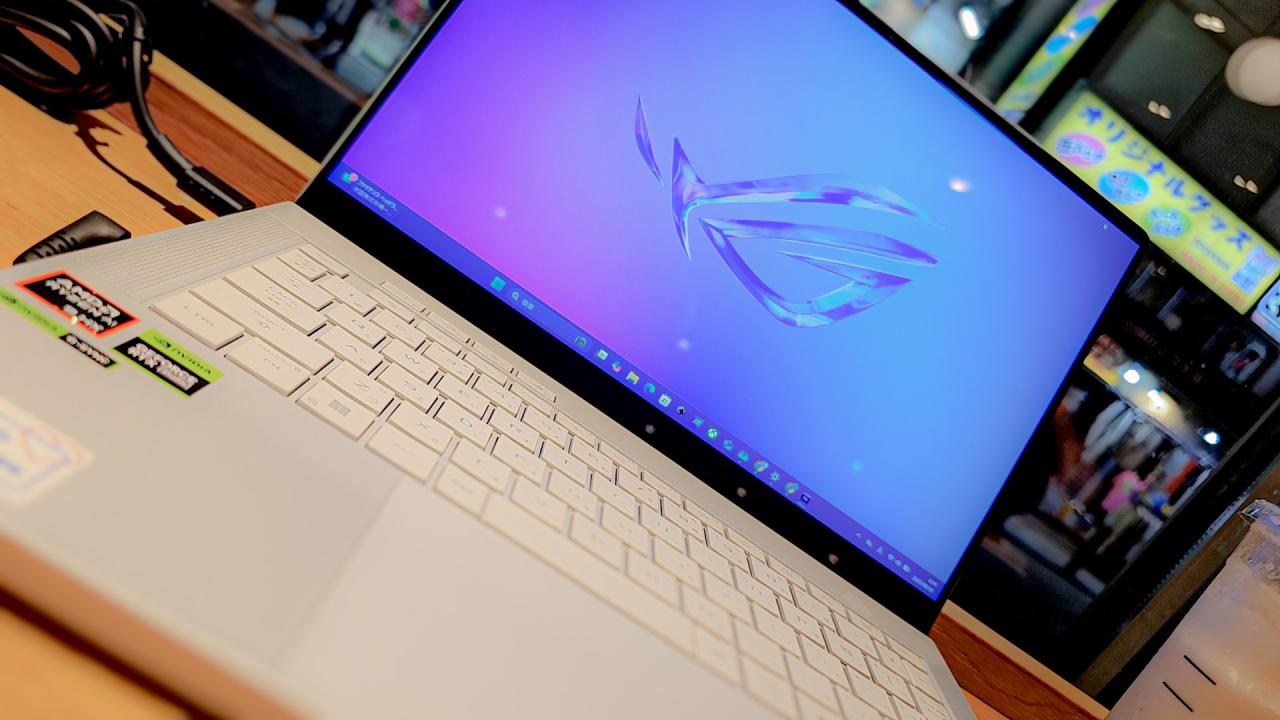
It feels like both computers are very sturdy. The Zephyrus G14 has a frame made entirely of aluminum, while the ProArt PX13's body is made entirely of magnesium. Neither machine bends much because it is made of metal throughout. The ProArtPX13 is noticeably lighter than the Zephyrus G14 because it has a 13-inch footprint rather than a 14-inch one. The Zephyrus isn't heavy, but when you hold it next to each other, you can tell the weight change.
The Zephyrus is also a bit thicker, mostly because it has a bigger cooling system. These computers have extra thickness because their internal architectures are very different.
Architecture and Core Hardware Differences
The Zephyrus G14 is a standard high-performance gaming laptop, thanks to its RTX 5070 Ti GPU. On the other hand, the ProArtPX13 has a powerful APU and the fastest integrated GPU currently available in a laptop. The ProArt doesn't have separate CPU and GPU chips; instead, they are built into one design.
This unified design means that the CPU and GPU share memory and use less power. The ProArt can be configured with up to 128GB of shared memory, of which up to 96GB can be used as VRAM. However, that is far more than the 12GB of VRAM on the Zephyrus G14's specialized GPU.
This shared-memory design is very helpful for creative tasks such as 3D rendering or running AI models locally. But having more memory does not always mean having better speed.
Display Quality and Experience
Both computers have OLED screens, which deliver bright colors, high contrast, and perfect blacks. The Zephyrus G14, on the other hand, has a 120Hz 3K OLED screen, while the ProArt PX13 can only handle 60Hz.
There is a big difference between 120 Hz and 60 Hz. Higher refresh rates make everything feel better, even if gaming isn't important to you. This includes moving the cursor and scrolling through pages. Both screens can be used outside because they are bright enough. Still, the Zephyrus has an anti-reflective finish that makes it much easier to see near windows or in bright light. There is no such layer on the ProArt, and the difference is clear.
The ProArt sticks out because it can be used in many ways. It has a 360° swivel, a touchscreen, and stylus support, so it can be used like a tablet. The Zephyrus doesn't support touch or pen input, and it uses a standard hinge design. The 360° hinge makes it more flexible, but it can feel a little less stable than a regular hinge.
Keyboard, Trackpad, and Input Features
The keyboards on both computers are backlit. The Zephyrus has single-zone RGB lighting, while the ProArt has a light blue backlight. The Zephyrus also has four special macro keys above the keyboard and speaker grills on both sides.
Both machines' keys feel pretty much the same, but the ProArt's keys have a little more movement and feel a little more clicky. We might like typing on the ProArt a little more, but the Zephyrus is still great.
The trackpads are almost identical in size and made of the same high-quality metal. The ProArt's click function needs a little less force and feels a little better.
The ProArt also comes with the ProArt Dial, a rotating control that can be changed and is built into the corner of the trackpad. This dial can be set to perform tasks like timeline scrubbing in Premiere Pro or other program-specific controls, making the workflow more efficient. It can be turned off and used like a normal keypad if it's not needed.
.jpg)
Speakers, Webcam, and Microphones
Some of the best speakers on a Windows laptop are found in the Zephyrus G14. It has specialized subwoofers and upward-firing speakers, which deliver strong bass, great clarity, and a lot of volume.
It sounds good, but the ProArtPX13's downfiring speakers make it hard to get bass and make it loud overall. The clarity is still good, but it doesn't have the same depth and power as the Zephyrus.
The Zephyrus webcam seems a little clearer than the other one, but both are pretty average. The microphones on both are good, but the Zephyrus has a small edge this time.
Performance: CPU and GPU Benchmarks
The ProArt's Ryzen 3950X scores much better than the Zephyrus's Ryzen HX370 in Cinebench R23 multi-core testing, thanks to its 16 full-performance cores. The ProArt is clearly better for tasks that use a lot of CPU power.
In 3DMarkTimeSpy, however, the Zephyrus's RTX 5070 Ti is almost 50% faster than the ProArt's built-in 806S GPU. The Zephyrus is the best when it comes to pure drawing power.
However, shared memory changes how some jobs are done. The Zephyrus has 12GB of VRAM, which is enough for most games. However, bigger creative workloads or local AI models can quickly use up all of that. Because it can assign up to 96GB of VRAM, the ProArt is the only computer that can run huge AI models and very demanding graphics projects.
Gaming Performance
In demanding games, the ProArt sometimes drops well below 60fps at the original 1800p resolution. The Zephyrus's RTX 5070 Ti makes it easy to handle the same tasks.
The ProArt's iGPU performs about as well as a laptop's RTX 4060, which is good but not as good as an A5070TiA5070Ti. The ProArt performs much better at 12:00 p.m., delivering results similar to those of the Zephyrus at 1800p. Even on smaller screens, 1200p still looks good and sharp.
Even though the ProArt can play games, the Zephyrus is simply better at it.
Thermals, Noise, and Efficiency
The ProArt's unified design makes it very good at retaining heat. Its CPU stays about 10° cooler than the Zephyrus's during stress tests. With improved airflow, it can stay under70°, which is remarkable for a high-power laptop.
When not being used, both computers stay quiet. The ProArt is a little quieter overall when it's loaded with stuff. Compared to most gaming laptops, both are pretty quiet in terms of fan noise.
Battery Life
Both computers have batteries that last longer than 10 hours when used lightly, like when streaming video at 80% brightness and 60Hz. Because its cores are more efficient, the Zephyrus lasts a little longer.
The ProArt lasts more than twice as long as the Zephyrus when gaming. Both systems work less well on battery power, but the ProArt can still be used for creative or portable gaming when it's not plugged in. When the Zephyrus's specialized GPU is turned on, it drains much more quickly.
For artists who work on the go, the ProArt offers much better battery life when working hard.
Upgradeability and Storage
Since both computers use soldered memory, adding more RAM in the future will be harder. This is less of a problem, though, since the ProArt can hold up to 128GB.
The Zephyrus has two full-size M.2 SSD slots, which makes it easy to add more storage. The ProArt has only one M.2 slot and supports the smaller 2230 SSD format, which is harder to find and more expensive.
Both computers still have Wi-Fi cards that can be upgraded.
Pricing and Value
The Zephyrus G14 is already in the high-end market, but it offers a range of GPU configurations at lower prices.
The ProArtPX13 costs around $3,000. Specifically, the 128GB version costs that much. There are models with less memory, but the prices vary. Most of the time, you can find the Zephyrus for a lot less.
Final Thoughts
The ZephyrusG14 is the better choice for most people. It has better speakers, a smoother 120Hz screen, better anti-reflective coating, and better game performance, all at a more reasonable price.
That being said, the ProArtPX13 is a truly amazing machine. It can handle tasks that many larger computers can't because of its large shared-memory architecture. Amazingly, a thin 13-inch laptop can run huge AI models or creative projects that use a lot of VRAM.
If your work requires a lot of VRAM or heavy creative processing while on battery power, the ProArtPX13 is the perfect machine for you. The Zephyrus G14 is better for everyone else, especially gamers and regular users, because it is more balanced and costs less.
Also, check our other hardware articles:
- AMD Ryzen 9 9950X3D Review: Setting The Standard For 2025 Gaming CPU
- Amazon Luna 2025 Review: Is Prime Gaming's Cloud Service Your Go-To For Casual Fun?
- AMD RX 9070 XT Review: AMD's RDNA 4 Champion for 1440p Gaming
- GeForce Now Ultimate: Ditching Your Gaming PC For Cloud RTX 4080 Power?
- NVIDIA GeForce RTX 5080 Review (2025): Still A 4K Gaming Powerhouse?
- Intel Core Ultra 9 285K Review And Performance Breakdown (2025)
- AMD Ryzen 7 9800X3D Review: 3D V-Cache Goes God Mode with Stunning Gaming Performance
- Intel Core Ultra 9 285K vs AMD Ryzen 7 9800X3D: In-Depth Gaming Performance and Benchmark Comparison
- NVIDIA GeForce RTX 5080 Super Performance In Cyberpunk 2077: Path Tracing & DLSS 4.0 Tested
- AMD Radeon RX 9070 XT In Cyberpunk 2077: Ray Tracing & FSR 4.0 Tested
- Intel Arc B580 Review: The $250 GPU Revolutionizing 1440p Gaming
- Intel Arc B570 Vs. B580: Value, Specs, And Real-World Gaming Performance
- RTX 5090 Laptop Vs. M4 Max MacBook Pro: Ultimate Raw Performance Vs. Battery Endurance
- Intel Arc b580 Vs. RTX 4060: Game Performance And Value Analysis
- RTX5090 Hell Is Us Demo 4K Ultra Benchmark: DLSS Vs. Native Performance Guide
- NVIDIA RTX 5070 Review: Mid-Range Muscle or Marketing Hype?
- Nintendo Switch 2 Review: Handheld Performance, Features & Value Breakdown
- RTX 5070 Ti Review: Performance, Thermals & Power Efficiency Tested
- Samsung Odyssey OLED G81SF Review 2025: Ultimate 32-Inch QD-OLED Gaming Monitor
- AMD RX 9070 Performance Review: Thermals, Clocks, and Real-World FPS
- AMD Ryzen 5 7600 Review: Best Budget Gaming CPU of 2025?
- AMD Radeon RX 7800 XT Review: RDNA 3 Power For Midrange Gaming
- Asus ROG RTX 5090 Astral OC Vs. Founders Edition: The 4K Gaming Benchmark
Contributor, NoobFeed
Latest Articles
No Data.