
LEGO Batman: Legacy of the Dark Knight Beginner’s Guide | Gameplay Tips & Tricks
Here’s a guide on some beginner’s gameplay tips and tricks in LEGO Batman: Legacy of the Dark Knight.
Game Guide by Ragib Rawnak on May 22, 2026
Here is your guide for Lego Batman Legacy of the Dark Knight. These steps will help you move through the game faster and get the most out of your time.
Navigating the Map
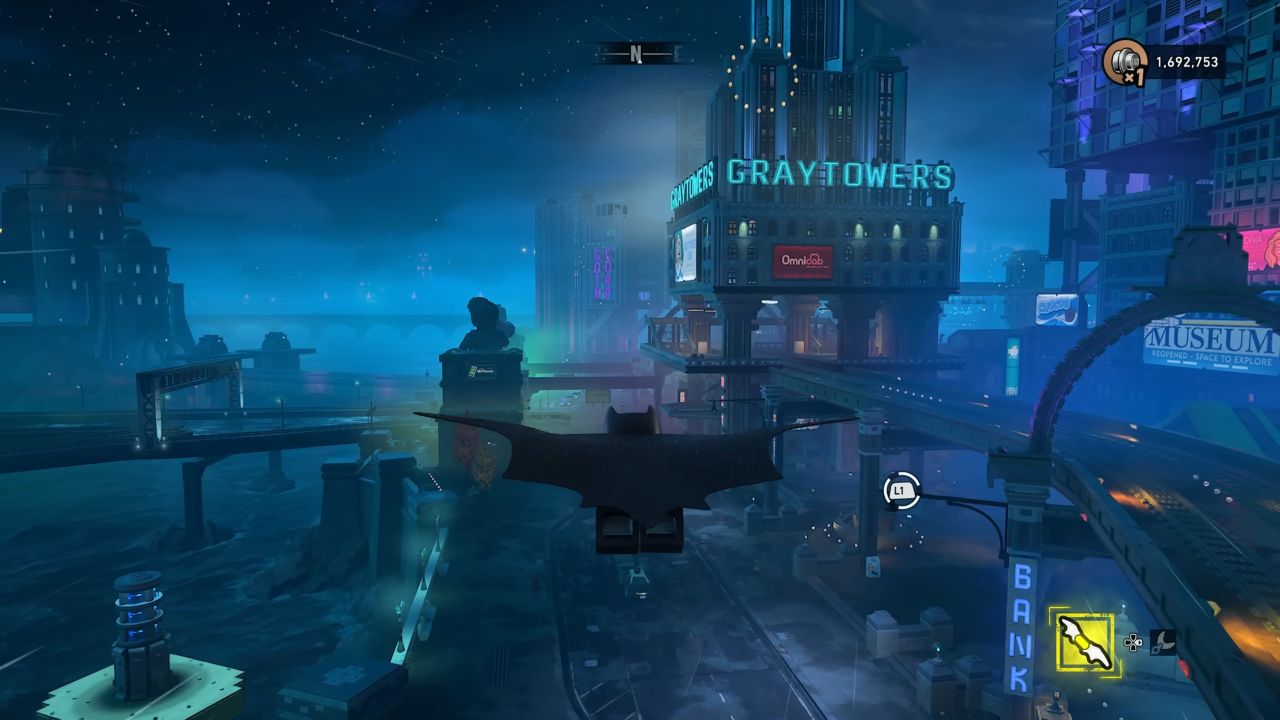
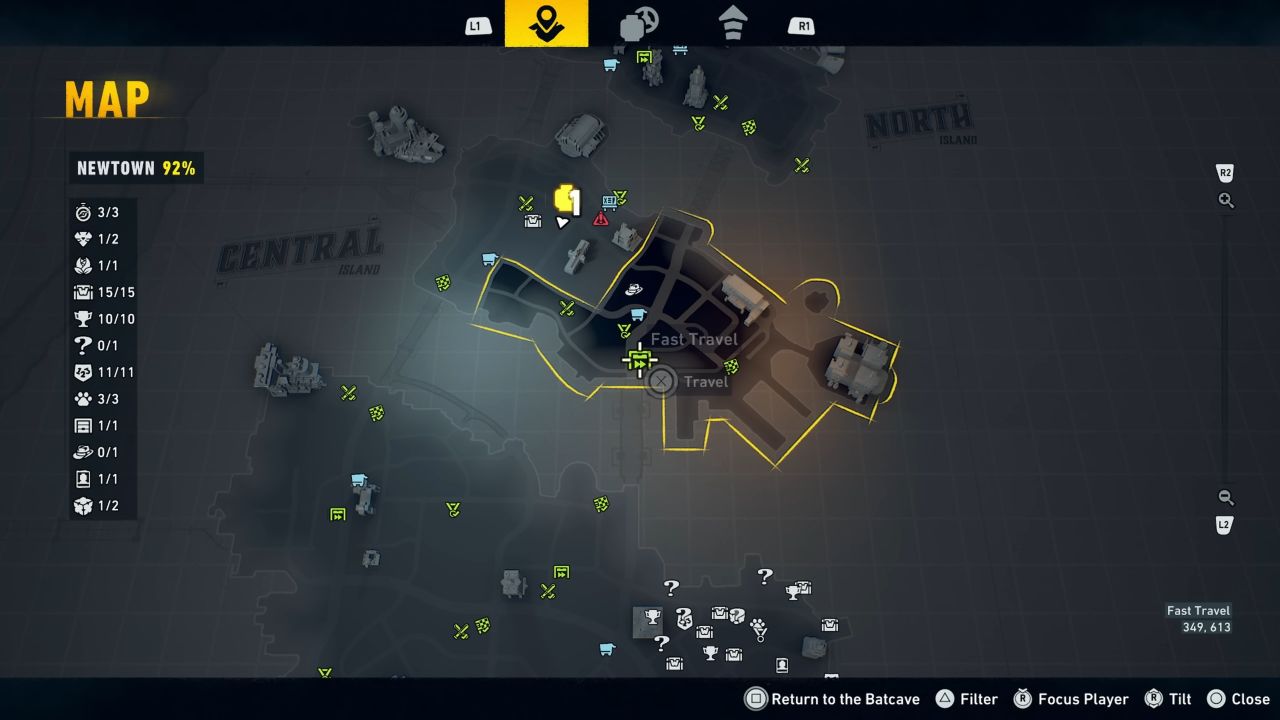
You will see nine different parts of the city. Each part has a Subway stop. To use them, you must finish the puzzle at each station. Once finished, you can teleport between these spots whenever you want. This is a fast way to get back to the city from your Batcave.
You can redecorate your Batcave whenever you like. Go to the Upgrade Bench to change its look in LEGO Batman: Legacy of the Dark Knight.
You can also change the screen on your Bat Computer or swap the model to something else. If you want a different Bat Logo, use the computer to change its color or design. You have many options to choose from.
Collectibles & Outfits
You should use Batgirl to find items. She joins you in chapter four. Look for the big antenna at the top of every area. If you use the Hackarang of Batgirl on it, you will see a wave effect. This wave reveals every hidden item in that part of the map.
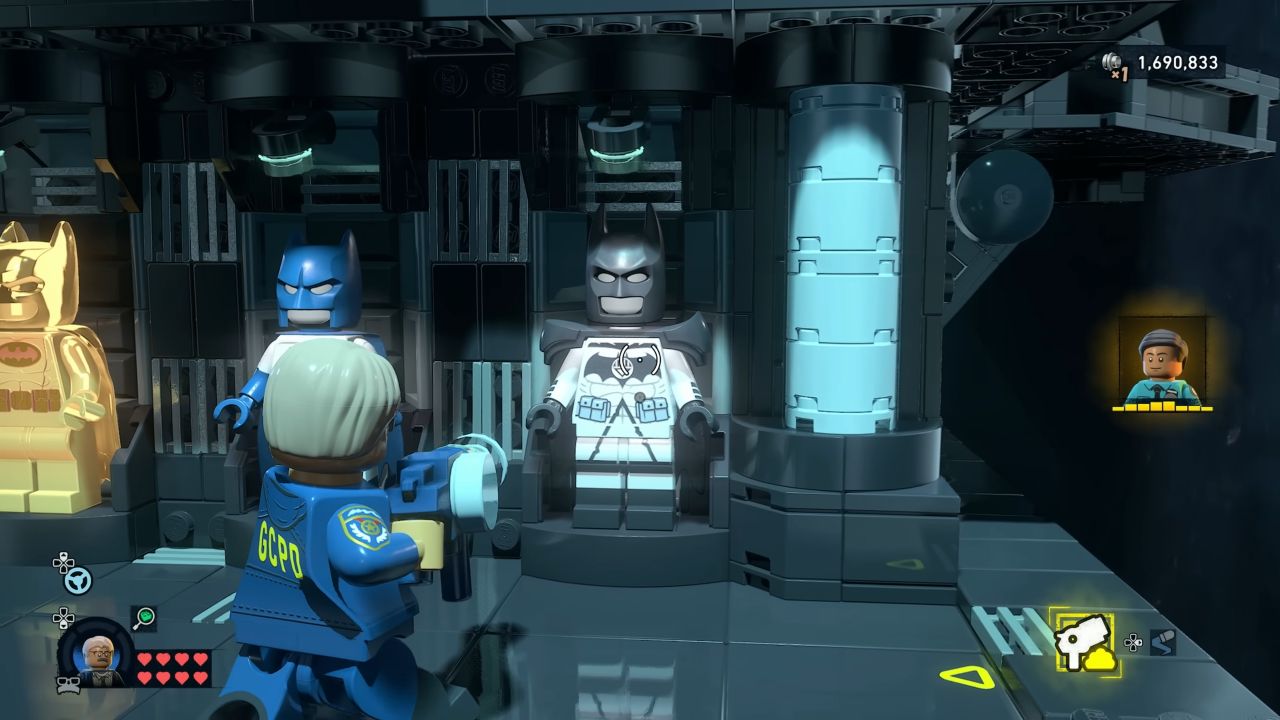
Linking your game to the WB Games Account site gives you a reward. You will get the Detective Comics 27 suit for Batman. It is a classic look. If you link your HBO Max account too, you get two more suits. These are the Black Lantern suit and the Dark Knights of Steel suit.
Races & World Activities
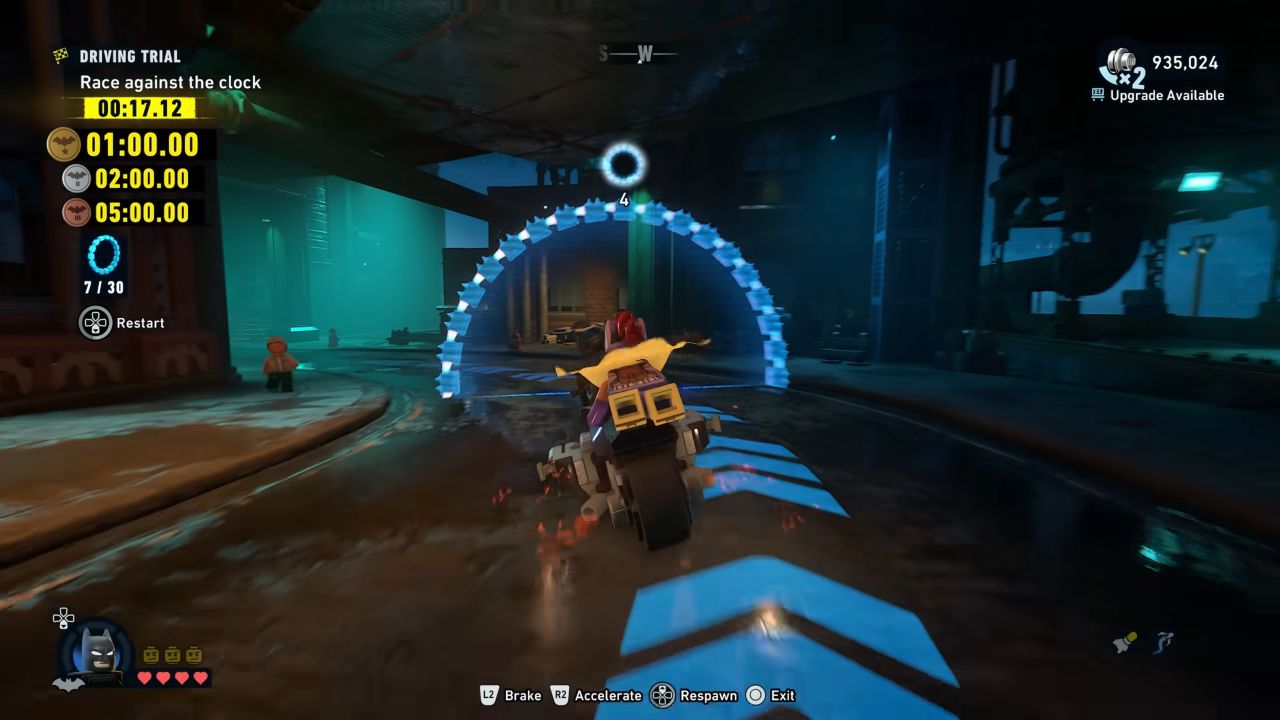
Some vehicles, like the BVS Car or the Tumbler, are too wide for sharp turns. You might fail your races if you use them in LEGO Batman: Legacy of the Dark Knight.
Switch to a motorcycle if you want the gold medal. Motorcycles are smaller and easier to steer. Make sure to hit the speed boost button.
If you find the timed button presses hard, change your settings. Open your Options menu and look for the Accessibility tab. You can set the game to make these inputs simpler. If you prefer, you can turn on a feature that completes them for you.
Getting Money
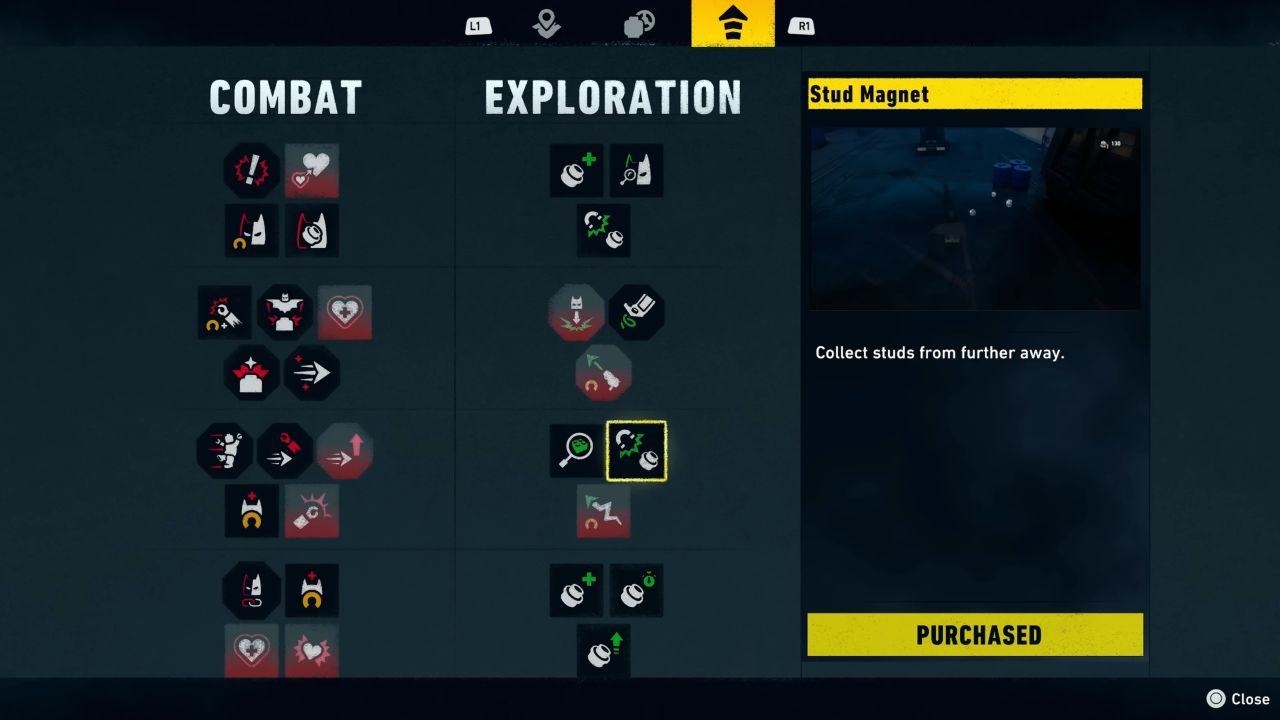
You need lots of Studs. Start by buying the Hyper Combo upgrade. It makes your score go up faster.
Then, get the Stud Magnet so you can pick up items from further away. You should also get the Stud Combo Duration and Speedy Stud Combo upgrades. You need six Gold Bricks for these. For extra cash, find the QR Code in the Extras menu and scan it for a Stud Cache.
Usually, you lose part of your score if your hearts run out. You can stop this. Go to your Options, open Accessibility, and find the Gameplay Assistance menu. Set Lose Studs When Defeated to off.
Visibility & Flight
You can hide the extra icons on your screen for a better view. Open the Video tab in your Options and set the HUD Visibility to Dynamic. Next, go to the Gameplay tab and set all the marker options to Never.
This makes the screen look much cleaner. Be careful, because Wanted Posters will not show up on your map anymore. Use this once you finish the main story missions in LEGO Batman: Legacy of the Dark Knight.
Also, check our LEGO Batman: Legacy of the Dark Knight Review and other guides below:
- LEGO Batman: Legacy of the Dark Knight Guide | How to Unlock Catwoman
- LEGO Batman: Legacy of the Dark Knight Guide | How to Unlock Jim Gordon
- LEGO Batman: Legacy of the Dark Knight Guide | How to Get the Best Gadgets
- LEGO Batman: Legacy of the Dark Knight Guide | How to Solve Old Gotham West SubWayne Puzzle
- LEGO Batman: Legacy of the Dark Knight Guide | How to Solve Old Gotham North SubWayne Puzzle
- LEGO Batman: Legacy of the Dark Knight Guide | How to Solve Old Gotham South SubWayne Puzzle
- LEGO Batman: Legacy of the Dark Knight Guide | How to Solve Tricorner SubWayne Puzzle
- LEGO Batman: Legacy of the Dark Knight Guide | How to Replay Missions
- LEGO Batman: Legacy of the Dark Knight Guide | How to Unlock Nightwing
- LEGO Batman: Legacy of the Dark Knight Guide | How to Solve The Cauldron South SubWayne Puzzle
- LEGO Batman: Legacy of the Dark Knight Guide | How to Solve Ace Chemicals SubWayne Puzzle
- LEGO Batman: Legacy of the Dark Knight Guide | How to Solve Newtown SubWayne Puzzle
- LEGO Batman: Legacy of the Dark Knight Guide | The Penguin Red Brick Location
- LEGO Batman: Legacy of the Dark Knight Guide | Mimes Red Brick Location
- LEGO Batman: Legacy of the Dark Knight Guide | The Red Hood Gang Red Brick Location
- LEGO Batman: Legacy of the Dark Knight Guide | Carmine Falcone Red Brick Location
- LEGO Batman: Legacy of the Dark Knight Guide | Poison Ivy Red Brick Location
- LEGO Batman: Legacy of the Dark Knight Guide | Kite Man Red Brick Location
- LEGO Batman: Legacy of the Dark Knight Guide | Two-Face Red Brick Location
- LEGO Batman: Legacy of the Dark Knight Guide | Joker Red Brick Location
- LEGO Batman: Legacy of the Dark Knight Guide | Flugelheim Red Brick Location
- LEGO Batman: Legacy of the Dark Knight Guide | How to Solve All Cluemaster Puzzles in Newtown
- LEGO Batman: Legacy of the Dark Knight Guide | How to Solve All Cluemaster Puzzles in Old Gotham South
- LEGO Batman: Legacy of the Dark Knight Guide | How to Solve All Riddler Puzzles in Cauldron North
- LEGO Batman: Legacy of the Dark Knight Guide | How to Solve All Cluemaster Puzzles in Tricorner
- LEGO Batman: Legacy of the Dark Knight Guide | How to Solve All Riddler Puzzles in Cauldron South
- LEGO Batman: Legacy of the Dark Knight Guide | How to Solve All Riddler Puzzles in Old Gotham North
- LEGO Batman: Legacy of the Dark Knight Guide | How to Solve All Ridldler Puzzles in Old Gotham South
- LEGO Batman: Legacy of the Dark Knight Guide | How to Solve Gotham Village SubWayne Puzzle
- LEGO Batman: Legacy of the Dark Knight Guide | How to Solve Amusement Mile SubWayne Puzzle
- LEGO Batman: Legacy of the Dark Knight Guide | How to Solve All Riddler Puzzles in Tricorner
- LEGO Batman: Legacy of the Dark Knight Guide | Infiltration Red Brick Location
- LEGO Batman: Legacy of the Dark Knight Guide | New Beginnings Red Brick Location
- LEGO Batman: Legacy of the Dark Knight Guide | How to Unlock Batgirl
- LEGO Batman: Legacy of the Dark Knight Guide | How to Unlock Talia
- LEGO Batman: Legacy of the Dark Knight Guide | How to Get the Best Skills
- LEGO Batman: Legacy of the Dark Knight Guide | How to Get Money Fast
- LEGO Batman: Legacy of the Dark Knight Guide | How to Unlock All Batman Suits
- LEGO Batman: Legacy of the Dark Knight Guide | How to Unlock Robin
Senior Editor, NoobFeed
Latest Articles
No Data.