
ROG Xbox Ally X20 Gets OLED, But Is It Worth $300 More?
Xbox Ally X20 introduces an OLED display and redesigned controls while retaining the same processor and gaming performance as its predecessor.
Handheld by Nahe Yan on Nov 04, 2026
ROG Xbox Ally X20 and Xbox Ally X offer two different approaches to handheld gaming. One adds an OLED display, revised controls, and design changes, while the other delivers the same core processing power at a lower price. Although the X20 looks like a major upgrade, it does not introduce a new level of gaming performance.
The main differences come down to the display, controls, and other hardware refinements, not a faster processor. The biggest change is right in front of you. X20 moves from the Ally X's 7-in LCD to a 7.4-in OLED. Both are 1080p screens with a 120hz refresh rate, so this isn't about cramming in more pixels. The extra screen area, darker blacks, and HDR highlights make the new one interesting.
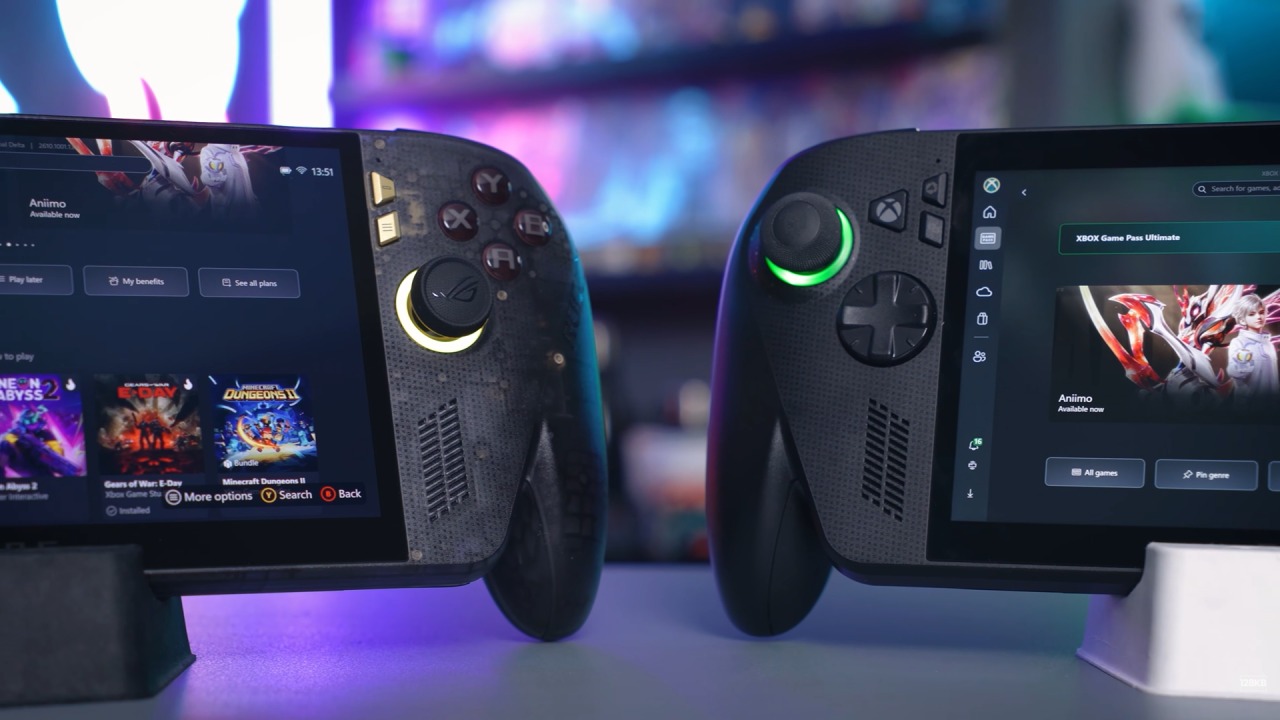
OLED Display is the Biggest Upgrade on the Xbox Ally X20
Think of a dim corridor with bright lights at the far end. OLED can keep the dark parts dark without turning those lights into a gray compromise. That's a much more tangible reason to upgrade than another badge on the box. Two catches are worth keeping in mind. First, an HDR peak figure isn't the brightness of the entire screen all the time. Second, a 120hz panel doesn't mean every game runs at 120fps.
Both models support variable refresh rate, which helps the display follow the frames the machine can actually deliver. The new screen is a reason to want the X20. It isn't proof that the processor underneath has suddenly become faster. If your favorite game struggles on the older model, don't buy this one expecting the screen to solve that. Both use AMD's Ryzen AI Z1 Extreme with 24GB of memory and a 1TB drive in these configurations.
X20 gets revised cooling, including a different airflow route inside the case. Cooling can matter when you run a warm computer all evening, but better cooling alone is a poor reason to expect a huge speed increase. Think of this as a nicer version of the same performance tier. We still need to choose our graphics settings and power level.
Buying the more expensive shell doesn't change that. Ryzen AI Z1 Extreme remains the processor on both models, meaning the X20 doesn't bring a major change to gaming performance. If you're expecting demanding games to run dramatically faster, the newer model isn't that kind of upgrade.
Magnetic Joysticks and Redesigned Controls
The controls are a stronger argument. X20 uses magnetic joysticks, and its directional pad can be lifted and rotated between four-way and eight-way layouts. That's a useful little change if you move between older platform games and fighting games. The buttons are reshaped, and the grips have a rubberized finish. None of that tells us whether it will fit your hands perfectly, but it does show where the extra money has gone.
It's not just a gold logo. You touch these parts every few seconds, so thato those small improvements can matter more than another line on a spec sheet. If you spend several hours gaming on a handheld, the changes to the controls can make a difference to the overall experience. The Xbox name can make these look simpler than they really are. Both are Windows handheld PCs.
Your Xbox purchases also need checking. Some console games include a PC version, while others require a separate purchase. Check whether that game supports Play Anywhere or whether you'll use remote play or cloud streaming instead. That distinction matters much more than the color of the case.
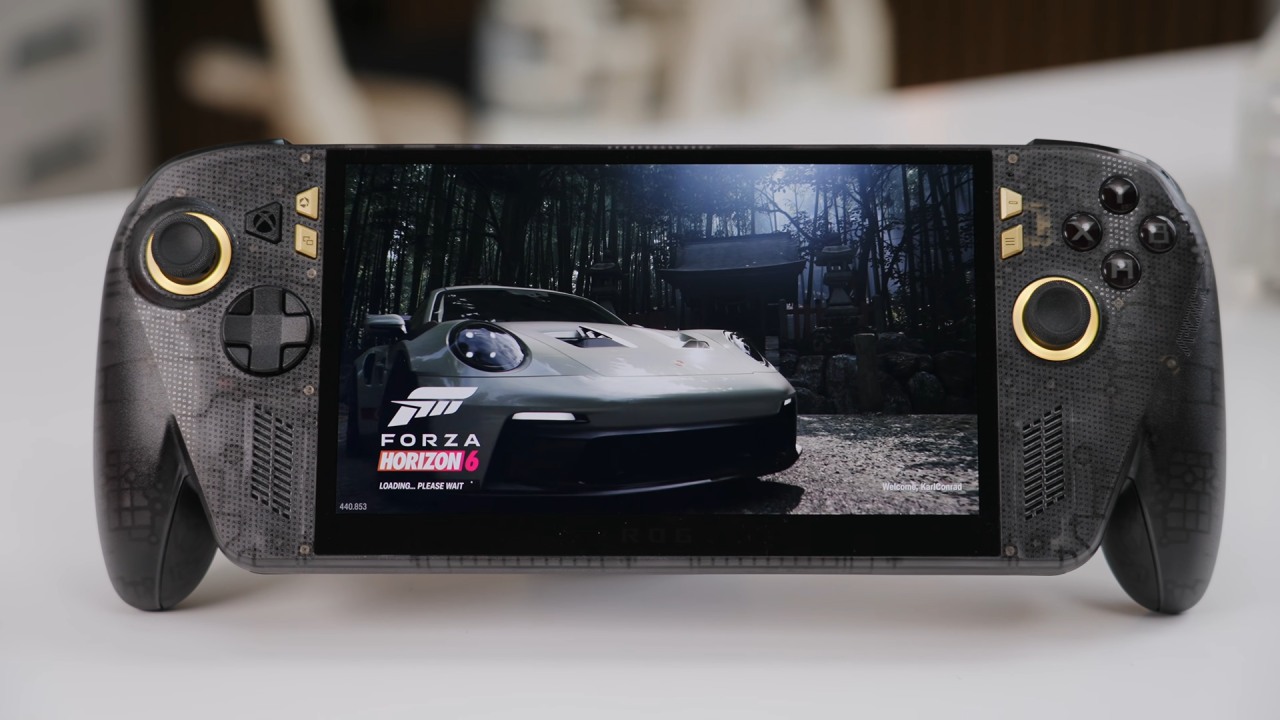
The newer hardware also arrives alongside changes to Armory Crate, the software used to manage the handheld.
But don't count every software improvement as an exclusive reason to buy the X20. ASUS is bringing features like configurable hotkeys across the Ally family. Already have an Xbox Ally X? Try the latest software first. Sometimes the thing you wanted was a better setting, not a replacement machine. The OLED panel and the new physical controls are different.
Those changes require new hardware, which is the main reason to consider moving to the X20. Both have an 80Wh battery. That doesn't guarantee identical play time, and it certainly doesn't guarantee a full day of demanding games. Runtime depends on the game, screen brightness, and power level. For travel, we'd rather choose a sensible frame rate limit than spend the whole flight chasing a benchmark score.
Both also have USB-C connections and expandable storage. X20 supports microSD Express cards, while the older model has a UHS-II card slot. Faster storage can be useful, but don't mistake a faster card for a faster graphics chip. Also, check whether your local package includes a charger before ordering an extra one.
Editor, NoobFeed
Latest Articles
No Data.