
GPU Memory Bandwidth vs. Memory Bus Width: What Matters Most?
GPU memory bandwidth plays a crucial role in determining how efficiently graphics cards transfer data between the processor and VRAM.
Hardware by Tanvir Kabbo on Nov 04, 2026
Graphics card performance depends on more than just processor strength and video memory. Other factors that affect how effectively a GPU processes data include memory bandwidth and memory bus width. These specs affect how quickly information moves between the GPU and its VRAM.
Therefore, they are crucial factors to consider when comparing graphics cards. But to appreciate their real-world impact, you need to look beyond the numbers on a spec sheet.

Understanding the Memory Bus and Its Role in Graphics Cards
Memory bandwidth, often called memory bus width, was also one of the biggest talking points around the unveiling of the NVIDIA RTX 4080 12GB. But why is it so significant? In computers, a bus is a generic name for a data connection between components. For example, USB stands for Universal Serial Bus because it offers a general-purpose connection for delivering data.
The memory bus in graphics cards connects the GPU to the card's video memory, or VRAM. The GPU, among other things, processes information stored in VRAM to generate the graphics you see on your screen. VRAM stores textures, which give objects their look, and the information needed to render visual effects.
Increasing resolution, texture quality settings, and visual effects usually uses more VRAM. This explains why NVIDIA and AMD sometimes face criticism for pairing powerful GPUs with insufficient memory capacity. A graphics card might have enough processing power to run demanding games at high settings, but limited VRAM can become a bottleneck.
As more data is stored in VRAM, the memory bus becomes increasingly important because it affects how much information can flow between the memory modules and the GPU.
How Memory Bus Width Determines Bandwidth
When checking graphics card specs, you'll see memory bus measurements in bits and memory bandwidth measurements in gigabytes per second. The bit width is the number of bits the memory bus can transfer in one memory clock cycle.
Modern graphics cards often have memory rates far over 1,000MHz. This means that the overall amount of information sent can be huge. For example, NVIDIA's top-of-the-line RTX 4090 has a 384-bit memory bus, which delivers roughly 1TB/s of memory bandwidth.
However, comparing memory bus lengths from different generations of graphics cards can be deceptive. Just as bare CPU clock speeds don't tell the whole story across different architectures, memory bus width needs context.
Why the RTX 4080 12GB Memory Bus Became Controversial
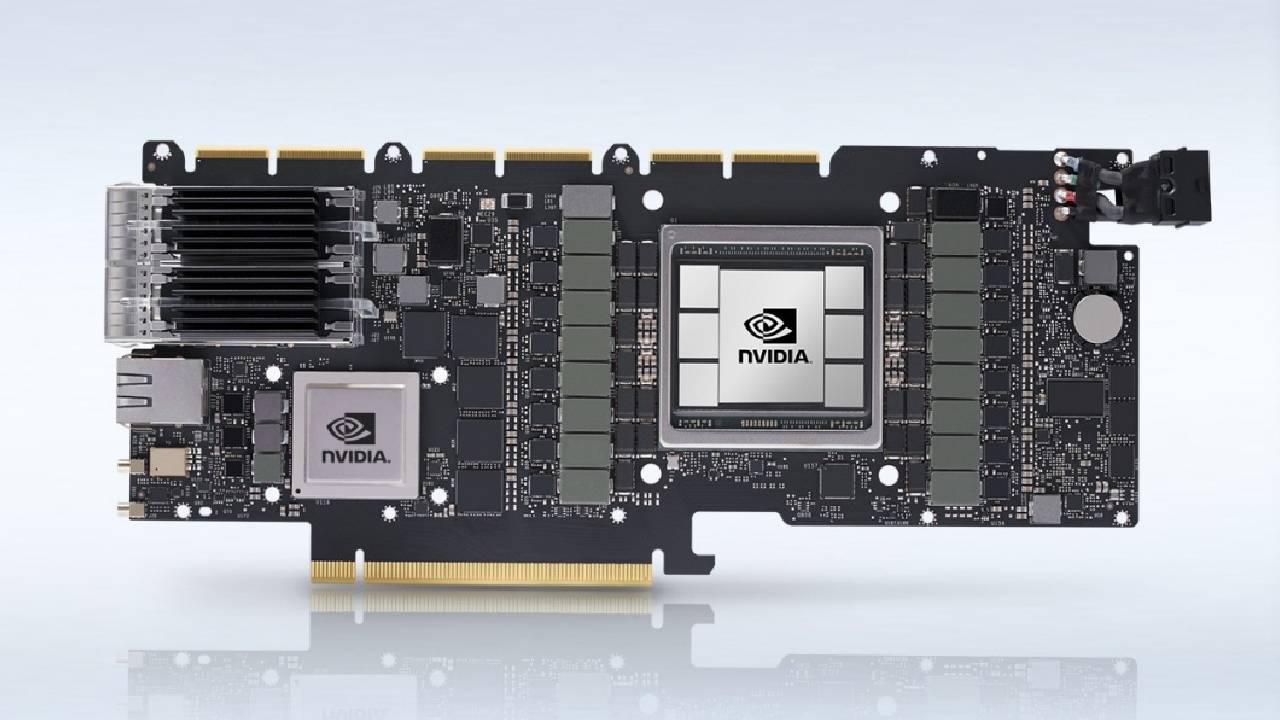
The NVIDIA RTX 4080 12GB is a good example of why memory bus specs aren't everything. Before NVIDIA eventually called off the graphics card, its specifications drew substantial criticism. There was certainly merit to worries that the RTX 4080 12GB was being marketed as an RTX 4080 with lower-tier specs. However, some criticism of the 192-bit memory bus warranted further investigation.
The 192-bit design was narrower than the previous-generation RTX 3070's 256-bit memory bus. But NVIDIA's Ada Lovelace architecture made a big change in how the cache is designed.
The RTX 4080 12GB was said to have 48MB of L2 cache, an ultra-fast memory component that sits right on the GPU die, distinct from the main VRAM. In comparison, the previous flagship RTX 3090 Ti had only 6MB of L2 cache.
That improvement matters because it lets the GPU keep frequently used data closer to its processing units, rather than pulling it from external VRAM every time. This means the extra cache can help offset some of the disadvantages of lower memory bandwidth, and it may also reduce power consumption and heat output.
Should You Prioritize Memory Bandwidth When Buying a GPU?
Generally, a broader memory bus and higher memory bandwidth are beneficial. But it's not exactly a great idea to rely solely on these specs while shopping for your next graphics card. Instead, consider the full GPU architecture, its processing power, and the available VRAM. Gaming benchmarks and independent reviews can give you a better idea of real-world performance.
Pay special attention to reported texture issues, visual glitches, and performance issues when running games at higher resolutions and quality settings. These results can show whether a graphics card has memory capacity or bandwidth problems.
At the end of the day, prioritize having a good GPU and enough VRAM before worrying too much about memory bandwidth. Individual specs rarely tell the whole story, and real-world benchmarks are still the best way to see whether a graphics card can do what you need.
FAQ
Q. What is GPU memory bandwidth?
A. GPU memory bandwidth refers to the amount of data a graphics card can transfer between its GPU and VRAM per second. Higher bandwidth allows faster data movement and can improve performance in memory-intensive workloads.
Q. What is memory bus width in a graphics card?
A. Memory bus width represents how many bits of data a GPU can transfer during each memory clock cycle. Common configurations include 128-bit, 192-bit, 256-bit, and 384-bit memory buses.
Q. Is a wider memory bus always better for GPU performance?
A. No. A wider memory bus generally provides greater data transfer capacity, but it does not automatically guarantee better performance. GPU architecture, memory speed, VRAM capacity, and cache size also influence overall performance.
Q. Can GPU cache compensate for a narrower memory bus?
A. Yes. A larger GPU cache can reduce reliance on external memory bandwidth by keeping frequently accessed information closer to the GPU processing units. However, cache cannot completely replace the benefits of higher memory bandwidth.
Senior Editor, NoobFeed
Gaming Hardware Updates
No Data.