
Xbox Ally Gets Major Upgrade as AMD FSR 4 Improves Gaming Performance
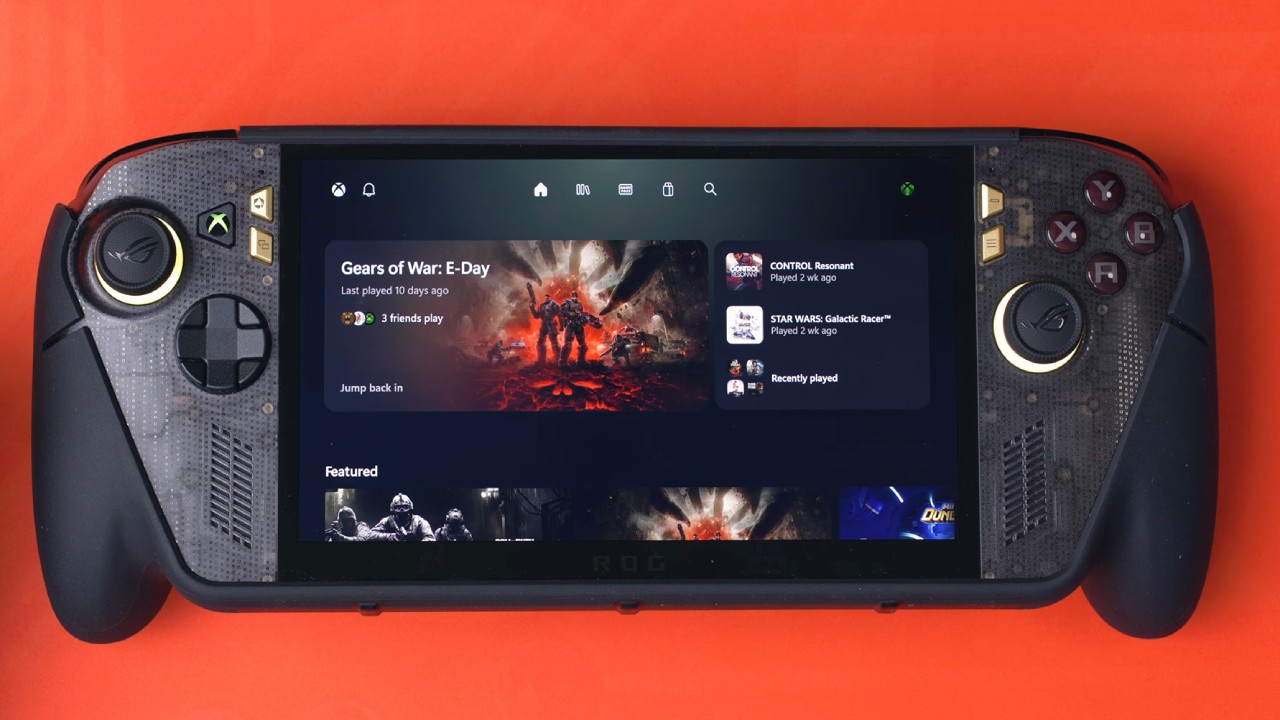
AMD FSR 4 brings improved image reconstruction, higher performance, and sharper visuals to the xbox ally without hardware changes.
Handheld by Nahe Yan on Nov 26, 2026
AMD has officially brought FSR 4 to the Xbox Ally, introducing an upscaling upgrade that improves image quality while maintaining performance. The technology lets the handheld reconstruct images from significantly lower internal resolutions, making games look sharper and more stable without any hardware changes.
Testing in Cyberpunk 2077 and Hogwarts Legacy shows how FSR 4 can improve both visual quality and frame rates, especially when playing the Xbox Ally docked to a television. Xbox Ally, specifically the white model with the Z2 A chipset, has just eight RDNA 2 compute units. Naturally, there were concerns about whether its GPU could run a machine learning-based upscaler without significantly affecting performance.

AMD FSR 4 Arrives on the Xbox Ally With RDNA 2 Support
To find out, we ran a series of benchmarks in Cyberpunk 2077, keeping the internal rendering resolution at 360p while changing the output resolution and the FSR version. At 720p with FSR 2.1 set to Performance, Cyberpunk 2077 averaged 46.67 FPS. Switching to FSR 4 Performance at the same internal and output resolutions brought that number down to 43.31 FPS. This means FSR 4 adds 1.66ms to the game's frame time compared to FSR 2.1.
Assuming FSR 2.1 itself has a performance cost of roughly 1.5ms, we can estimate that FSR 4 has an effective frame time cost of around 3.16ms at 720p. Increasing the output resolution to 1080p and setting FSR 4 to Ultra Performance, while maintaining the same 360p internal resolution, brings that estimated cost up to 8.9ms.
These aren't direct measurements of the upscaler itself, as other aspects of the rendering pipeline can become more expensive at higher resolutions. However, they give us a good idea of how expensive it is to reconstruct an image at 1080p on this hardware. Comparing FSR 4 Performance to FSR 2 Performance is somewhat unfair to FSR 4 because the image produced from that 360p internal resolution is significantly better.
Running Cyberpunk 2077 at 720p with FSR 2.1 set to Quality gives us an average of 40.07 FPS. Switching to FSR 4 Performance gives an 8% performance increase while rendering 44% fewer pixels internally. This is where we can leverage FSR 4's image reconstruction to achieve something previously considered impractical on the Xbox Ally: playing Cyberpunk 2077 docked at 900p.
FSR 4 Delivers Better Performance With Higher Image Quality
Using dynamic resolution scaling alongside FSR 4 Performance, the internal resolution ranged from 50% to 85%. On paper, this might sound like it would produce a poor image, but the actual result is remarkably sharp. The fine details that make up the world of Night City, including signs, wires, and complex geometry that previously made Cyberpunk difficult for FSR to reconstruct, are now resolving into a more coherent image.
More importantly, these details remain visible when moving the camera. For performance, Cyberpunk 2077 at these settings can maintain its 30 FPS target for most gameplay. There are some drops when traversing through Night City, so this isn't a completely locked 30 FPS experience. However, in other gameplay sequences, the game maintains 30 FPS throughout.
Given that this is a handheld with roughly the capabilities of the Steam Deck, playing Cyberpunk 2077 on a television with a sharp image is a substantial upgrade. Cyberpunk 2077 isn't the most impressive example of what FSR 4 can achieve on the Xbox Ally. Hogwarts Legacy has always been particularly difficult for older FSR versions to reconstruct.
Comparing FSR 3 Quality to FSR 4 Performance resulted in a 25% performance increase.
However, the most impressive part of this comparison isn't the performance. It's the fact that FSR 4 Performance produces a better-looking image. Distant details resolve much more clearly, the image is significantly more temporally stable, and character hair is reconstructed more accurately despite the game rendering at a substantially lower internal resolution.
Because Hogwarts Legacy was easier to run than Cyberpunk 2077 during testing, we could use that extra performance to increase the output resolution to 1080p. With FSR 4 set to Performance, Hogwarts Legacy on the Xbox Ally internally renders at 540p. It produces an image that arguably looks better than the one currently displayed by the Xbox Series S version, which hasn't been updated to use FSR 4 yet.
The image is sharp; there's virtually no visible aliasing in the tested footage, and the distant details that make up the game's environments are preserved. Performance-wise, aside from slight hitches during traversal, the game maintains its 30 FPS target throughout the tested sequences. This doesn't mean the Xbox Ally is suddenly more powerful than the Xbox Series S.
FAQ
Q. Does AMD FSR 4 work on the Xbox Ally?
A. Yes. AMD has brought FSR 4 to the white Xbox Ally, which features the Z2 A chipset and 8 RDNA 2 compute units.
Q. How much performance does FSR 4 improve on the Xbox Ally?
A. In Hogwarts Legacy, FSR 4 Performance delivered a 25% performance increase compared to FSR 3 Quality during testing. In Cyberpunk 2077, FSR 4 Performance delivered an 8% increase over FSR 2.1 Quality at 720p.
Q. Can the Xbox Ally run Cyberpunk 2077 at 900p using FSR 4?
A. Yes. With FSR 4 Performance and dynamic resolution scaling, the Xbox Ally can run Cyberpunk 2077 docked at 900p while maintaining a 30 FPS target throughout most gameplay.
Q. Does FSR 4 make the Xbox Ally more powerful than the Xbox Series S?
A. No. FSR 4 improves image reconstruction and performance, but it doesn't make the Xbox Ally more powerful than the Xbox Series S. It lets the handheld deliver better image quality from lower internal rendering resolutions.
Editor, NoobFeed
Latest Articles
No Data.