
Steam Deck Desktop Mode: A Real Linux PC Replacement Setup
A Steam Deck paired with a 4K monitor and Bluetooth peripherals forms a complete desktop workstation setup.
Hardware by Nahe Yan on Aug 07, 2026
Underneath its handheld interface, Steam Deck runs a full Linux desktop environment. This desktop mode lets you use the device as a PC instead of just a gaming handheld. A Steam Deck can handle everyday desktop tasks, multitasking, and even some serious gaming on a bigger screen with the right monitor, add-ons, and some setup.
The setup below is based on an older 2022 LCD model, and it will be broken down along with the performance, quirks, and limits that came with using it every day as a desktop. We bought this used Steam Deck for less than $300 about two years ago, and it already had a 1TB SSD installed. Given how much parts have changed since then, getting it at that price feels like a lucky find.
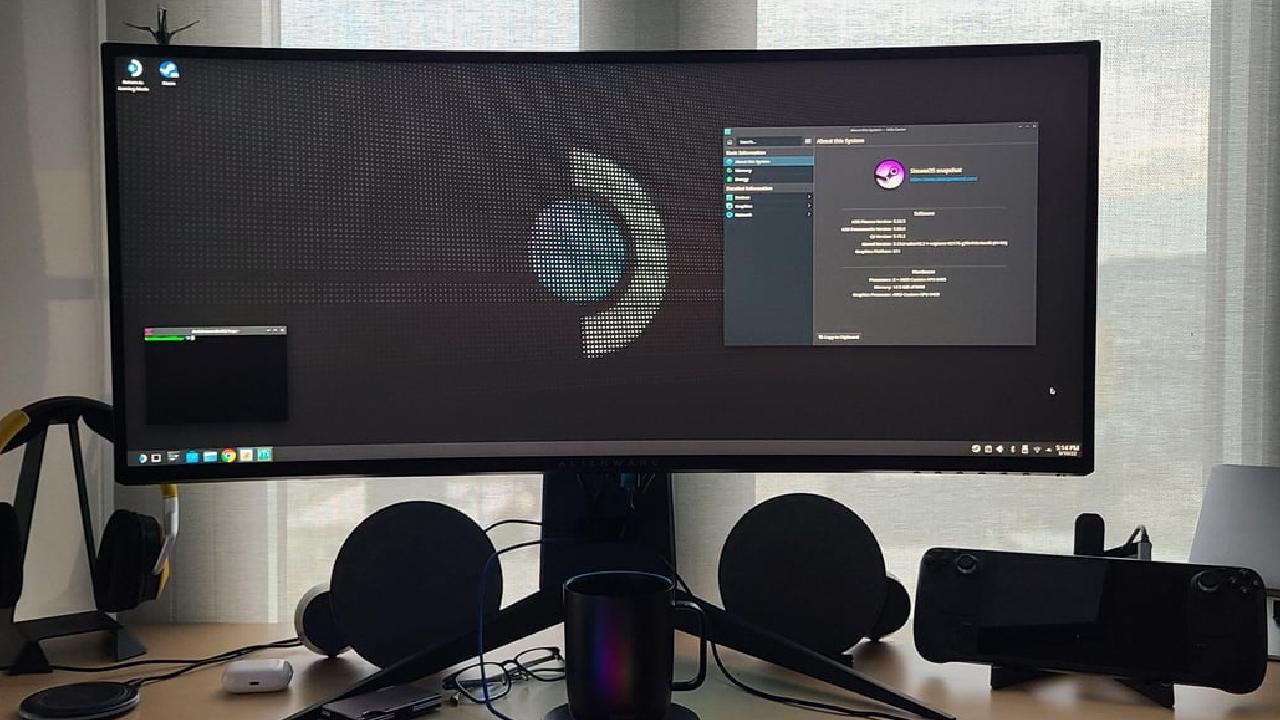
The Setup
The monitor does not have built-in speakers, so we paired it with a set of Creative Pebble V3 speakers running through the aux input. Nothing about them stands out on paper, but the sound quality is better than expected for a $30 to $40 price tag. For keyboard and mouse, we used a Bluetooth keyboard and mouse combo that connects to the Steam Deck automatically.
As soon as they power on, the whole setup is fast to bring up. Instead of an expensive dock loaded with ports, a simple $5 stand holds the Steam Deck upright so the screen sits at a good angle to work as a secondary display. That secondary screen has been useful for keeping music streams or background video running while multitasking, and it works better for that purpose than picture-in-picture mode.
Desktop Mode Performance
Desktop mode on the Steam Deck runs on KDE Plasma, a real Linux desktop environment rather than a stripped-down interface. You can open a browser, run Spotify, and keep several windows open at once, much like you would on a laptop or desktop. Performance held up better than expected, even on this older handheld with its 2022 AMD chipset.
Apps launch quickly, switching between them is smooth, and with 16GB of RAM, a browser with several tabs open stays reasonably responsive. It is not the fastest experience once a 4K monitor enters the picture, and dropping the resolution to 1440p improves performance noticeably. The one moment where things slowed down was downloading a game through Steam while running other tasks and watching a video at the same time.
Fan noise picked up during that stretch, but performance returned to normal once the download finished. Compatibility layers also let you run some Windows software on the Linux base, and while coverage is not complete, common lightweight programs like messaging apps work more than 50% of the time.
KDE Plasma makes the desktop highly customizable, down to the visual theme, so you can shape it to resemble Windows or macOS if that is what you are used to. Key remapping and shortcut mapping are also straightforward through the settings, with no need for third-party tools.
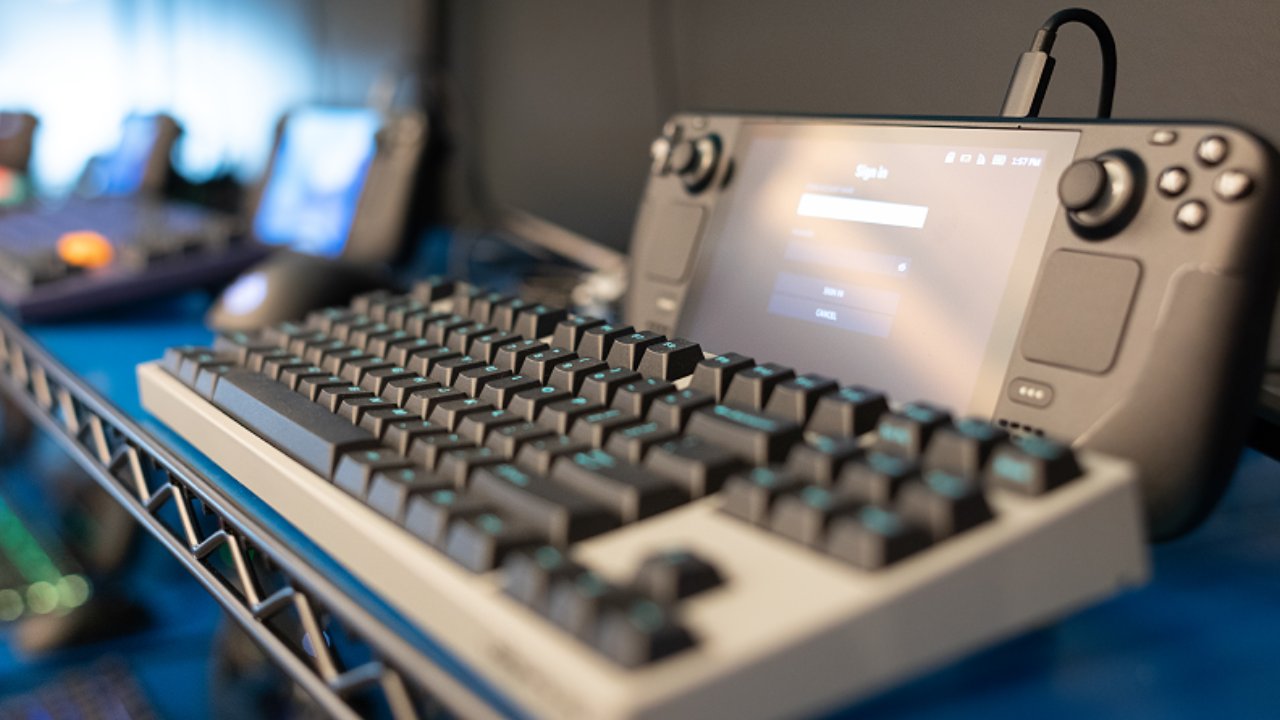
Where It Falls Short
KDE Plasma offers a strong user experience, but it is not Windows or macOS, so it is not fully plug-and-play if you are coming from either of those environments. It is flexible, down to being able to move around interface elements freely, and there is no system-level advertising or tracking. Still, that flexibility means more hands-on setup at the start to get things feeling right.
If this is your first time using Linux, expect to spend real time adjusting to how things work, including occasional trips to the terminal and errors tied to back-end system limitations that are not always easy to interpret. App availability is likely the biggest hurdle for most people coming from Windows or macOS, since mainstream software is built primarily for those platforms, and you often need to track down a Linux equivalent for tools you would otherwise take for granted.
One example involved a file-sharing tool used as an AirDrop-style alternative between devices, which does not yet have a Linux version, leading to a switch to LocalSend instead, which worked well as a substitute. A Linux version of that original tool is reportedly in development. The overall pattern is consistent: you either find something built for Linux or find a workaround to get a Windows tool running, with mixed success depending on the app.
Desktop Gaming
DaVinci Resolve and the Adobe Creative Suite fall into the category with no real workaround, since neither runs on this setup without major adjustments. Open-source alternatives exist, but if video editing or other creative work makes up a serious part of your day, the Steam Deck is not going to cover that need. A wireless Xbox controller also needed a firmware update to pair with the Steam Deck.
Gaming is naturally a core part of owning a Steam Deck, and keyboard and mouse gaming in desktop mode works well. First-person shooters feel more natural with a keyboard and mouse than with sticks and buttons, especially in anything competitive. Staying in desktop mode for gaming also means every other open app, browser tabs, Spotify, and anything else running stays active in the background.
Gaming performance on this older hardware held up better than expected. Less demanding titles like Persona 4 Golden and the Halo Master Chief Collection ran well even at 1080p. More demanding games such as GTA 5 and Tomb Raider, running at 900p to 1080p, performed better than expected as well, using the same settings typically used on the Steam Deck's native screen but at a higher resolution.
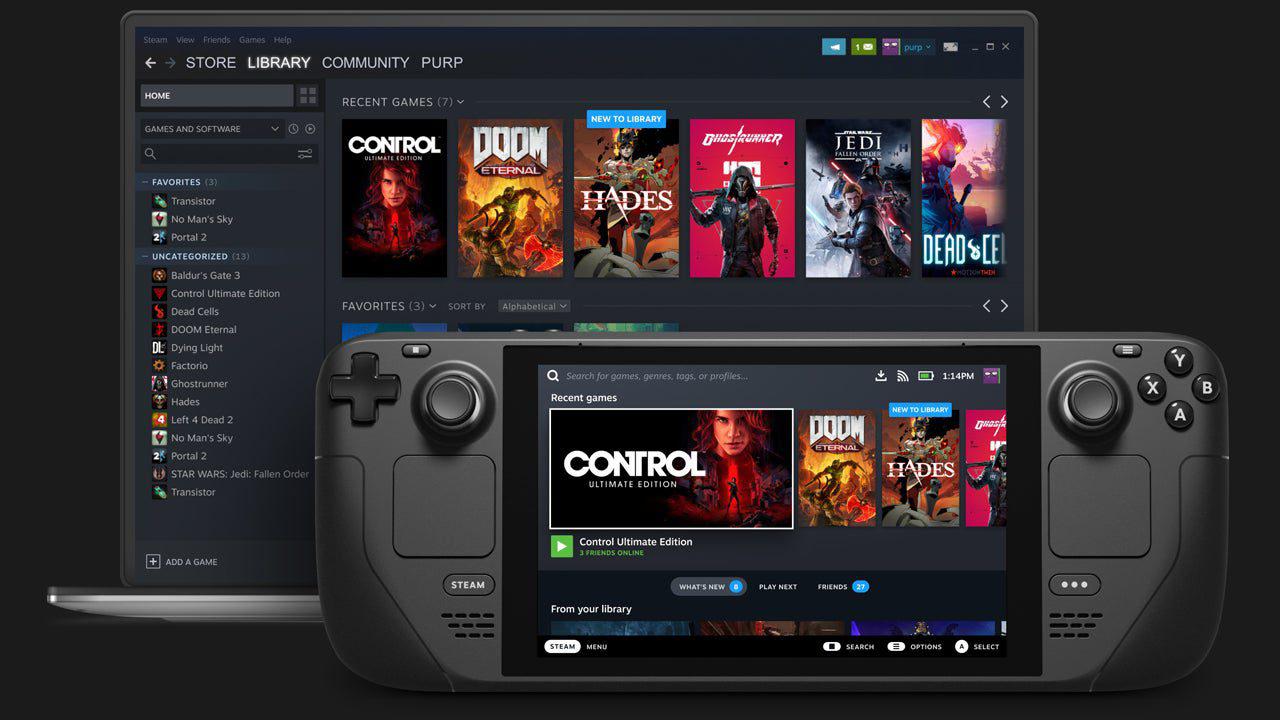
Turning the whole arrangement into something closer to a console experience.
That resolution bump does cost some frames, but staying in the 35FPS to 45FPS range is a reasonable tradeoff for the improved resolution on a larger screen. Older and mid-tier titles look and play well in this setup, and keyboard and mouse gaming stands out as one of the better parts of the experience.
Newer AAA titles will not look as strong, since those already run on lower settings on the native handheld screen, but with expectations set accordingly, the experience holds up. If you only need to do a few things on your computer every day, using a Steam Deck as a desktop PC is a really good idea.
If you have a Steam Deck but haven't used it in desktop mode much, you should give it a try, especially if you want a clean desk that is easy to join and disconnect. This setup is great for people who like to play games on the go but also want a flexible desktop choice without having to buy a whole new PC.
Editor, NoobFeed
Gaming Hardware Updates
No Data.