
EA Sports FC 27 Guide | Best Camera and Gameplay Settings
Here's a guide on best camera and gameplay settings for EA Sports FC 27.
Game Guide by Navid Kabbo on Sep 19, 2026
Finding the right camera and gameplay settings can make a major difference in EA Sports FC 27. A good camera setup gives you a better view of the pitch, while the right gameplay settings can make passing, defending, shooting, and player switching feel more responsive.
This EA Sports FC 27 guide covers the best camera and gameplay settings to use for a competitive and comfortable experience.
Best Camera Settings in FC 27
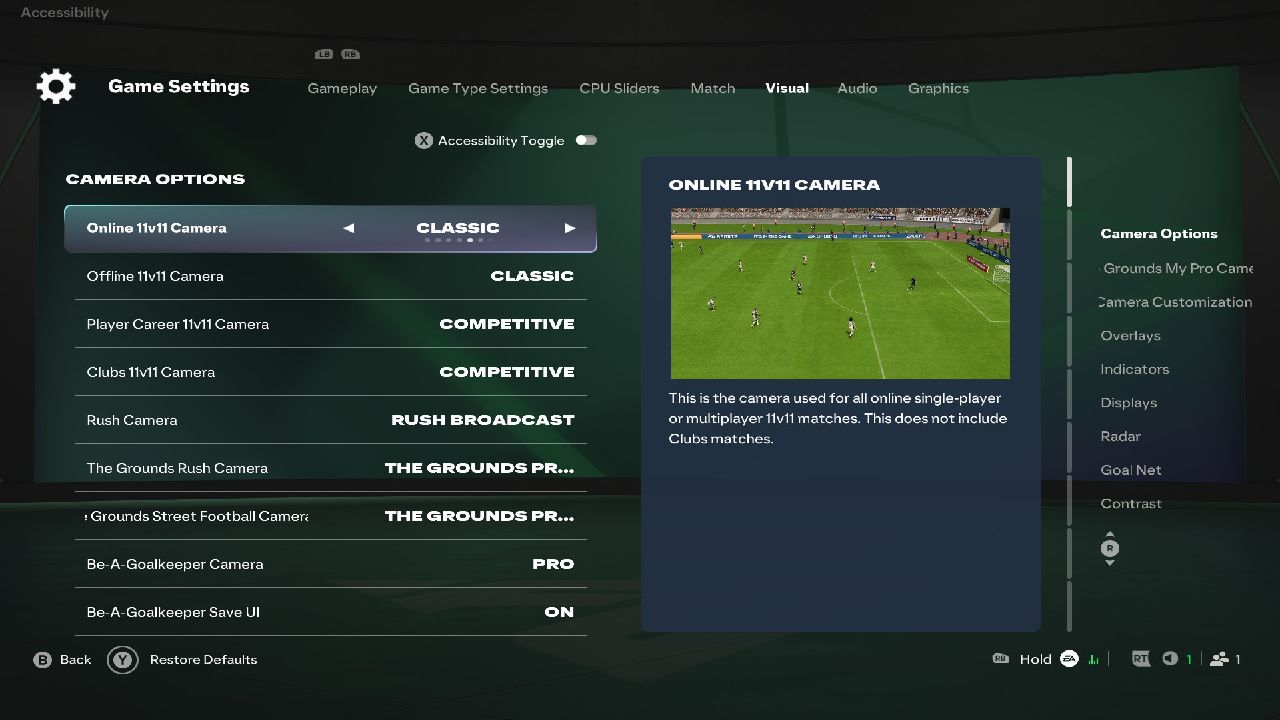
For most players, Co-Op is one of the best camera options because it provides a wide view of the pitch while still keeping your controlled player easy to follow.
If you prefer a closer view, Tele Broadcast is another good option, particularly if you want more focus on individual players and attacking situations.
For competitive matches, your priority should be seeing as much of the pitch as possible without making your players difficult to control.
Recommended Camera Settings
- Single Player Camera: Co-Op
- Multiplayer Camera: Co-Op
- Clubs Camera: Co-Op
- Camera Height: 20
- Camera Zoom: 0
- Pro Camera Zoom: 10
- Pro Camera Speed: 10
- Pro Camera Swing: 10
- Power Shot Zoom: Off
Camera Height and Zoom can be adjusted to personal preference, but a higher camera with minimal zoom gives you more visibility when building attacks and defending against counterattacks. Camera settings also vary depending on the mode and camera type.
Best Gameplay Settings
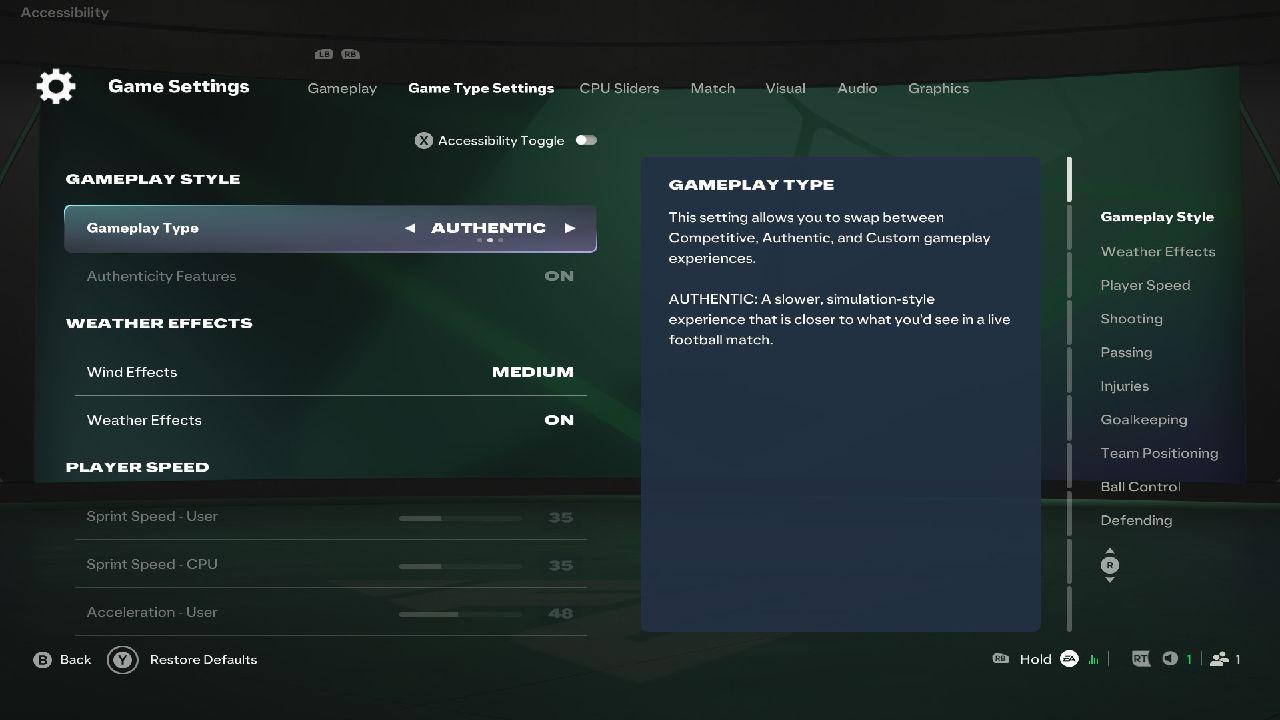
FC 27 places greater emphasis on manual defending and player decision-making, particularly in Competitive gameplay. AI-controlled defenders have less influence over automatic tackles, meaning you need to take more responsibility for positioning and defensive challenges.
Use the following settings as a strong starting point for competitive matches.
Recommended Gameplay Settings
- Game Type: Competitive
- Difficulty Level: World Class
- Match Length: 6 Minutes
- Competitor Mode: On
- Player-Based Difficulty: On
- Precision Pass: On
- Precision Shooting: On
- Defending: Advanced
- Pass Block Assistance: On
- Auto Switching: Air Balls and Loose Balls
- Auto Switching Move Assistance: None
- Right Stick Switching: Classic
- Right Stick Switching Reference: Player Relative
- Ground Pass Assistance: Assisted
- Through Pass Assistance: Semi
- Shot Assistance: Assisted
- Cross Assistance: Assisted
- Lob Pass Assistance: Assisted
- Save Assistance: Assisted
- Analog Sprint: Off
Some settings ultimately come down to personal preference, particularly passing and shooting assistance. If you're still learning FC 27, start with assisted options and gradually reduce assistance as you become more comfortable.
Best Settings for Defending
Defending is particularly important in FC 27 because Competitive gameplay gives players more control over defensive actions.
Keep Right Stick Switching on Classic if you're comfortable manually selecting defenders. This lets you quickly switch to the player you need, rather than relying entirely on automatic switching.
Auto Switching: Air Balls and Loose Balls is also a useful middle ground. It allows the game to help when the ball is difficult to track while leaving most defensive switching under your control.
Avoid constantly holding the tackle button. Position your defender first, track the attacker, and wait for the right moment to challenge.
Best Settings for Passing
Passing has received several changes in FC 27, including updates to through passes and dinked passes. The game also puts more emphasis on player input and decision-making.
Ground Pass Assistance: Recommended for most players, as it provides consistent passes without requiring manual targeting.
For players who already have experience with the series, Through Pass Assistance: Semi provides more control over the direction and strength of through balls while still offering some assistance.
Best Settings for Shooting
Shot Assistance: Assisted is the safest choice for beginners and players who want consistent finishing.
Once you're comfortable with aiming and power, experiment with more manual shooting options. FC 27 supports several shot types, including Finesse, Chip, Power, Trivela, and Low Driven shots.
Practice different shot types in the Training Center or Practice Arena before using them regularly in competitive matches.
Best Settings for Player Switching
Player switching is one of the most important settings to get right.
Set Right Stick Switching: Classic if you want direct control over which defender you switch to. Keep Right Stick Switching Reference: Player Relative, so your inputs remain consistent with the selected player's position.
For automatic switching, Air Balls and Loose Balls are useful options because they limit unwanted switching during normal defensive situations.
Best Settings for Competitive Matches
If you're primarily playing Ultimate Team, Rivals, Champions, or other competitive modes, prioritize visibility and control over cinematic presentation.
A wide camera, such as Co-Op, gives you more information about attacking runs and defensive positioning. Manual control is also more important in FC 27 because the game's Competitive gameplay reduces the influence of AI defensive tackles.
Your final setup should therefore prioritize:
- A wide view of the pitch
- Reliable player switching
- Assisted basic passing
- Controlled through passes
- Manual defensive positioning
- Minimal camera movement
How to Change Camera and Gameplay Settings
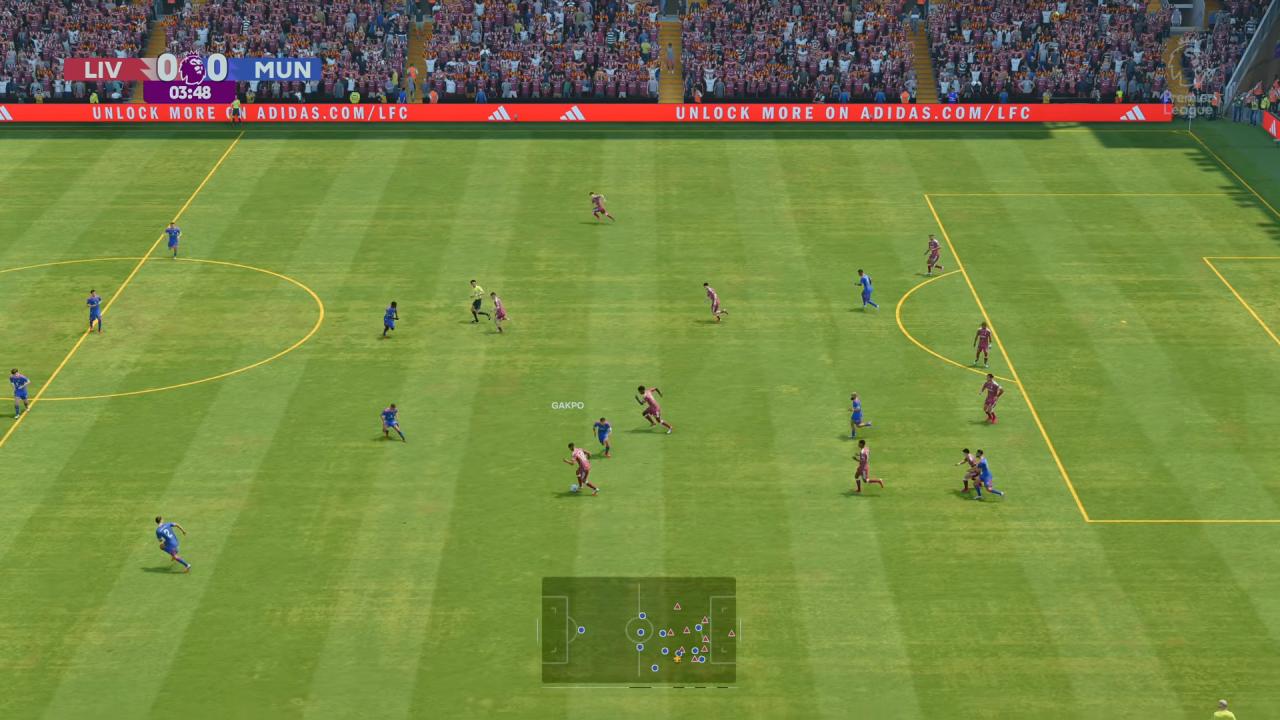
You can change most of these options from the main menu before starting a match.
Go to Settings, select Game Settings, then navigate the Gameplay and Camera tabs. Camera options can also be adjusted before or during applicable matches.
It's worth testing your setup in Kick Off or the Practice Arena before using it in Ultimate Team or other competitive modes.
Final Thought
There is no single camera or gameplay setup that will suit every FC 27 player. However, a wide camera such as Co-Op, combined with controlled player switching and mostly assisted passing, provides a strong starting point for both beginners and experienced players.
Once you've become comfortable with the basics, gradually experiment with manual or semi-assisted options. FC 27 rewards greater manual control, particularly when defending and creating attacking opportunities, so learning these settings can make a noticeable difference as you improve.
FAQ
Q. What is the best camera setting in FC 27?
A. Co-Op is a strong choice for most players because it provides a wide view of the pitch and makes it easier to see attacking runs and defensive positioning.
Q. What is the best camera height in FC 27?
A. A higher camera height gives you a better view of the pitch. A setting of 20 is a good starting point, but you should adjust it if the players appear too small on screen.
Q. Should Power Shot Zoom be on or off?
A. Turning Power Shot Zoom off keeps the camera more consistent during matches and avoids sudden changes in your view when taking Power Shots.
Q. What is the best defensive setting in FC 27?
A. Advanced defending combined with manual player positioning is a strong setup for experienced players. FC 27 places more emphasis on manual defending in Competitive gameplay.
Q. What is the best passing assistance in FC 27?
A. Ground Pass Assistance set to Assisted is recommended for most players. More experienced players can experiment with Semi or Manual options for greater control.
Q. Can I change these settings during a match?
A. Many gameplay and camera settings can be adjusted through the Settings menu, although some options may depend on the game mode or match state.
Also, check our FC 27 Review and other guides below:
- EA Sports FC 27 Beginner's Guide | Gameplay Tips
- EA Sports FC 27 Guide | Best Controller Settings
- EA Sports FC 27 Guide | How to Defend Effectively
- EA Sports FC 27 Guide | Best Formations and Tactics
- EA Sports FC 27 Guide | How to Perform All Skill Moves
- EA Sports FC 27 Guide | How to Earn FUT Coins Fast
- EA Sports FC 27 Guide | How to Earn Rewards in The Grounds
Editor, NoobFeed
Latest Articles
No Data.