
Rivage Guide | How to Repair the Train
Here's a guide on how to repair the train in Rivage.
Game Guide by Navid Kabbo on Oct 22, 2026
Repairing the Train is an important progression objective in Rivage, allowing players to reach the Fusion Core aboard the A.R.E.S. space station. However, the Train's damaged system requires a special component that must be manufactured using information collected from two different computers.
Before attempting the repair, you'll need to restore Jahi's computer, obtain the required blueprint, and access the Assembly Machine in the Garage.
This Rivage Train Repair Guide explains how to find the necessary components, manufacture the Regulator, and restore the Train to working condition.
How to Repair the Train in Rivage
To repair the Train, you'll need Level 4 access, the information from Jahi's computer, and the blueprint obtained from the Robot Area laptop.
Step 1: Get the Train Components List
Start by entering Jahi's Bedroom and completing the Clock Puzzle to restore his damaged computer.
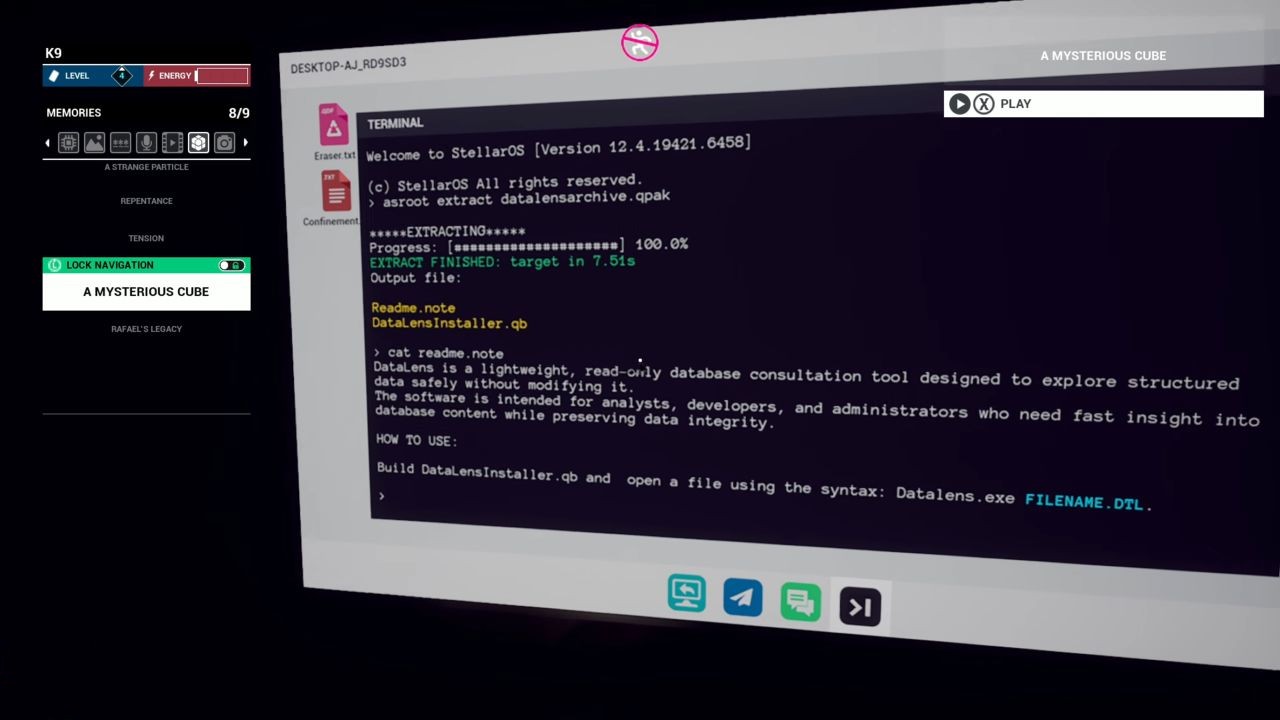
Once the computer is working, interact with it and open the Terminal.
Enter the following commands:
- ASROOT EXTRACT DataLensArchive.qpak
- CAT Readme.note
- BUILD DataLensInstaller.qb
- Datalens.exe DataLens train_components_list.dtl
After running the commands, the computer will display a list of four components required to manufacture the Train's Regulator.
Take a screenshot of the list, as you'll need these components when using the Assembly Machine.
Step 2: Obtain the Train Repair Blueprint
Next, you'll need to access the laptop in the Kitchen's Robot Area.
However, the laptop cannot be accessed normally until you stop its scheduled update.
To prevent the update:
- Start a new time loop and check the event schedule in K9.
- Enter Rafael's Bedroom and use the Lattica program to disable the garage waste security.
- Retrieve the key from the Garage waste container before its scheduled disposal.
- Use the key to open the Kitchen incinerator and collect the USB drive.
- Insert the USB drive into the Lobby computer and use Janus to stop the update.
Important: This sequence is time-sensitive. If you miss a deadline, restart the loop and try again.
Once the update has been stopped, return to the Kitchen and select Robot Area using the Dock System.
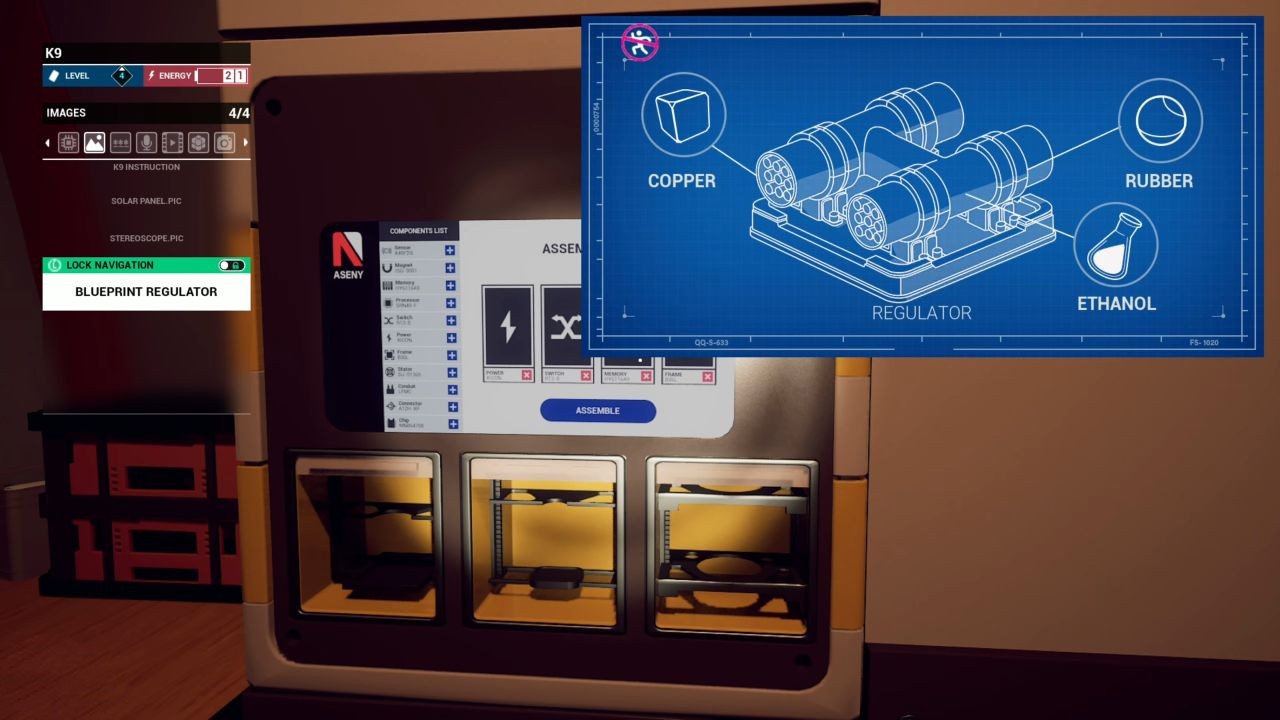
Access the laptop, open the Blueprint file, and save the information to K9.
Step 3: Manufacture the Train Regulator
With both sets of information collected, head to the Garage and locate the Assembly Machine.
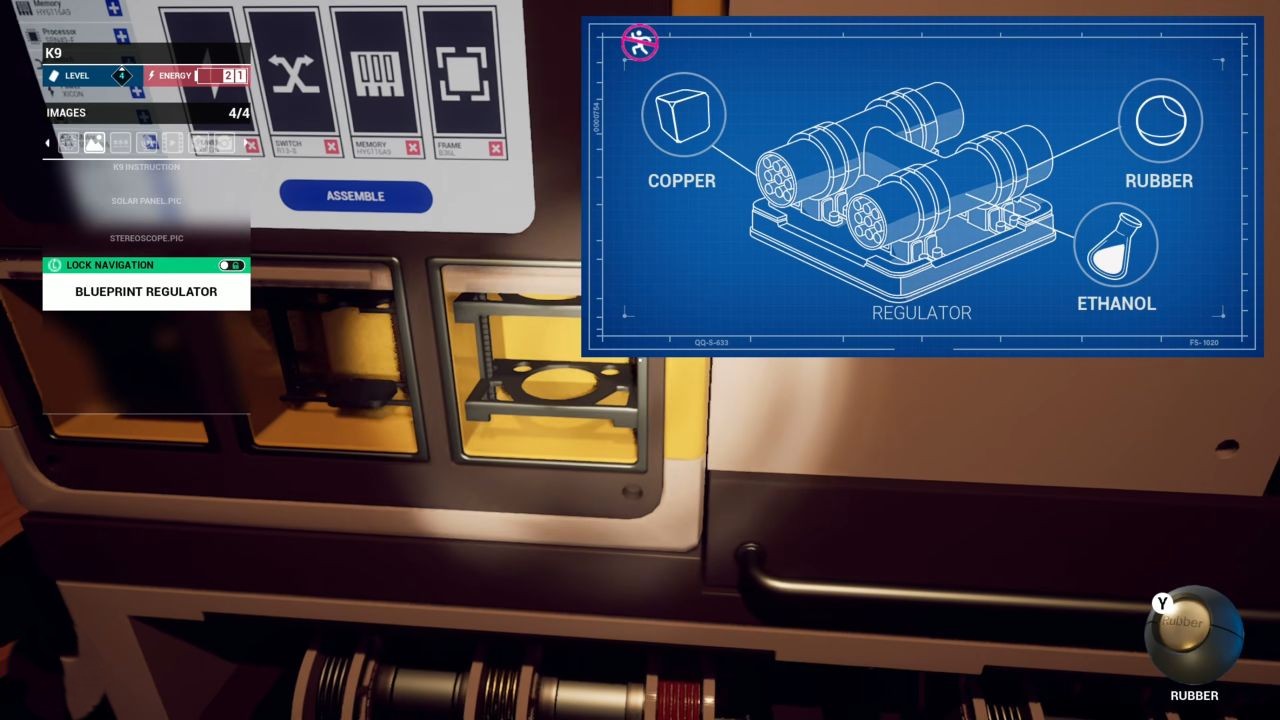
Interact with the machine and follow these steps:
- Open the Assembly Parts interface.
- Select the four components listed on Jahi's computer.
- Collect the three materials specified in the Robot Area blueprint from the nearby supply table.
- Insert the materials into the corresponding slots.
- Confirm your selections and press Assemble.
The machine will manufacture the Regulator required to repair the Train.
Note: Component combinations and materials can vary between playthroughs. Always use the information displayed in your own game.
Once the manufacturing process finishes, collect the Regulator from the machine.
Step 4: Install the Regulator and Repair the Train
Return to the Train in the Garage.
If necessary, insert the Quantum Cell to restore power to the Train.
Locate the damaged wiring section near the duplication pedestal and interact with the empty component slot.
Insert the newly manufactured Regulator to repair the system.
Once installed, the Train will gain access to the Fusion Core, allowing you to explore the next section of the station.
Final Thoughts
Repairing the Train in Rivage requires collecting information from Jahi's computer and the Robot Area laptop before manufacturing the Regulator.
Make sure to record both sets of instructions using K9 and select the correct materials during assembly.
Once the Regulator is installed, you can travel to the Fusion Core and continue progressing through the story.
FAQ
Q. Where Is the Train Repair Machine in Rivage?
A. The Assembly Machine is located inside the Garage and becomes accessible with Level 4 authorization.
Q. How Do You Get the Train Repair Blueprint?
A. Stop the scheduled computer update using the USB drive and Janus, then access the Robot Area laptop in the Kitchen.
Q. What Materials Are Needed to Repair the Train?
A. The required materials are listed in the Robot Area blueprint. Check your own blueprint, as the combination can vary.
Q. What Happens After Repairing the Train?
A. Repairing the Train unlocks travel to the Fusion Core, where you can obtain Johnny Kim's Level 5 Access Card.
Editor, NoobFeed
Latest Articles
No Data.