
Soulmask Guide | How to Customize Character Feature
Here’s a guide on how to customize Character Features in Soulmask.
Game Guide by Ragib Rawnak on Apr 14, 2026
The 1.0 Update and the Shifting Sands DLC give you total control over how your people look. You can now create an army of clones or make your camp workers look exactly the same.
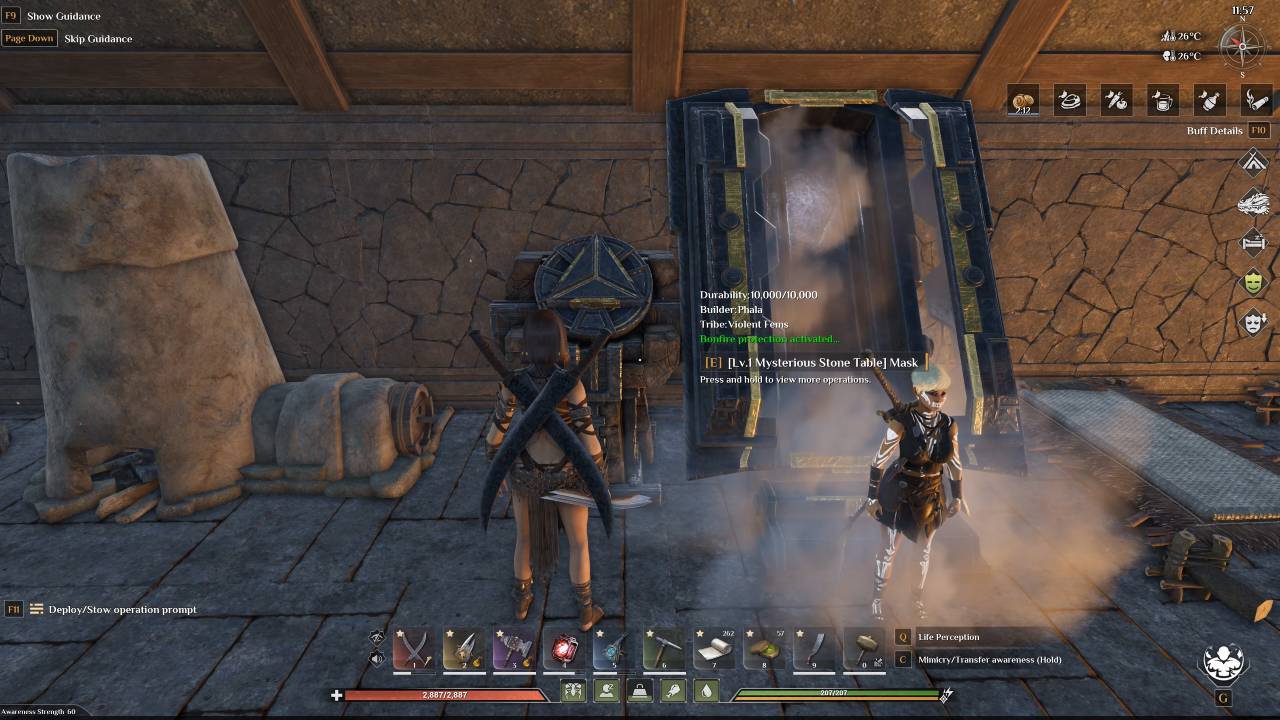
All you need is the Mysterious Stone Table to get started. This machine lets you record a body and copy it onto someone else. It is a great way to organize your tribe. You get to decide the identity of every person you recruit in Soulmask.
Scanning and Copying Bodies
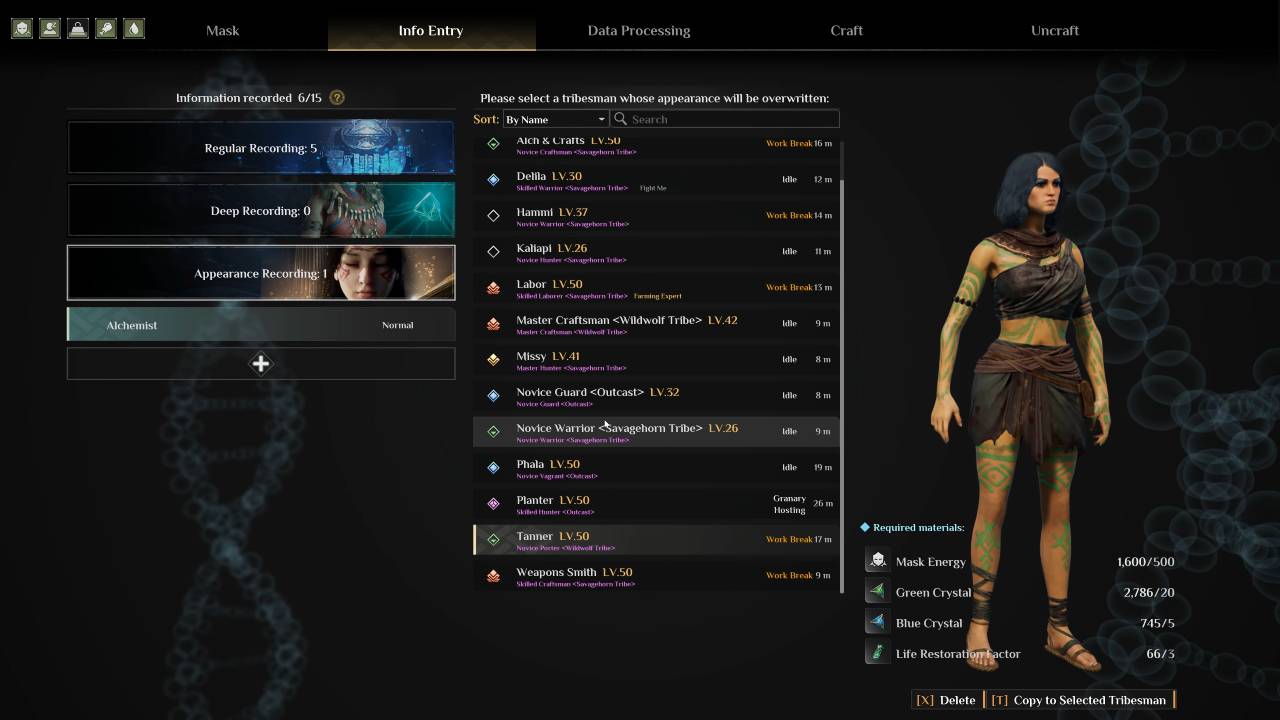
Head over to the Mysterious Stone Table and pick Appearance Recording. First, find a Tribesman with the look you like. Hit Appearance Scan and confirm. That person will step into the table to have their look saved.
This creates a template you can use as many times as you want. To change someone else, select that Tribesman and click Copy to Selected Tribesman. They will hop into the machine and transform. When they step out, they will be a perfect match of your saved scan.
Costs and Switching Genders
Each time you copy a look, you have to pay. The machine needs 500 Mask Energy, 20 Green Crystals, 5 Blue Crystals, and 3 Life Restoration Factor. This technology is powerful enough to change a person's gender too in Soulmask.
If you find a male Tribesman with amazing skills but you prefer a female squad, you can just apply a female scan to him. It works perfectly. You keep the high stats and get the appearance you want for your team.
Getting Organized and Using Paint
Using the same look for certain groups makes life easier. You can make all your farmers and crafters look identical. This way, you know exactly who is a worker and who is a fighter just by looking at them.
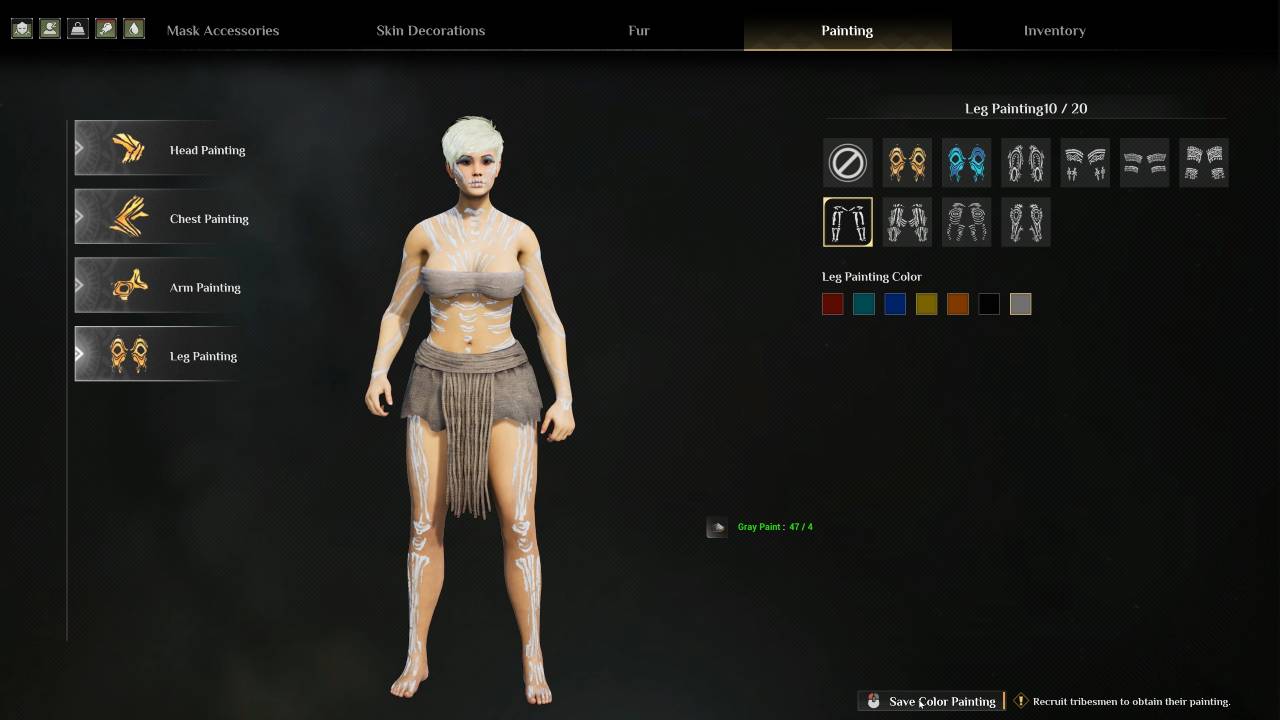
You only have to scan a specific look once to keep it in your system. If you want to go further, use the Mask Decoration Table. This lets you add Body Paints to your followers. If you have the paint, you can save the style. Soon, your whole tribe will have the same hair, body, and markings in Soulmask.
Also, check our other guides below:
- Soulmask Guide | How to Tame Alpaca
- Soulmask Guide | How to Tame Jaguar
- Soulmask Guide | How to Set Campfires
- Soulmask Guide | How to Increase Morale
- Soulmask Guide | How to Fast Travel
- Soulmask Guide | How to Use Powermine & Ropeways
- Soulmask Guide | How to Get The Retroflector Outfit
- Soulmask Guide | How to Find the Best Tribesman
- Soulmask Guide | How to Tame Camels
- Soulmask Guide | How to Tame Donkeys
- Soulmask Guide | How to Tame Cats
- Soulmask Guide | How to Get Coal Ore
- Soulmask Guide | How to Grow Crops
- Soulmask Guide | How to Breed Animals
- Soulmask Guide | How to Get Mounts
- Soulmask Guide | How to Salvage & Repair Gears
- Soulmask Guide | How to Build Base
- Soulmask Guide | How to Upgrade Mask
- Soulmask Guide | How to Craft Tools & Weapons
- Soulmask Guide | How to Use Map
- Soulmask Beginner’s Guide | Gameplay Tips & Tricks
Senior Editor, NoobFeed
Latest Articles
No Data.