
The Outer Worlds 2 Guide | How to Upgrade Companions
Here’s how you upgrade can upgrade your companions.
Game Guide by Joy Rahman on Nov 06, 2025
Upgrading your companions' weapons and armour in The Outer Worlds 2 is important if you want to improve upon team dynamic.
Companions are capable of being much stronger when their equipment is upgraded, and they can be modified at any time by using a Workbench. This guide will explain how you’ll be able to access and upgrade your companions' gear.
Workbench
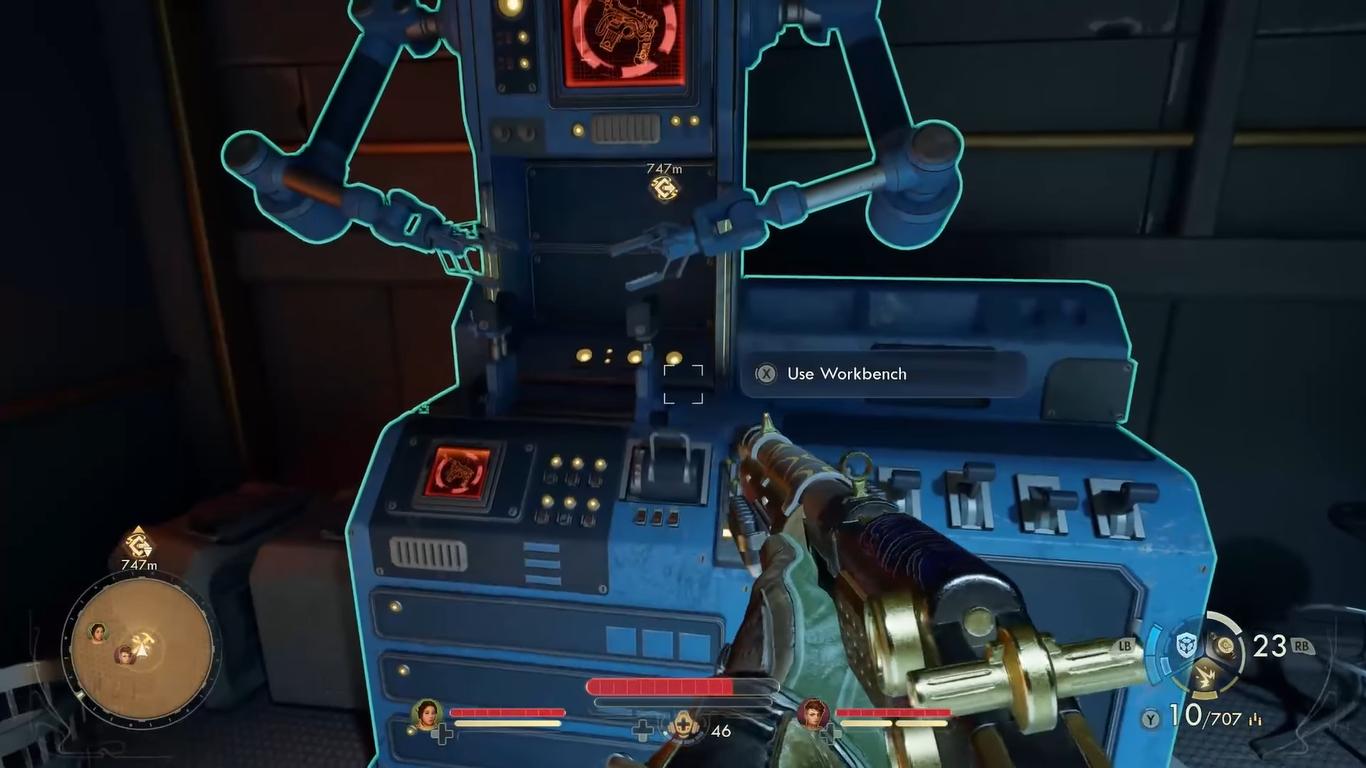
You need to find out workbench, and they can be found on your ship or scattered across various settlements on the map. Interacting with them will give you access to a lot of upgrade options, from weapons, armour, to party upgrades.
Party Upgrade Menu
Upon accessing the workbench menu, select the Party Upgrade tab. This will allow you to modify your companion.
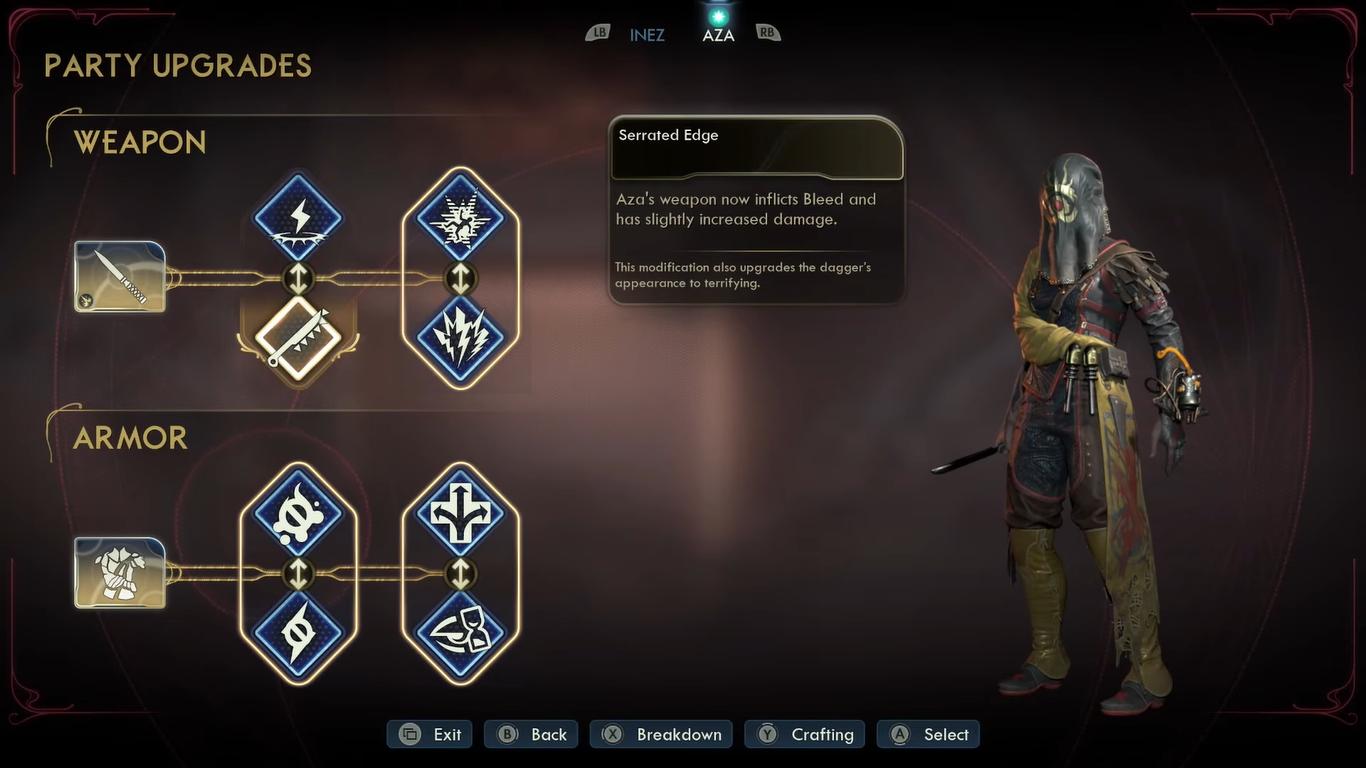
You can choose which companion to upgrade, and the list of available modifications will be shown to you, also showing the improved stats and element damage types.
The upgrade will be based on materials and crafting components that you collect throughout The Outer Worlds 2.
After selecting the upgrades that you want to make, confirm them. The changes will be shown immediately to the companion. It’s a flexible system that allows you to swap or upgrade whenever you desire.
This means the setup can always be altered to cater to various enemies or combat strategies.
Keeping your companions upgraded will ensure that they remain useful during difficult encounters, especially if you play on a higher difficulty.
Also, check out our The Outer Worlds 2 Review and other guides below:
- The Outer Worlds 2 Beginner’s Guide | Tips & Tricks
- The Outer Worlds 2 Guide | 5 Mural Locations
- The Outer Worlds 2 Guide | Inez Grabble or Raptidon Graft
- The Outer Worlds 2 Guide | Mysterious Cave
- The Outer Worlds 2 Guide | How to Find Victor (N-Ray Range)
- The Outer Worlds 2 Guide | How to Pickpocket
- The Outer Worlds 2 Guide | How to Survive Zynarium Zones
- The Outer Worlds 2 Guide | Vox Ship Crash Decision
- The Outer Worlds 2 Guide | How to Level Up Fast
- The Outer Worlds 2 Guide | N-Ray Lever Puzzle
- The Outer Worlds 2 Guide | All 10 Science Adventures Quarterly Volume Magazine Locations
- The Outer Worlds 2 Guide | How to Farm Bits
- The Outer Worlds 2 Guide | How to Get Otto’s Information (Puzzle)
- The Outer Worlds 2 Guide | How to Upgrade Companions
- The Outer Worlds 2 Guide | How to Repair Thermal Transfer
- The Outer Worlds 2 Guide | Deviations Under Duress Quest
- The Outer Worlds 2 Guide | Mechanical Matriarch Quest
- The Outer Worlds 2 Guide | Water Release Valve System Fuse Location
- The Outer Worlds 2 Guide | Starving Reminder Quest
- The Outer Worlds 2 Guide | Listening for a Clue Quest
- The Outer Worlds 2 Guide | Contraband Contrivance Quest
- The Outer Worlds 2 Guide | Confession of a Sub-Finagler Quest
- The Outer Worlds 2 Guide | How to Save Hostages (Puzzle)
- The Outer Worlds 2 Guide | How to Get Rookie’s Reward
- The Outer Worlds 2 Guide | Alexandra Monastery Observatory Puzzle
- The Outer Worlds 2 Guide | How to Get Gary Armor (Tentacle)
- The Outer Worlds 2 Guide | All Pet Locations
- The Outer Worlds 2 Guide | How to Get Zynarium Hover Suit
Contributor, NoobFeed
Latest Articles
No Data.