
Intel 270K vs. M5 Max vs. AMD 9950X: Best CPU for Creative Workloads in 2026
Intel 270K delivers strong multi-core gains while maintaining competitive single-core performance across demanding creative and workstation applications.
Hardware by Tanvir Kabbo on Apr 24, 2026
The latest desktop processors keep raising the bar for performance, efficiency, and value, especially for people who make content. The industry has changed so much that even mid-range chips can match or even beat the best processors from the past.
This is thanks to new microarchitectures, support for faster memory, and fierce pricing wars. In this environment, the Intel 270K shines out as a surprise player. It offers big performance boosts, better memory support, and great pricing for workstations and creative applications.
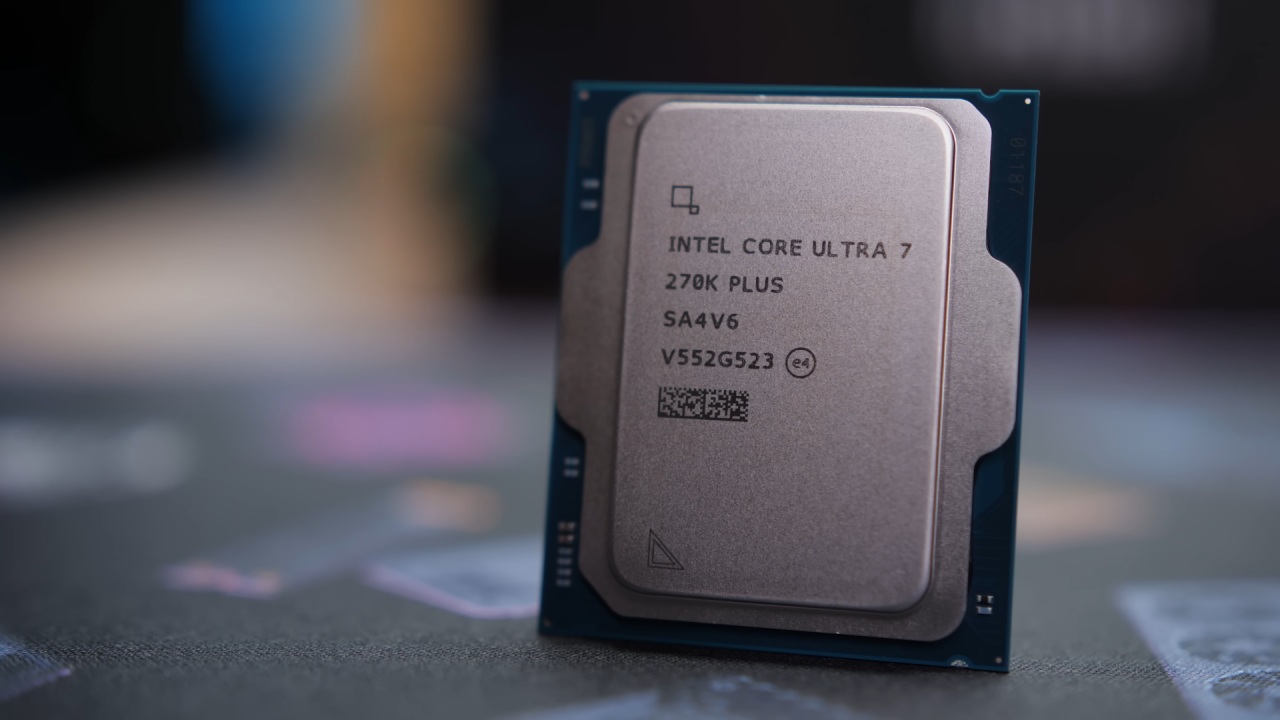
Test Bench Setup and Initial Impressions
7,200 megatransfers per second. You may have already read the reviews of the 270K Plus, but this is a bit late, as the emphasis was on other things. But it is worth testing this chip because there has been some talk about it being one of the best Intel has released in recent years. It seems that Intel has achieved something with this chip, so it is time to set up a test bench.
We were missing some parts, but Intel sent us review samples as part of their Creative Professional program. This time, the testing will be a bit different, focusing on creative use cases. This time, we were provided with the Core Ultra 7 and Core Ultra 5 chips, rather than the full stack with the Ultra 9. The Ultra 7 is claimed to be faster than the 285K, which is promising.
Memory also plays a critical role. A 32GB G.Skill kit running at 7200MT/s was included, aligning with the CPU's native IMC-supported speed. But 32GB can be limiting in creative applications. So, a 48GB kit at 8000MT/s was used. This kit is rated for Intel's boost profile, which enables higher frequencies without voiding the warranty (unlike AMD's EXPO profiles, where enabling them can be considered overclocking).
Booting, BIOS, and Stability
The system was built and booted, but during initial setup, it was sluggish and unstable. The initial check was the BIOS version, which was old. A BIOS update was required for compatibility and performance.
When trying to enable the Intel boost profile, the system crashed in Windows. This meant that the RAM settings were either not compatible with the motherboard or were causing it to be unstable. Turning off the boost profile and going back to the normal settings with XMP at 7200MT/s fixed the problem. The system was stable and ran fine after driver reinstallation and several updates.
Benchmark Results and Performance Gains
Once the system was set up, benchmarking commenced. The 270K delivered a 10% performance gain over the 285K, which costs nearly twice as much. Cooling was also excellent, with a peak package temperature of 85 °C at 255W. Power consumption also varied below the peak, suggesting good power efficiency.
Additional tests yielded a multi-core score of 2441 points, confirming good performance. The single-core score was 143 points, which is a 35% improvement in multi-core performance and a 9-10% boost in single-core performance over the 13900K. This is a big improvement, especially considering the price.
Creative Workloads Comparison
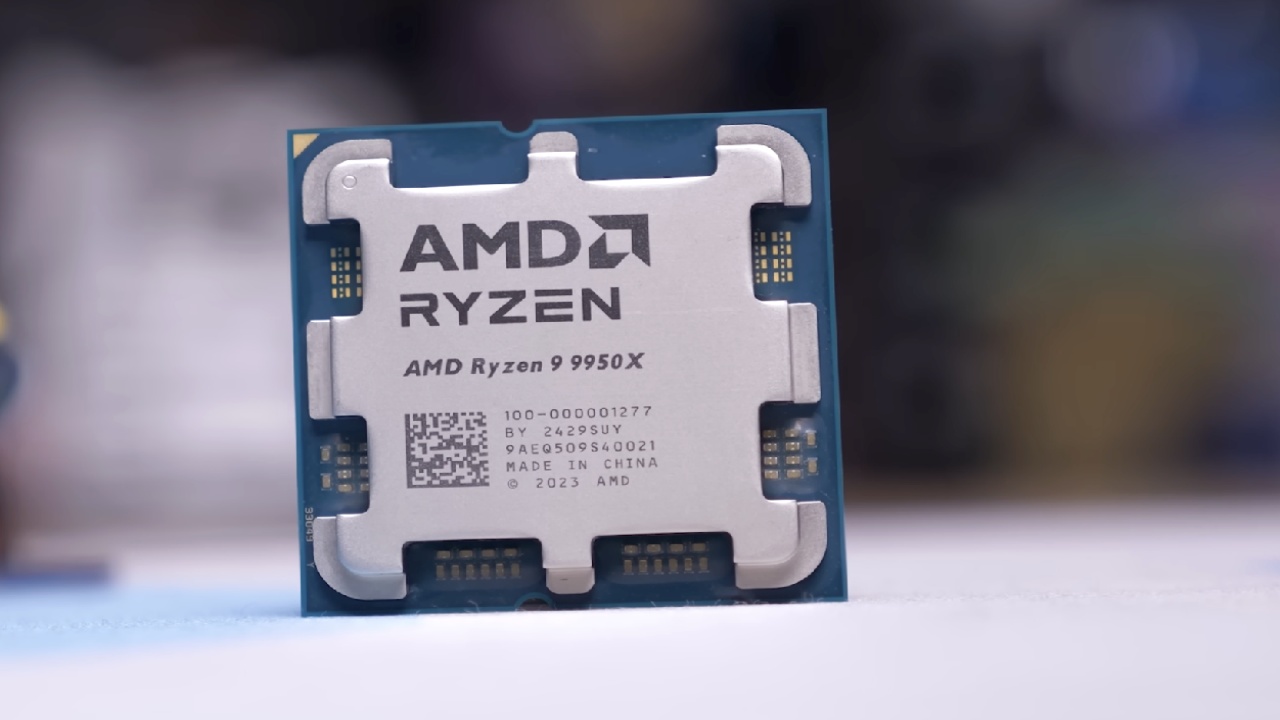
The 270K did well compared to other CPUs including the 285K, 9950X, and Apple's M5 Max. The multi-core performance in Cinebench R26 was only 6.5% slower than the M5 Max, however the single-core results were not as clear. The 270K was 5% quicker in single-core and 8% faster in multi-core than the 9950X in Cinebench R24.
The 9950X was superior in Photoshop, and the M5 Max was up to 36% faster. The 270K worked better in Lightroom Classic, with AMD falling behind by 9–10% overall. The 270K also worked well with a variety of file types.
In Premiere Pro, the 270K was likewise ahead, with AMD 7–14% behind. The M5 Max was 5–12% behind. In After Effects, the performance gap was significantly more; Intel virtually doubled the M5 Max. This is probably because to optimization.
The results in DaVinci Resolve were not all good. The M5 Max did better at some encoding jobs since it had superior media engines, but the 270K still had good overall ratings. In the race to render in Blender, AMD was ahead in some areas and behind in others.
Power Efficiency and Platform Observations
Power usage showed some interesting patterns. The 270K idled at 12W, compared to AMD's 40W. It performed consistently at 253W under load. Although the peak power is higher, the average power consumption under normal workloads could be lower for Intel.
There is also a high likelihood that the 270K and 285K are structurally similar. The performance gap is small, so the 270K could potentially be a cheaper alternative to the 285K.
Memory Controller and Upgrade Considerations
The enhanced integrated memory controller (IMC) is another feature. The controller now supports up to 7200MT/s natively, up from previous generations. This is very useful for systems with a lot of memory.
The 270K can make memory speeds faster for systems with 128GB of DDR5 memory that are running at slower speeds because of IMC limits. This means that the CPU increases will make things run even faster, especially in memory-intensive tasks like video editing.
Final Thoughts
The Intel 270K is a great CPU for people who like to be creative. It offers performance on par with or superior to much more costly processors, with good efficiency and memory bandwidth. The 9950X, which costs almost twice as much, often performs worse in practical applications.
For those on newer Intel platforms such as Z890 or B860, the 270K is a much better choice than the 285K. It's more affordable, performs similarly, and is more efficient.
The 270K is one of the best CPUs for creators because it has a good price, good performance, and support for a wide range of platforms. This is especially true for people who want a CPU that can handle a wide range of tasks.
Also, check our other hardware articles:
- AMD Ryzen 9 9950X3D Review: Setting The Standard For 2025 Gaming CPU
- Amazon Luna 2025 Review: Is Prime Gaming's Cloud Service Your Go-To For Casual Fun?
- AMD RX 9070 XT Review: AMD's RDNA 4 Champion for 1440p Gaming
- GeForce Now Ultimate: Ditching Your Gaming PC For Cloud RTX 4080 Power?
- NVIDIA GeForce RTX 5080 Review (2025): Still A 4K Gaming Powerhouse?
- Intel Core Ultra 9 285K Review And Performance Breakdown (2025)
- AMD Ryzen 7 9800X3D Review: 3D V-Cache Goes God Mode with Stunning Gaming Performance
- Intel Core Ultra 9 285K vs AMD Ryzen 7 9800X3D: In-Depth Gaming Performance and Benchmark Comparison
- NVIDIA GeForce RTX 5080 Super Performance In Cyberpunk 2077: Path Tracing & DLSS 4.0 Tested
- AMD Radeon RX 9070 XT In Cyberpunk 2077: Ray Tracing & FSR 4.0 Tested
- Intel Arc B580 Review: The $250 GPU Revolutionizing 1440p Gaming
- Intel Arc B570 Vs. B580: Value, Specs, And Real-World Gaming Performance
- RTX 5090 Laptop Vs. M4 Max MacBook Pro: Ultimate Raw Performance Vs. Battery Endurance
- Intel Arc b580 Vs. RTX 4060: Game Performance And Value Analysis
- RTX5090 Hell Is Us Demo 4K Ultra Benchmark: DLSS Vs. Native Performance Guide
- NVIDIA RTX 5070 Review: Mid-Range Muscle or Marketing Hype?
- Nintendo Switch 2 Review: Handheld Performance, Features & Value Breakdown
- RTX 5070 Ti Review: Performance, Thermals & Power Efficiency Tested
- Samsung Odyssey OLED G81SF Review 2025: Ultimate 32-Inch QD-OLED Gaming Monitor
- AMD RX 9070 Performance Review: Thermals, Clocks, and Real-World FPS
- AMD Ryzen 5 7600 Review: Best Budget Gaming CPU of 2025?
- AMD Radeon RX 7800 XT Review: RDNA 3 Power For Midrange Gaming
- Asus ROG RTX 5090 Astral OC Vs. Founders Edition: The 4K Gaming Benchmark
Senior Editor, NoobFeed
Gaming Hardware Updates
No Data.