
Lenovo Yoga Pro 9i Review: Battery Life and Premium Display Quality
Lenovo Yoga Pro 9i delivers premium display quality, improved portability, and strong CPU performance with noticeable GPU power limitations and battery tuning requirements
Hardware by Masaru Hoshino on Jun 19, 2026
The current generation of premium portable laptops aims to combine fast CPU performance, powerful GPUs, and a large, high-quality display in a small form factor. Lenovo Yoga Pro 9i is aimed at those looking for an all-rounder laptop for productivity, creative applications, and light gaming, without any substantial drawbacks.
It introduces a smaller, lighter chassis, a larger battery, an upgraded CPU, and a haptic trackpad, while retaining key features such as a 16-inch tandem display and a premium keyboard experience.
.jpg)
At the same time, there are performance trade-offs: the CPU is outclassed by Apple's M-series chips, the GPU is not fully power-fed compared to dedicated gaming laptops, and battery life requires configuration adjustments. Pricing has also increased compared to the previous generation.
Design & Portability
The new Yoga Pro 9i is slightly more compact than the previous model, with reduced depth and width, and a lighter weight of around 150g. It also boasts a slightly inclined front slope, for better portability. It's a bit thicker but also about 200g lighter, so it's simpler to tote around every day than premium laptops of the same size and footprint.
The build quality is better, with a more flush rear panel design. But the build quality is not as robust or as well finished as that of top-tier, expensive gadgets. Now, the chassis is also available in a darker color, giving it a more sophisticated look. The front edge, while visually rounded, feels slightly sharp during use.
The hinge is firm enough to support touchscreen interaction without wobbling and allows a near-180 ° screen opening. A well-placed grip lip allows for one-handed opening. The power button is positioned on the side, and you need to hold it down to turn it on, so no more accidental power-ons.
Display Quality
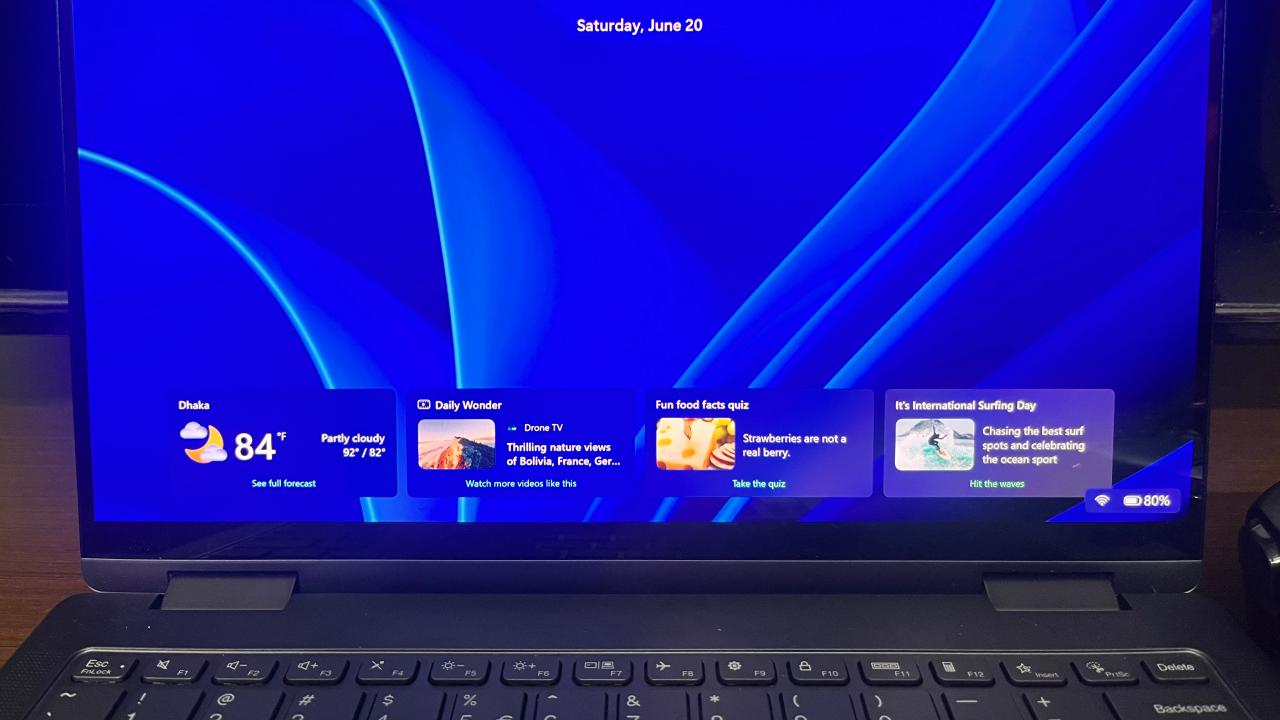
The most eye-catching feature of the Yoga Pro 9i is its 16-inch dual OLED display with 3200x2000 resolution. The result is ultra-crisp word clarity and a premium visual experience. The panel supports a 120Hz refresh rate and achieves over 1000 nits of brightness in SDR mode.
Compared to miniLED panels, fast-moving content shows reduced ghosting, but the display is highly reflective, even more so than some glossy alternatives. It performs poorly under direct bright light, making indoor use more practical.
The panel also exhibits PWM flickering at all brightness levels, though it is unlikely to affect most users. Advanced Optimus is supported, but G-SYNC is not.
Keyboard and Trackpad Experience
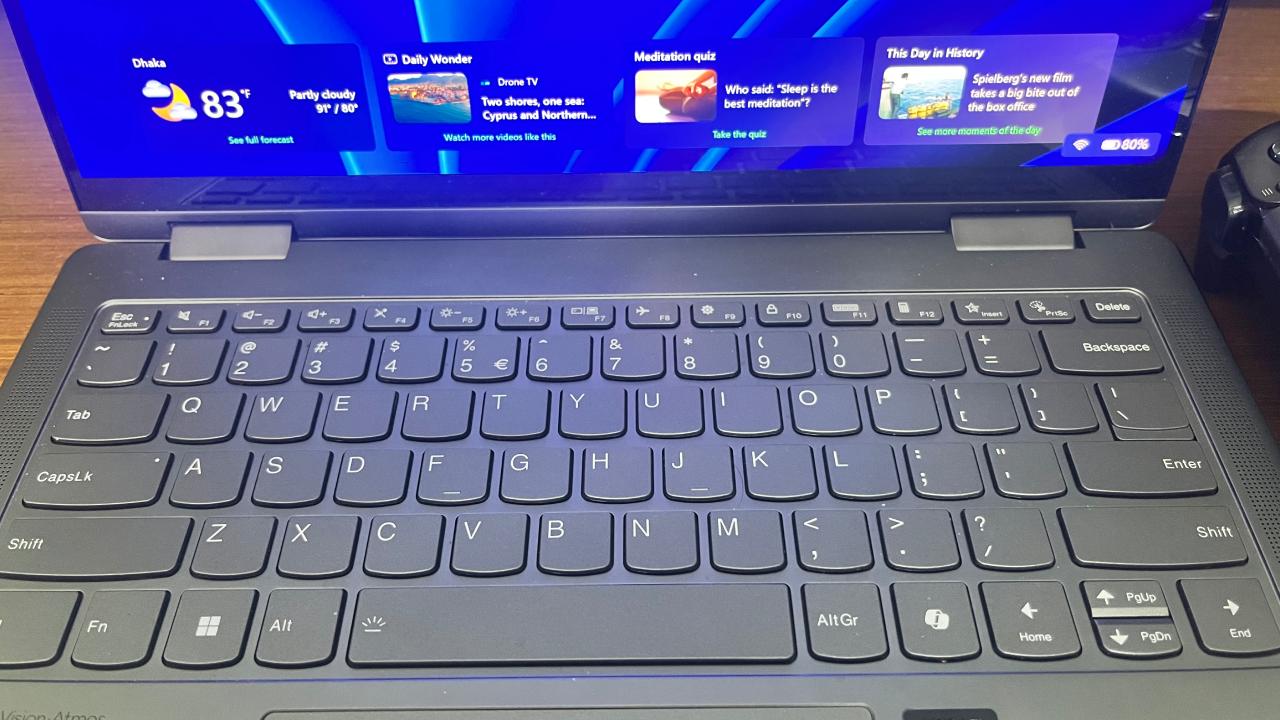
The keyboard is a joy to type on, with satisfying key travel and a soft-touch covering that adds to the luxury feel. The spacing is ample, reducing typing errors, and the layout is neat and standard.
Removing the number keypad centers hand placement for better ergonomics. Typing noise level is medium, not quiet and not too loud. It's not all sunshine and roses, though: the lighting technology is less sophisticated, with visible light bleed around the keys, so visibility in dark conditions is less consistent than in the premium competition.
The haptic trackpad supports pen input and has smooth finger tracking. However, there are also restrictions to palm rejection and click consistency on Windows haptic implementations, which can sometimes cause unexpected cursor movement or click behavior.
CPU Performance
The laptop features a high-end Intel Core Ultra 9 series processor with 16 CPU cores. This puts it squarely among strong-performing processors for programming, productivity tasks, and CPU-intensive applications such as audio engineering. However, it is easily beaten by Apple's M5 Pro and M5 Max CPUs for raw computational operations and creative workloads.
One major increase is efficiency: the CPU uses about 15W less power than the previous generation while delivering better performance. It does become hot inside, yet the system stays quite cool to the touch under heavy load.
Performance mode makes the fan noise very loud, but you can dial it back to a quieter setting by selecting adaptive mode, at the expense of some performance.
GPU & Gaming Performance
RTX 5060 GPU with a max power limit of 100W, which is below its full capabilities. Thus, the performance is worse than that of gaming laptops with the same GPU running at higher wattages. Performance in recent AAA games is often 60 fps + @ 2560x1600 with high settings and upscaling. But it doesn't fully exploit the display's 120Hz refresh rate in demanding games.
Cyberpunk 2077 can reach roughly 60 fps on Ultra with upscaling, and frame generation can push averages well over 100 fps at the expense of latency. Forza Horizon 5 performance is between 70 and 80 fps with severe settings.
The GPU power restrictions also make the performance difference more evident when compared to better-powered gaming laptops. A lower-power configuration in the smaller Yoga Pro 7i also results in reduced performance.
.jpg)
Creator & Productivity Performance
In creative workloads, performance varies across applications. In GPU-based benchmarks, the Yoga Pro 9i can outperform Apple's M5 Pro MacBook Pro 16 in some synthetic tests.
When it comes to real-world creative operations like video editing and rendering, the MacBook Pro 16 with M5 Pro and M5 Max configurations still has a significant advantage in smooth playback and export speed.
DaVinci Resolve is still better on Apple systems, but in some cases high-end gaming laptops with HX CPUs are catching up. Gaming laptops with HX processors are much more powerful for 3D rendering.
Thermal Performance & Fan Behavior
The laptop remains quite cool compared to usual gaming laptops under sustained GPU usage. Low surface temperatures are also observed for CPU-only tasks.
In high-performance modes, fan noise starts to creep in and is comparable to that of gaming laptops. Adaptive mode drastically reduces noise while maintaining good performance.
Power behavior varies across modes; there is some inconsistency between the adaptive and performance profiles.
Battery Life & Power Configuration
The laptop also comes with a 245W power adapter, so you don't need to worry about power waste when you're using it plugged in and going all out.
Battery life is highly variable and depends on GPU usage. Battery life is about 6 hours under test conditions with default settings. If you disable the dedicated GPU and force integrated graphics, you get roughly 7.5 hours of battery life; if you disable the GPU completely in the BIOS, you can get up to 10 hours.
These tweaks show that the hardware has what it takes to deliver very good battery life, but it needs software configuration to do so.
Ports and Connectivity
The port selection is nearly identical, with support for fast SD cards and a range of connectivity options. All the charging-capable connectors are on the left, including both USB-C Thunderbolt ports and a proprietary charging port.
This layout can be inconvenient, especially when plugging in docks or external displays, depending on how your workstation is set up. The HDMI port links directly to the dedicated GPU, whereas the USB-C connections go through the integrated GPU.
Audio Quality
The speaker system is good and competes with high-end laptop audio systems. The output clarity and volume are high enough to compete with the finest ultrabooks in the category.
Linux Compatibility
Fedora 44 beta is partially compatible (tested). The basic functionalities, such as Wi-Fi, Bluetooth, display brightness, keyboard backlight, and webcam, all work well.
A few features are not fully supported, such as the haptic trackpad and speakers; therefore, usability in Linux environments is limited.
Webcam & Security Features
The laptop packs a 1440p webcam that delivers decent clarity in excellent lighting and passable results in low-light conditions.
On the right side of the gadget, there is also a physical privacy shutter for further security.
Software Bloat
It comes with McAfee antivirus software pre-installed, which keeps bugging you with notifications and reminders. There are no simple generic Windows options to turn off these warnings.
Most users do not need a third-party antivirus because Windows has built-in security protections.
Final Thoughts
The Lenovo Yoga Pro 9i is a premium laptop that aims to offer a blend of performance, portability, and display quality for consumers who want a bit of everything. It offers substantial CPU efficiency improvements, a premium display, a premium chassis, a haptic trackpad, and improved battery life.
But it's still a jack-of-all-trades technology with obvious trade-offs in GPU performance, creative workloads, and battery optimization complexity compared to Apple Silicon. It's best for consumers who want a premium Windows laptop that can handle mixed workloads, rather than those focused on gaming or professional creative production.
Editor, NoobFeed
Gaming Hardware Updates
No Data.