
Rivage Guide | How to Complete the Kitchen Puzzle
Here's a guide on how to complete the kitchen puzzle in Rivage.
Game Guide by Navid Kabbo on Oct 17, 2026
The Kitchen Puzzle is one of the first major challenges you'll encounter in Rivage. After obtaining Miranda's Level 1 Access Card, you'll gain access to the Kitchen aboard the A.R.E.S. space station. However, progressing to the Pod Bay requires solving a series of interconnected environmental puzzles.
Unlike the earlier Vault Puzzle, the Kitchen introduces multiple mechanics, including a holographic cube, the Dock System, and the Emergency Pharmacy. You'll also need to locate three batteries while managing the station's limited power supply.
This Rivage Kitchen Puzzle Guide explains how to solve the hologram puzzle, unlock the Dock System, find all three batteries, and obtain the Pod Bay Access Card.
How to Complete the Kitchen Puzzle in Rivage
To complete the Kitchen Puzzle, you must unlock the Dock System and restore power to the Emergency Pharmacy.
The puzzle involves three main objectives:
- Solve the Hologram Puzzle: Align the cube's sections to reveal a hidden pattern.
- Unlock the Dock System: Enter the revealed pattern to access different areas.
- Find Three Batteries: Power the Emergency Pharmacy to obtain the Pod Bay Access Card.
Once you've completed these objectives, you'll be ready to begin your next time loop and enter the Pod Bay.
Step 1: Solve the Hologram Puzzle
After entering the Kitchen, head toward the seating area near the Pod Bay entrance.
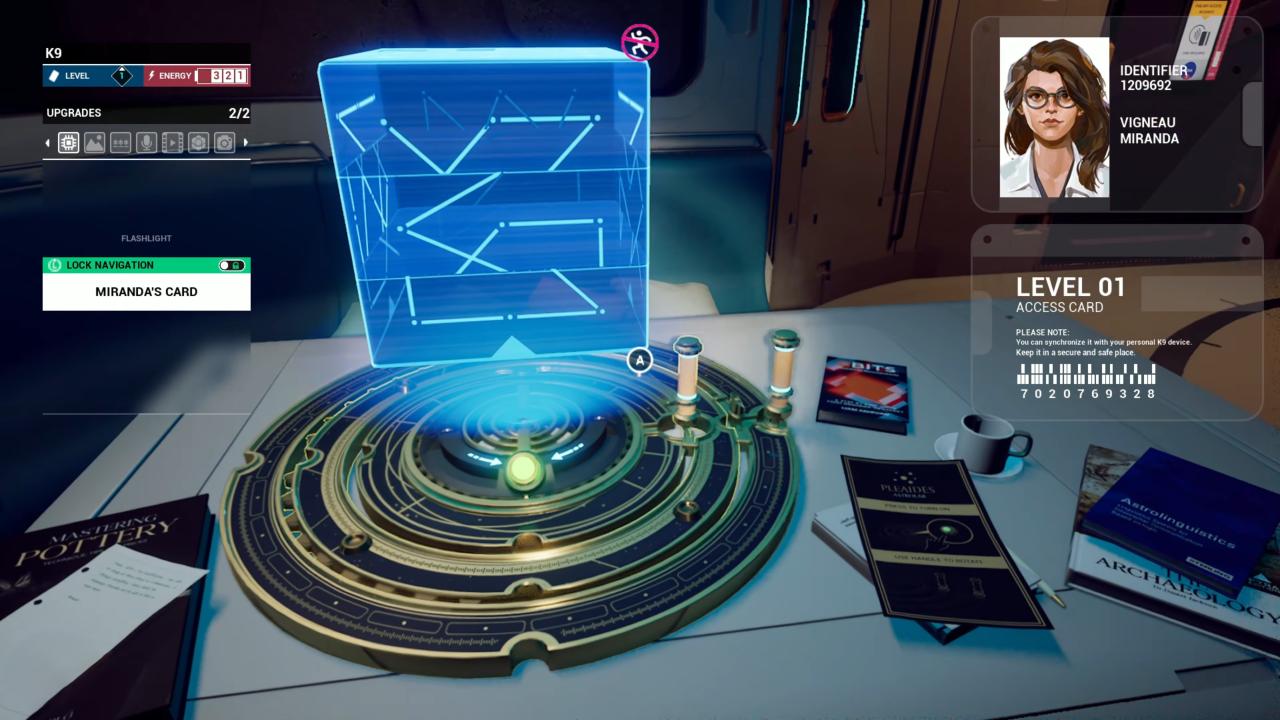
Look for a table with a circular golden device and a green button in its center.
Press the button to activate a holographic cube above the table.
The cube consists of several sections featuring glowing lines and carvings. Your objective is to rotate the sections until the patterns align correctly.
To solve the puzzle:
- Interact with the inner and outer rings beneath the hologram.
- Rotate the cube's sections until the glowing lines connect across its surfaces.
- When facing the Kitchen, position the outer ring's handle toward yourself and the inner ring's handle toward the left.
- Once the patterns align, the hologram will disappear.
After completing the puzzle, look toward the ceiling above the table.
You'll notice a glowing symbol projected onto the ceiling. Take a screenshot of this pattern, as you'll need it to unlock the Dock System.
Step 2: Unlock the Dock System
Next, head up the steps toward the central Kitchen platform.
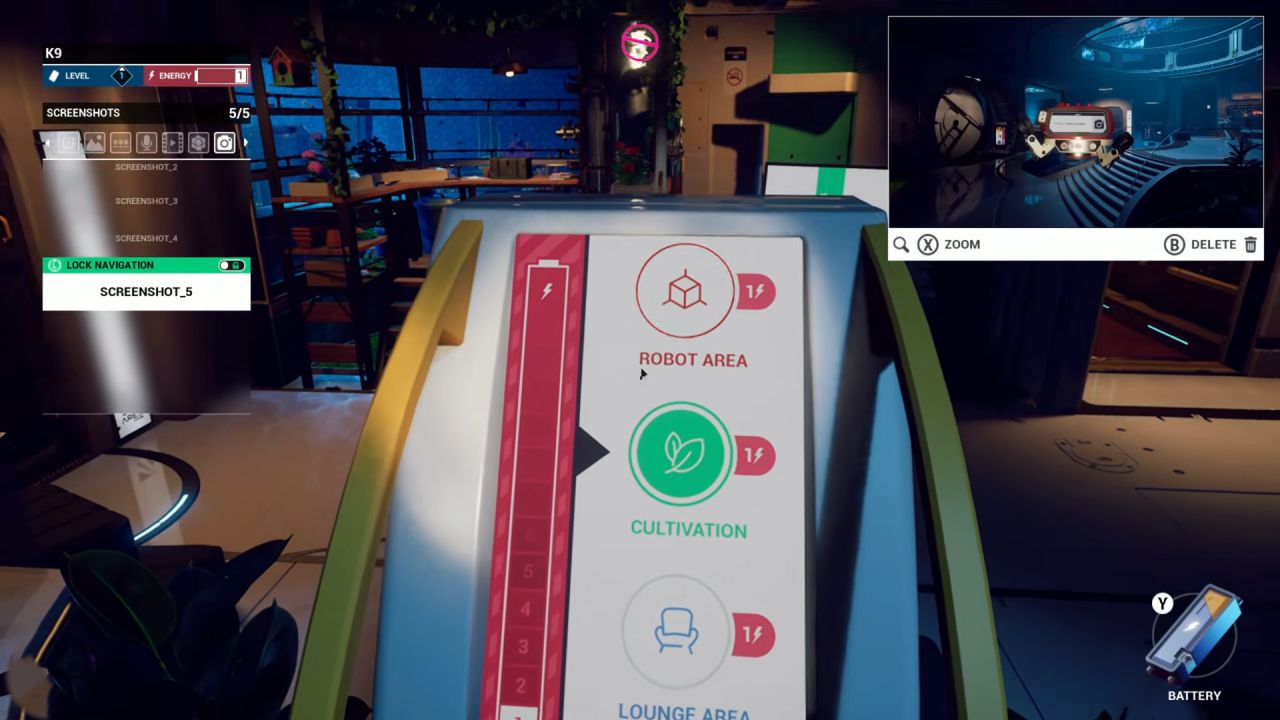
Look for the Dock System terminal, which features a locked pattern interface.
Interact with the terminal and recreate the symbol revealed by the holographic cube.
Pay attention to the orientation of the pattern. The small line beneath the symbol indicates its bottom edge.
Once you've entered the correct pattern, the Dock System will unlock.
You can now switch between different configurations of the Kitchen area, including:
- Lounge
- Robot Area
- Cultivation
Each configuration provides access to different objects and equipment required to complete the puzzle.
Step 3: Find All Three Batteries
With the Dock System unlocked, your next objective is to collect three batteries and insert them into the Emergency Pharmacy.
The batteries are located in different configurations of the Kitchen.
First Battery – Lounge Area
The first battery is available in the Kitchen's original Lounge configuration.
Head toward the large board displaying mathematical equations. Look around the bench beneath it to find the battery among the nearby objects.
Pick it up before switching areas.
Second Battery – Robot Area
Use the Dock System to switch to the Robot Area.
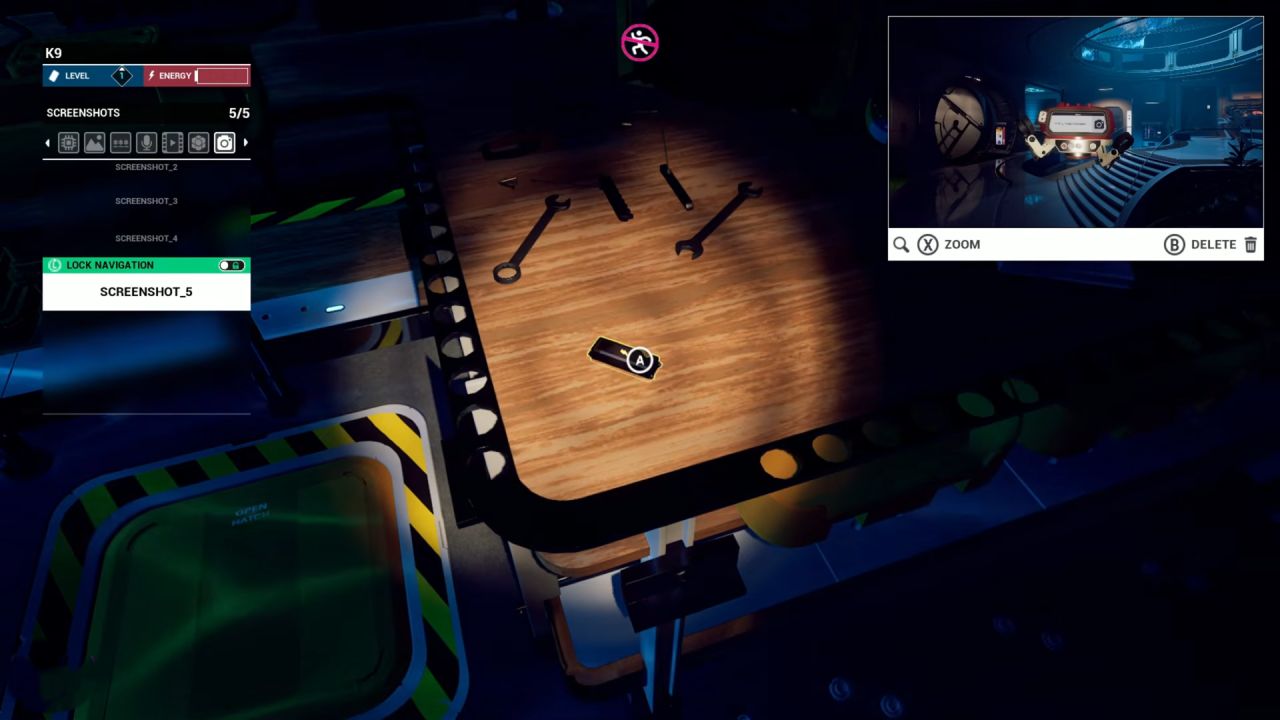
Locate the Emergency Pharmacy mounted on the wall near the workstation.
Insert your first battery into the machine.
Next, examine the nearby desk to find another battery. Pick it up and insert it into the Emergency Pharmacy.
Third Battery – Cultivation Area
Return to the Dock System and select Cultivation.
Once the area changes, climb the nearby stairs and look for a battery on the upper-level desk near a large storage chest.
Collect the battery, then return to the Dock System and switch back to the Robot Area.
Insert the final battery into the Emergency Pharmacy.
All three batteries should now be installed.
Step 4: Obtain the Pod Bay Access Card
After installing all three batteries, interact with the Emergency Pharmacy.
Pull down the machine's handle to activate its service menu.
Select Pod Bay Access from the available options.
The machine will dispense a new access card.
To register the card:
- Pick up the Pod Bay Access Card.
- Rotate it to examine the reverse side.
- Locate the barcode printed on the back.
- Scan the barcode using Miranda's K9 System.
This is an essential step because K9 preserves scanned access credentials between time loops.
Even if you lose the physical card, the authorization will remain available.
How to Enter the Pod Bay After Completing the Kitchen Puzzle
After obtaining the Pod Bay Access Card, you'll notice that the station's power has been depleted.
Although you've unlocked the required access, you won't be able to enter the Pod Bay immediately.
Instead, head toward the storage room at the back of the Kitchen.
Inside, you'll find the Time Trickster arcade machine.
Interact with the machine to initiate a new time loop.
Miranda will wake up in her quarters with the station's power restored.
Return to the Kitchen and approach the Pod Bay entrance.
Since you've already scanned the access card using K9, you can now unlock the Pod Bay door and continue exploring the station.
Final Thoughts
The Kitchen Puzzle in Rivage introduces several important mechanics that you'll encounter throughout the game, particularly environmental clues, power management, and the time-loop system.
The key to completing the puzzle is aligning the holographic cube, unlocking the Dock System, and collecting all three batteries to activate the Emergency Pharmacy.
Remember to scan the Pod Bay Access Card before restarting the loop, as this ensures you retain the authorization needed to progress.
FAQ
Q. How Do You Solve the Kitchen Hologram Puzzle in Rivage?
A. Rotate the inner and outer rings beneath the holographic cube until its glowing lines align. Once completed, a pattern will appear on the ceiling.
Q. Where Are All Three Batteries in the Kitchen?
A. The batteries are located in the Lounge, Robot Area, and Cultivation configurations. Collect all three and insert them into the Emergency Pharmacy.
Q. How Do You Unlock the Pod Bay in Rivage?
A. Insert three batteries into the Emergency Pharmacy, select Pod Bay Access, and scan the resulting access card using K9. Restart the time loop to enter the Pod Bay.
Q. Why Does the Power Go Out After Completing the Kitchen Puzzle?
A. The station has a limited power supply. After obtaining the Pod Bay Access Card, use the Time Trickster arcade machine in the Kitchen storage room to restart the loop and restore power.
Editor, NoobFeed
Latest Articles
No Data.