
AMD Radeon RX 9060 XT 16GB Budget GPU Delivering Smooth 1440p Gaming
AMD RX9060 XT 16GB delivers balanced 1440p performance with impressive frame rates and strong upscaling support.
Hardware by Masaru Hoshino on Oct 28, 2025
AMD RX 9060 XT 16GB has become a formidable competitor in the mid-range GPU market, giving gamers a lot of bang for their buck. But does it really give you the performance you need for seamless 1440p gaming, or does it fall short?
After testing it thoroughly on a number of well-known games, such as The Finals, Overwatch 2, and Battlefield 6, the findings show both its strengths and weaknesses.
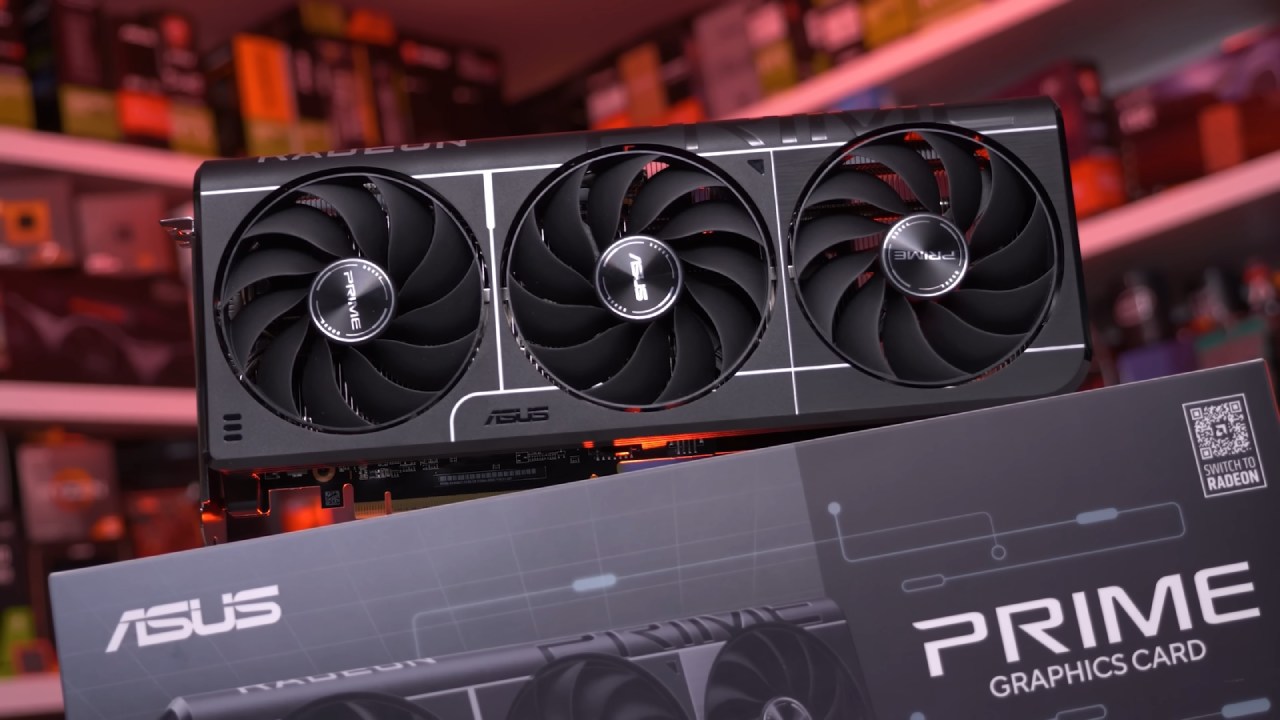
Display Port 2.1 and Performance Essentials
Before we talk about gaming benchmarks, let's remember that you need to use a Display Port 2.1-certified connection, especially if your monitor is 4K or 1440p and has a high refresh rate. A high-quality cable makes sure that the signal is sent without any loss and that the performance stays stable.
Cables like those from Silkland are VESA-certified and use premium materials such as 28-gauge tinned copper wiring and 24-karat gold-plated connectors. Rated for the full 80gigabit UHBR20 spec, they can handle up to 8K at 240hz without issues. Ensuring a reliable connection helps unlock the GPU’s full potential in high-performance setups.
Testing Setup and Initial Impressions
We used the ASRock Steel Legend RX 9060 XT 16GB model for our testing, which stands out as the more future-proof option compared to its 8GB counterpart. Out of the box, it performs admirably at 1440p, but pushing for higher frame rates in competitive titles requires careful tuning.
Our goal was to achieve a locked 144fps minimum for smooth and responsive gameplay across various genres.
.jpg)
The Finals at 1440p
When I first played The Finals at 1440p Epic settings, it ran at about 78 fps. That works for playing, but competitive gaming needs a more responsive experience. Turning on FSR 3 in Quality mode made the game run at roughly 100 fps, which made it much more responsive.
By decreasing foliage, reflections, post-processing, and shadows while keeping textures at Epic, frame rates went up to about 125 fps. We got a steady 144fps by tweaking some more settings and lowering shadows and effects to Low. Lowering FSR 3 from Quality to Balanced made that goal more solid, making the game run smoothly and be fun without losing too much graphic quality.
The result is clear: the RX 9060 XT can comfortably handle The Finals at 1440p with strategic setting adjustments and upscaling.
Overwatch 2 Performance
At 1440p Ultra, Overwatch 2 started around 140fps, just shy of our target. Using FSR 2 with a 67% internal resolution delivered a locked 157fps on a 165hz display. Even if the picture was a little weaker, the graphics were still good and the gameplay was smooth and accurate.
This setup is great for competitive players who want consistent performance because it is very responsive. The RX 9060 XT effortlessly keeps high frame rates in Overwatch 2, thus it's great for fast-paced shooters at 1440p.
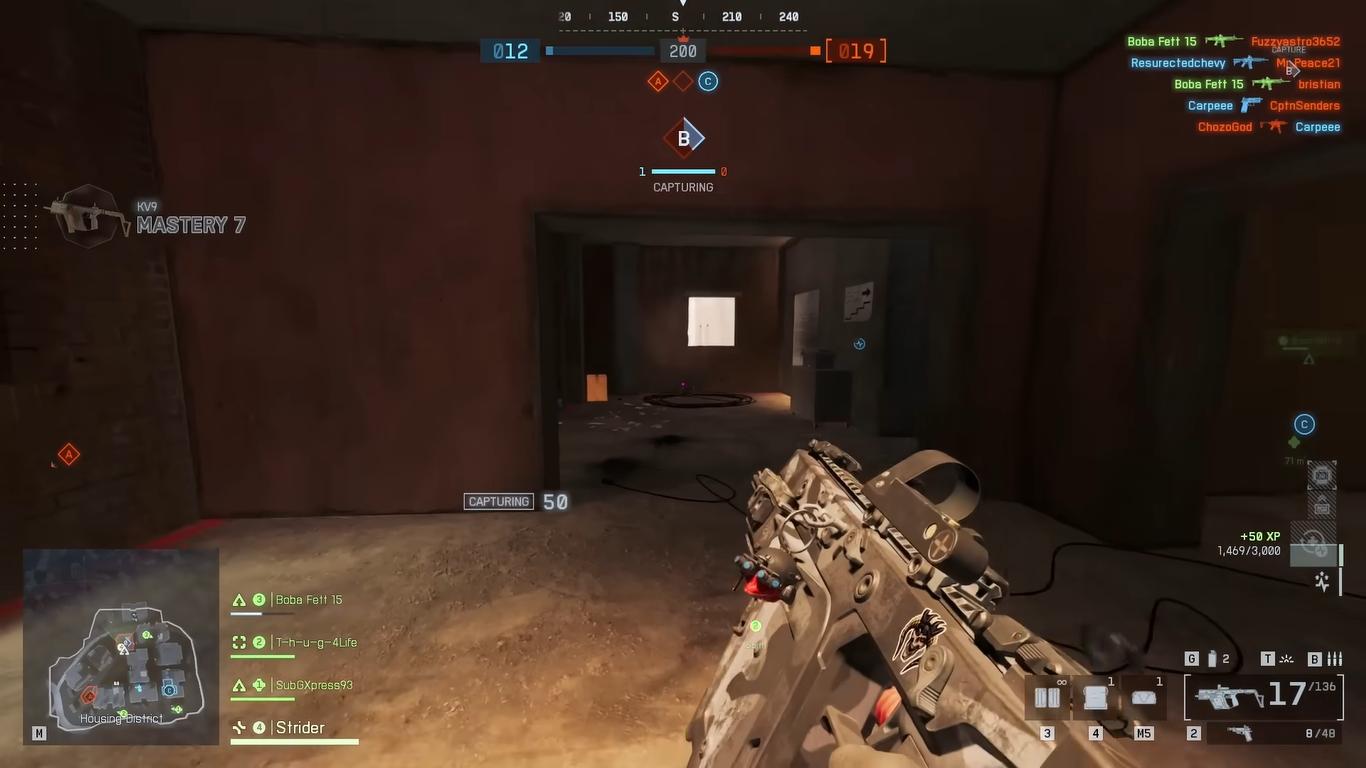
Battlefield 6 Benchmark
At 1440p Ultra with motion blur disabled, Battlefield 6 initially ran around 70fps. After enabling FSR in Quality mode, frame rates improved to approximately 100fps. Reducing the overall graphics to Medium while keeping the Ultra textures drove performance to 125fps.
Setting FSR to Balanced mode helped keep frame rates close to 140fps. We finally got a steady 140fps by lowering the settings even more to Low and retaining the textures at Ultra. Even if the graphics weren't as good, the gameplay was still smooth and fun.
This balance between performance and visual fidelity demonstrates that the RX 9060 XT can handle demanding titles like Battlefield 6 effectively at 1440p when optimized.
1440p Gaming
Across all three titles, the RX 9060 XT 16GB consistently achieved or surpassed the 140fps target with proper configuration. Technologies like FSR 3 and FSR 2 that make things look better are really important for getting this level of performance without making the graphics look worse.
Some graphically demanding games may need to have their settings lowered, but the overall experience is still very pleasurable. The 16GB VRAM makes sure that modern textures and future game upgrades are stable, which gives you an edge in how long they last.
The RX 9060 XT 16GB is a great deal for gamers on a budget that want a stable 1440p performance. It costs about $350. It has good frame rates, good image quality, and good efficiency, all while keeping expenses down. It's a good choice for gaming at high refresh rates without spending a lot of money, as long as you make a few small adjustments.
Final Thoughts
AMD RX 9060 XT 16GB proves itself as a capable and cost-effective option for 1440p gaming. It gets smooth and competitive frame rates in recent games by changing settings and using FSR.
It might not have as much raw power as top-of-the-line GPUs, but it works really well for its price range. The RX 9060 XT is a great pick for gamers that want to get the most out of their money, performance, and picture quality.
Also, check our other AMD articles:
- AMD Ryzen 9 9950X3D Review: Setting The Standard For 2025 Gaming CPU
- AMD Ryzen 7 9800X3D Review: 3D V-Cache Goes God Mode with Stunning Gaming Performance
- AMD RX 9070 Performance Review: Thermals, Clocks, and Real-World FPS
- AMD Ryzen 5 7600 Review: Best Budget Gaming CPU of 2025?
- AMD Radeon RX 7800 XT Review: RDNA 3 Power For Midrange Gaming
- Sapphire NITRO+ AMD Radeon RX 9070 XT Review: The Ultimate 4K Gaming GPU
- AMD Ryzen 7 7800X3D: Delivers Gaming Performance Far Beyond Expectations
- AMD Ryzen 9 7900X Review: Powering the AM5 Era with DDR5 & PCIe 5.0
- ASRock Radeon RX 7800 XT Challenger OC Review: Best Price-to-Performance GPU of 2025
- Intel Core i9‑14900K vs. AMD Ryzen 7 7800X3D: Power Profiles & Gaming Benchmarks
Editor, NoobFeed
Gaming Hardware Updates
No Data.