
ASUS ROG Swift OLED PG27AQDP Review: Next-Generation Tandem OLED Gaming Monitor
Offering advanced Tandem OLED technology, 280hz refresh rate, and improved HDR brightness for immersive gaming performance at an attainable price.
Hardware by Nahe Yan on Nov 09, 2025
The latest OLED gaming monitor represents a significant advancement in display technology. It uses fourth-generation Tandem OLED technology to improve performance, brightness, and longevity. The new panel design reduces the risk of burn-in while delivering higher peak brightness and more consistent performance across different lighting conditions.
In the US, it costs roughly $520, which makes it a less expensive option among high-end OLED panels. It provides gamers with a level of image quality that surpasses what they can currently achieve.
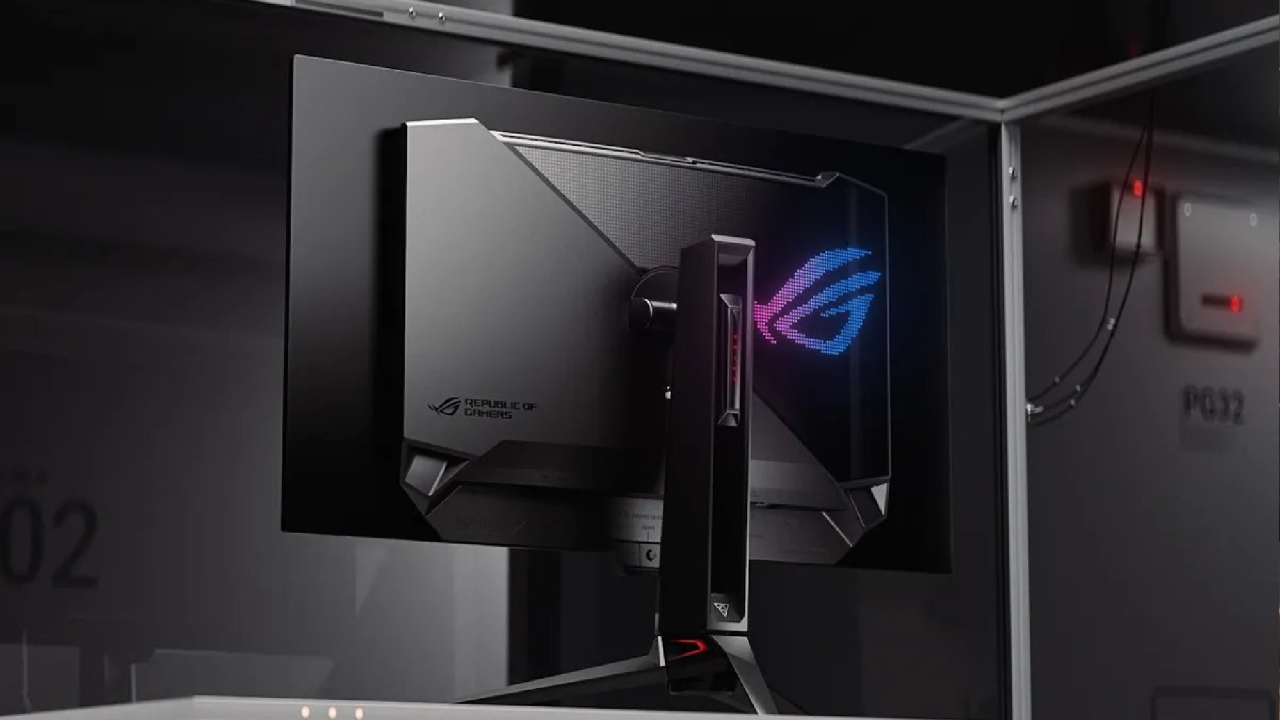
Quality of Design and Build
The design features the classic ROG look and is supported by a sturdy metal stand. The overall structure stays light, and some exterior elements are made of plastic to keep costs low while maintaining high quality.
The panel features a True Black Glossy OLED finish, delivering more accurate colours and reducing unwanted reflections. Reflections are still visible in direct light, but they look natural rather than coloured. The display remains slim due to its construction. The internal cooling system and bespoke heatsink are located at the back to maintain stable temperatures.
Image Quality and Display Technology
The Tandem OLED panel is the best part of this monitor. It makes the screen brighter, more durable, and more stable. The 27-inch screen features a 1440p resolution, delivering accurate colours and deep blacks while maintaining clarity across diverse content types.
Some people would like a bigger 32-inch 4K display for work or movies. Still, the 27-inch 1440p format strikes a good balance between gaming performance and picture quality.
The True Black Glossy OLED coating maintains contrast in both bright and dark areas, and reflections are true, not altering the picture. The lighting is even across the screen, making the picture look clean and balanced. This is good for both gaming and everyday use.
Setting Up and Connecting
The display has two HDMI ports, a DisplayPort, a headphone jack, and a dual-port USB hub. People who use laptops or Macs may need an adapter because their devices don't have a USB-C port. The included HDMI and DisplayPort cables make setup easy, and the stand connects without any equipment.
The screen can refresh up to 280 times per second. After setup, the picture is brighter and clearer, making it more colourful and suitable for both gaming and everyday use.
Refresh Rate and Performance
When compared to other OLED models, it's clear that picture quality and response speed have improved. The panel reduces motion blur, making it easier to follow moving objects, especially in fast-paced games.
This display's HDR capability is one of its best features. Users can choose between gaming, movie, or console presets with configurable HDR options. The brightness levels are far greater than those of older OLED panels. This makes bright situations look better while keeping deep blacks.
You can see the difference between light and dark areas right away in games like Horizon. The shadows remain full of depth without any noticeable distortion, and fire, reflections, and ambient light appear more genuine. The brightness is far better than that of older QD-OLED displays, resulting in a more exciting viewing experience.
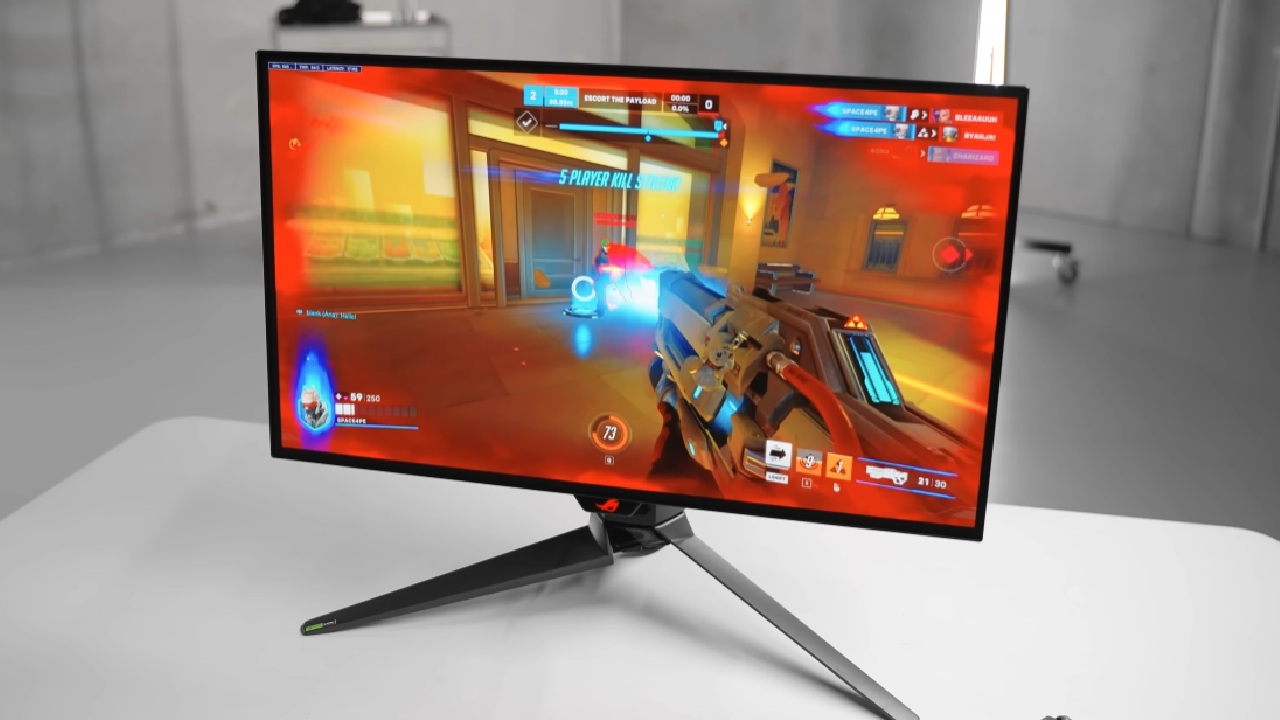
Gaming performance
This display works well and stays stable when playing games. There isn't any input latency in fast-paced games like Battlefield 6, and action stays sharp even when you turn or rotate the camera quickly. The OLED reaction time works well with the 280Hz refresh rate, ensuring smooth images without trails or ghosting.
The Tandem OLED technology in the panel enhances HDR scenes by adding bright highlights and rich colour details. It doesn't exhibit haloing or blooming around bright regions, unlike mini-LED competitors, allowing for more precise light adjustment in dimly lit areas.
The result is a good mix of quickness and graphic clarity that works for both casual and competitive play.
A proximity sensor also helps save energy by dimming or turning off the display when no one is in front of it and turning it back on immediately when someone approaches.
Problems with uniformity and the cleaning process
Some evices may exhibit minor panel uniformity issues on certain grey backgrounds, which may make the screen appear slightly textured. This problem can be improved by running the built-in cleaning or pixel refresh application multiple times.
Over time, frequent usage and care may make the effect even less noticeable. Other reviewers report that this issue doesn't occur on all devices and doesn't impact the performance of the games.
Final Thoughts
For its category, this monitor offers a high-quality OLED experience at an easy-to-reach price. The Tandem OLED technology makes the screen brighter and more stable, and the 280Hz refresh rate ensures most gam s run smoothly.
The True Black Glossy gloss makes the image look more genuine and detailed by increasing contrast without changing the colour.
There are some issues with the panel's homogeneity and the absence of USB-C, but the overall value remains very good. A gaming display should have a high refresh rate, HDR support, and long-lasting OLED performance.
This model is a great choice for anyone seeking a high-end monitor that strikes a balance between price and performance in the next generation of OLED displays.
Also, check our other ROG articles below :
- ASUS ROG Ally X Handheld Review: Double the Battery, Double the Comfort
- Nintendo Switch 2 Vs. Original Switch 1: A Full Comparison
- How To Connect A Camera And Join Voice Chat With Nintendo Switch 2
- Nintendo Switch 2 Review: Handheld Performance, Features & Value Breakdown
- ROG Xbox Ally X Vs. ROG Ally X: Display, Battery & Controls
- ASUS ROG Ally X vs. Steam Deck OLED: Display, Battery & Gaming Benchmarks
- MSI Claw 8 AI+ Review: Display, Controls & Gaming
- Nintendo Switch 2 vs. Steam Deck OLED: Gaming, Performance, Battery, Display and Value
- PlayStation Portal Review: Remote Play, Cloud Streaming & Travel Gaming
- PlayStation Portal vs. Lenovo Legion Go: Best Portable Gameplay
- Cyberpunk 2077 Patch 2.3 FPS Test on MSI Claw 8 AI+
Editor, NoobFeed
Gaming Hardware Updates
No Data.