
ASUS RTX 5080 Noctua Edition Full Review: Cooling, Design, and Long-Term Performance
The RTX5080 Noctua edition delivers extreme cooling and silent operation while maintaining peak performance under heavy workloads.
Hardware by Nahe Yan on Nov 20, 2025
I've had the chance to test a lot of various GPUs, and a new contender has surfaced, poised to be a top performer in 2025. There's also a drawback worth mentioning. Before that, let's turn our attention to the GPU and why it's considered one of the most overbuilt and powerful graphics cards to hit the market in 2025.
To truly grasp its dimensions, we should first consider the RTX 5080 Noctua Edition alongside the Nvidia GeForce RTX 3070, the Asus RTX 3090, and the RTX 4090/4080 Super. The Noctua model, featuring 120mm Noctua fans, is considerably larger than its predecessors.
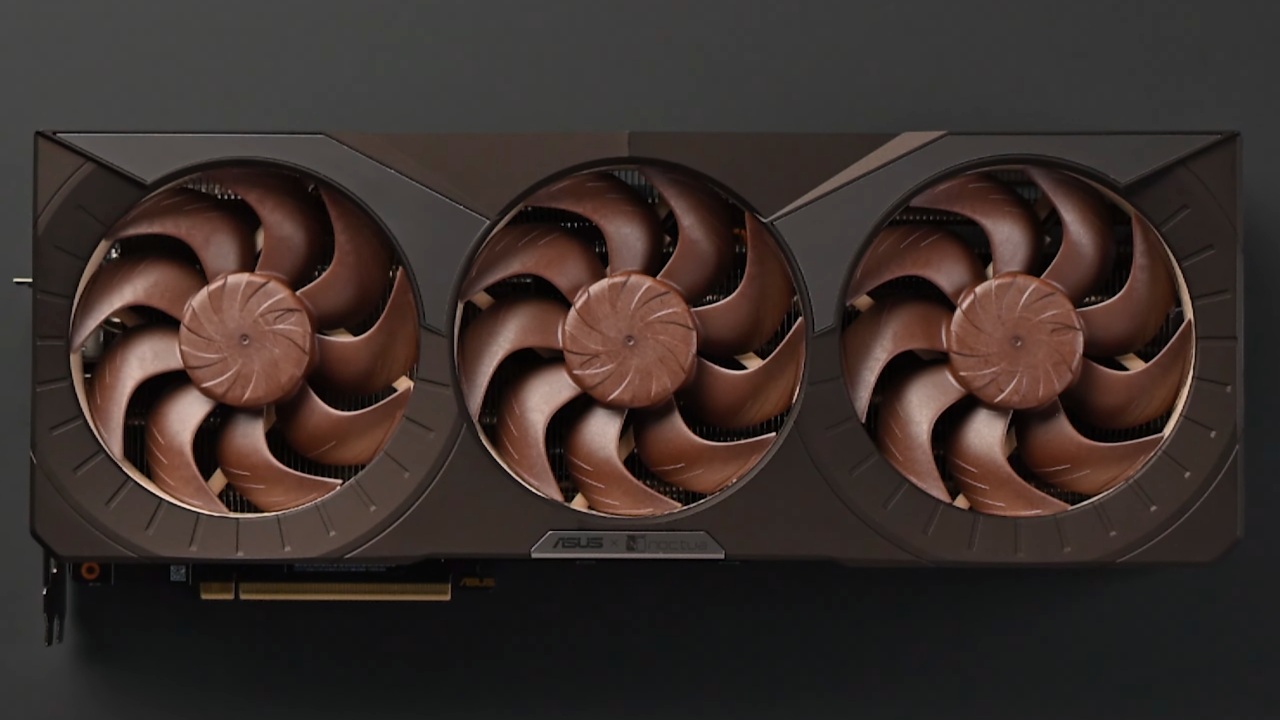
Design and Physical Overview
Comparing earlier versions makes the generational differences in size evident. RTX3070 was utilised as the standard, and the RTX3090 was then examined. Because of its size, the RTX3090 required a GPU sag bracket. The 40-series lineup grew, and the 4090 or 4080 Super was a tight squeeze, almost too big for a standard case. Then, the RTX 5080 arrives, boasting an even more substantial presence.
The 120mm Noctua fans, often seen in cases or all-in-one coolers, have a distinctive aesthetic, and the new G2 fans featured here represent years of development.
The backplate design exhibits different levels of passthrough, which vary across versions. The 5080's passthrough capabilities are limited, albeit it does have the Noctua owl-eye aesthetic. The heatsink, a product of the Noctua-Asus partnership, is custom-designed.
The regular 5080 typically has seven or eight heat pipes. This particular model, however, boasts eleven heatpipes, augmented by a vapour chamber. Extra thermal pads are used to cool the power delivery area.
Performance Testing
The stress test lasted many days. FurMark was run non-stop for 28 hours, keeping a consistent 360W load throughout. The gpu maintained stable peak temperatures consistently between 60 and 70 degrees Celsius.
Under typical operating conditions, the temperatures seen were substantially lower. The GPU remained silent while the system wasn't doing much.
The tests were conducted on a Threadripper Pro 5995WX platform with 256GB of RAM and an RTX 5080 graphics card. In auto fan mode, the GPU remained quiet, and its temperature stabilised at roughly 62°C. This was the case even when I pushed the power limit to 125%, drawing approximately 430W.
When the fan was manually adjusted, the temperature immediately fell to the low 50°C range. Things stay cool at 51–52°C because the fan is set to high. The temperature wouldn't go below 56°C, even though more power was being used.
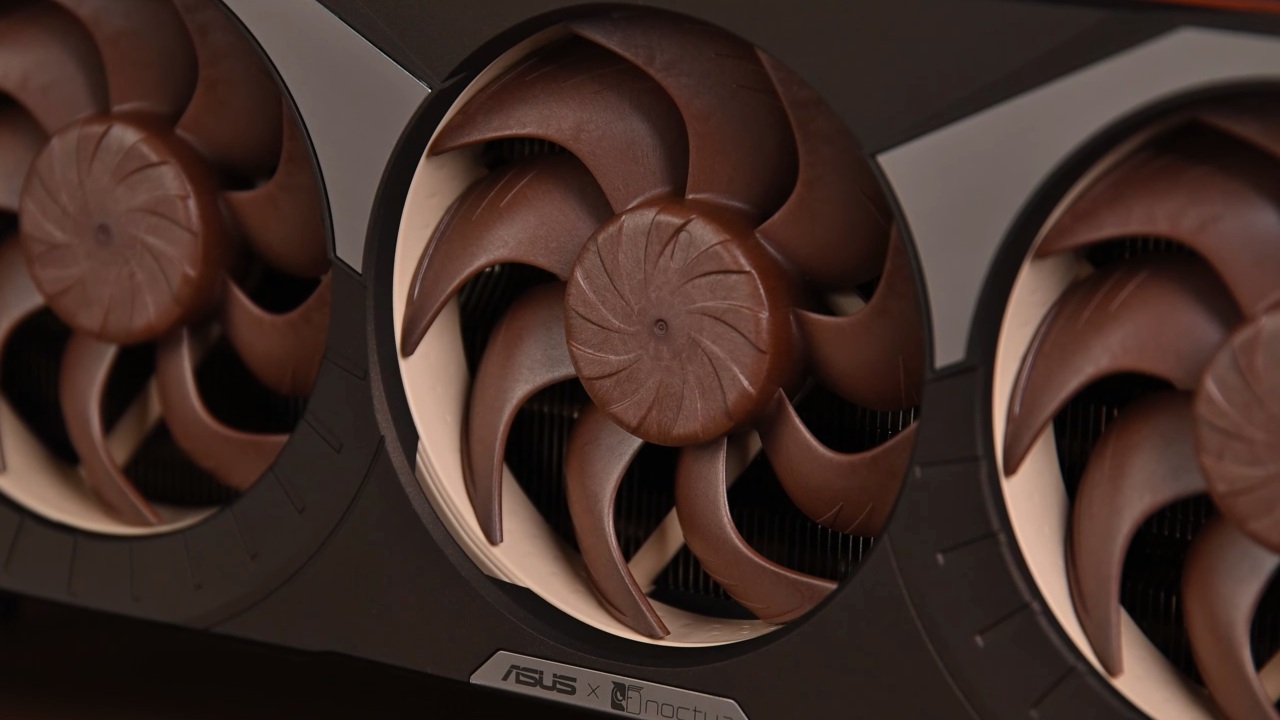
The heat wouldn't go away, no matter how loud the fan was. The temperature stayed at 62°C on its own, and it was very quiet while it was running.
Final Thoughts
The Noctua-Asus RTX5080 features a carefully engineered cooling system. The design incorporates 120mm fans, 11 heat pipes, and a vapour chamber. The card runs in a semi-passive way, and its noise levels are very low.
The cooling system continues to work well, even when the device is overclocked. The phase-change thermal pad also helps extend the system's lifespan. The main drawback is that this too complex system is paired with a 5080, rather than a 5090, which would allow for the full use of its cooling capacity. Please confirm if you concur with this evaluation.
Also, check our other AMD articles:
- AMD Ryzen 9 9950X3D Review: Setting The Standard For 2025 Gaming CPU
- AMD Ryzen 7 9800X3D Review: 3D V-Cache Goes God Mode with Stunning Gaming Performance
- AMD RX 9070 Performance Review: Thermals, Clocks, and Real-World FPS
- AMD Ryzen 5 7600 Review: Best Budget Gaming CPU of 2025?
- AMD Radeon RX 7800 XT Review: RDNA 3 Power For Midrange Gaming
- Sapphire NITRO+ AMD Radeon RX 9070 XT Review: The Ultimate 4K Gaming GPU
- AMD Ryzen 7 7800X3D: Delivers Gaming Performance Far Beyond Expectations
- AMD Ryzen 9 7900X Review: Powering the AM5 Era with DDR5 & PCIe 5.0
- ASRock Radeon RX 7800 XT Challenger OC Review: Best Price-to-Performance GPU of 2025
- Intel Core i9‑14900K vs. AMD Ryzen 7 7800X3D: Power Profiles & Gaming Benchmarks
Editor, NoobFeed
Gaming Hardware Updates
No Data.