
How a Budget GPU Can Transform an Old Desktop PC
Transform an outdated desktop with iGPU into a playable gaming system using affordable and compact GPU solutions.
Hardware by Tanisha Aria on Nov 23, 2025
Many desktop PCs have built-in graphics, which means they can't run most current games. Integrated GPUs (iGPUs) are only good for simple or older games because their main job is to drive displays, not handle heavy 3D tasks.
Lighter games like Roblox and Minecraft run easily, as do some older indie games. However, newer games with more complex graphics struggle to run on these systems. It depends on the parts, case size, and price, but upgrading a desktop PC can be a good way to make it run faster.
Testing a Barebones Desktop
The Marketplace had an old HP ProDesk for about $100. It has an Intel i5 processor from the 7th generation and 8GB of RAM, giving it four cores and some room for upgrades.
Because the case is small, it's not possible to fit a full-size GPU, which limits upgrade options at first. We used 3DMark Time Spy to test its graphics performance after connecting it to Wi-Fi and letting Windows Update load drivers.
As expected, the iGPU didn't work very well. Newer AMD iGPUs are much faster, but Intel integrated graphics are still not good enough for games.
Minecraft works pretty well on this machine since it relies more on the CPU than the GPU. On the other hand, you can't add shaders to an iGPU.
Simple independent 2D games work fine, and older 3D games like Counter-Strike 1.6 also work well. Trying to run a game with higher graphics requirements, like Battlefield 1, showed how weak the machine was, as the game wouldn't start.
Most current games can't be played on PCs with only iGPUs, but older 2D and some older 3D games released before about 2013 should be fine.
Upgrading the System with a Dedicated GPU
It's not as easy as picking any card to install a GPU; compatibility depends on the desktop's configuration and the processor's architecture.
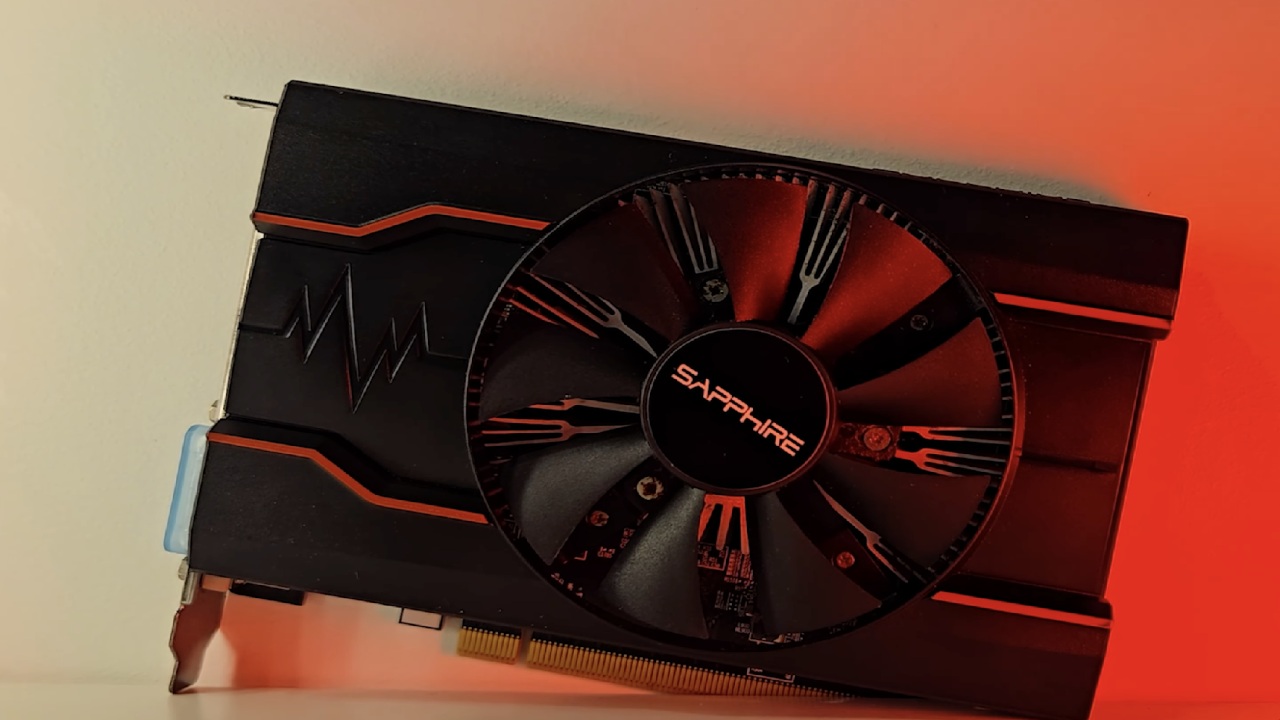
The 24-pin motherboard port on the HP ProDesk prevents many longer GPUs from fitting. We chose the AMD Radeon RX 550, a small, $50 card that doesn't require any extra power.
Because it's small, it works with older OEM power supplies and doesn't require any major changes to fit in the tight case. The system was ready to be tested after the RX550 was installed and drivers were updated to the latest version.
When 3DMark Time Spy was run, it showed that the GPU was three times faster than before. Minecraft's frame rate went from 30 to 40 frames per second, then almost tripled, and shaders were added.
CS1.6's performance remained steady at around 100 frames per second, due to the game's older design. It became possible to play Battlefield 1 on low settings, but frame rates dropped to the low 40s during dramatic scenes.
Even though it wasn't a powerhouse, the RX550 made the machine much better for gaming, turning a weak desktop into a pretty good gaming PC.

Performance Comparison and Recommendations
With a separate GPU, older 3D games like Far Cry 3, Assassin's Creed, and older Call of Duty or Battlefield games run without any problems.
For people who want even better performance, an RTX 3050 card of the same small size delivers higher frame rates and supports more recent games. A full case swap is another choice.
This lets you install more powerful GPUs and play almost any game currently available. This method costs more but greatly increases the number of games that can be played.
Upgrading an old PC is cheap, easy, and works very well, even with a wallet-friendly GPU like the RX 550. Not only can you play Minecraft and other games, but the graphics have also been improved.
Older 3D games also run more smoothly. Battlefield is usable, even though it's not at its best when it's not running at full settings on an iGPU.
Adding a small GPU to an older PC can make it run faster, which makes it a good option for people who are short on cash or want to get more use out of their current hardware.
Also, check our other AMD articles:
- AMD Ryzen 9 9950X3D Review: Setting The Standard For 2025 Gaming CPU
- AMD Ryzen 7 9800X3D Review: 3D V-Cache Goes God Mode with Stunning Gaming Performance
- AMD RX 9070 Performance Review: Thermals, Clocks, and Real-World FPS
- AMD Ryzen 5 7600 Review: Best Budget Gaming CPU of 2025?
- AMD Radeon RX 7800 XT Review: RDNA 3 Power For Midrange Gaming
- Sapphire NITRO+ AMD Radeon RX 9070 XT Review: The Ultimate 4K Gaming GPU
- AMD Ryzen 7 7800X3D: Delivers Gaming Performance Far Beyond Expectations
- AMD Ryzen 9 7900X Review: Powering the AM5 Era with DDR5 & PCIe 5.0
- ASRock Radeon RX 7800 XT Challenger OC Review: Best Price-to-Performance GPU of 2025
- Intel Core i9‑14900K vs. AMD Ryzen 7 7800X3D: Power Profiles & Gaming Benchmarks
Contributor, NoobFeed
Gaming Hardware Updates
No Data.