
Steam Deck OLED in 2026: Is a Refurbished Model Still a Smart Buy?
The OLED revision of the Steam Deck refines the handheld experience with better battery life, smoother refresh rates, and enhanced visuals
Hardware by Tasnim Yoshi on Jan 25, 2026
It's a terrific time to sell Counter-Strike skins in order to get a real item on Steam. The Steam Deck OLED is one of the most exciting choices right now, especially with Valve's reconditioned program. If you can get one for $439, you should ask yourself a big question: Is it still worth it to buy a Steam Deck in 2026? And does buying a refurbished one make that decision better or worse?
There is a lot to think about, especially regarding performance, value, and how well the OLED upgrade holds up in today's PC gaming world.
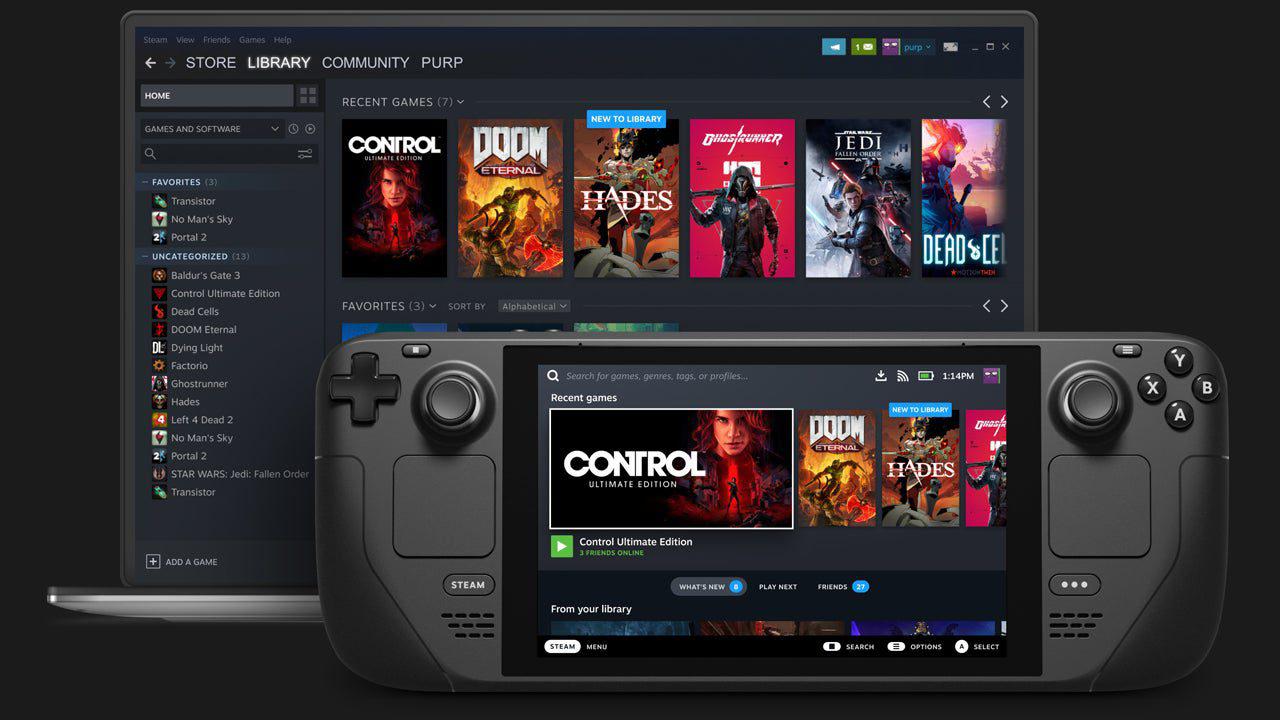
Why a Refurbished Steam Deck OLED Makes Sense
We signed into our Steam account, sold several CS skins, and then had enough money in our pocket to buy a refurbished Steam Deck OLED. We spotted the 512GB OLED model, which is available for $439 through Steam's official reconditioned inventory. Valve usually sells these units directly after they have been returned through RMA, fixed, tested, and resold. The carrying bag and charger are completely new; only the Steam Deck itself has been repaired.
Buying refurbished directly from Steam saves you about $100 compared to buying new, plus you don't have to worry about the quality of the work done by third-party refurbishers. Everything is clean, complete, and well-packaged. In our case, there were no signs of wear or issues during setup.
What Sets the OLED Model Apart
The Steam Deck OLED is more than simply a better screen. The OLED version has a significantly quicker CPU, faster RAM, and a bigger battery (50Wh instead of 40Wh) than the original LCD edition. The OLED panel also uses less power, so the battery lasts longer in real life, even though it can be brighter.
The OLED screen can get up to 1000 nits of peak brightness, whereas the LCD screen can only get about 400 nits. At the highest settings, the difference in brightness is clear but not huge while you're inside. OLED, on the other hand, offers far better contrast, deeper blacks, and wider viewing angles. The bezels are also thinner, which makes the display area a little larger even with the resolution remaining at 1280x800.
Valve makes the OLED model stand out by adding little orange accents instead of blue, as on the Steam button and boot logo. The rest of the design is still recognizable and comfortable.
Build Quality and Accessories
The supplied carrying case is still one of the best accessories for handheld games. It fits the device's shape perfectly, is hard yet soft to the touch, and protects it quite well. The charger is small and can charge devices that use USB-C at 5V3A and 9V3A. This makes it convenient to carry and works with other devices.
The Steam Deck's ergonomics are still quite good. The controls are easy to understand, the grip is pleasant, and the gadget doesn't seem cumbersome or tiring to handle even after long periods of use.
Display and Battery Observations
OLED not only makes pictures look better, but it also makes them work better. The OLED variant has a bigger battery, but the display uses less power in dim conditions, which helps the battery last longer. When the screen is at its brightest, the battery drains more faster. Lowering the brightness a little bit makes the battery last much longer without losing visual quality.
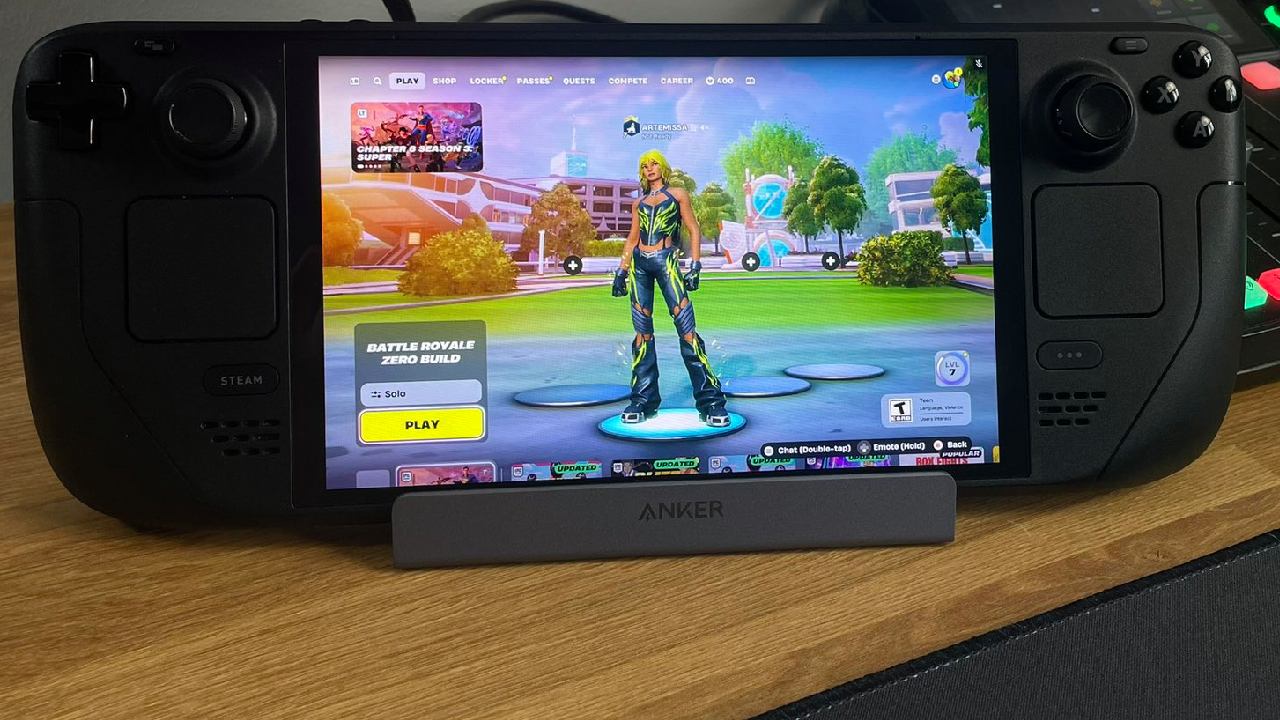
It is a big improvement over the 60 Hz LCD model, as the display can run at up to 90 Hz. Menus that scroll, camera movement, and gameplay all feel smoother, especially in games that can keep up with faster frame rates.
Performance Testing: Older and Less Demanding Games
Half-Life 2
Half-Life 2 is a great game to show off the Steam Deck OLED. At its native resolution of 1280x800 and with high settings, the game easily stays at 90 frames per second. The dark settings of Ravenholm show off OLED's qualities quite well. When the game first came out, blacks were deep, contrast was great, and the experience felt smoother and more responsive than many computers could handle.
The Steam Deck is great for this kind of backlog title. The performance is perfect, the battery life is good, and the visuals are great.
Gunfire Reborn
Gunfire Reborn works really well on the Steam Deck OLED. The game runs well, with few drops, at native resolution and low settings, with a maximum frame rate of 90 fps. The battery lasts about 3.5 hours, making it great for on-the-go play.
This is when the Steam Deck really lives up to its name as a backlog killer. Games like these work perfectly with the technology and look excellent on the high-refresh OLED screen.
Pushing the Limits With Demanding Titles
Spider-Man 2
Spider-Man 2 is the best game we can realistically suggest for the Steam Deck. At 1280x800 with very low settings, FSR3.1 is set to 60% resolution scaling and a 60fps goal, but performance still falls short. At about 64% charge, the power drain is about 24W, which gives the battery about 1 hour and 20 minutes of life.
You can play the game, but the graphics aren't as good. Allowing frame generation makes things a little smoother, but it also adds blur and artifacts that make the experience less enjoyable. This is not the best method to play a game with that many graphics, especially if you've seen it perform on better hardware.
That's so. Mobile gaming is more forgiving at lower frame rates and can still be used by players who don't have other options.
Clair Obscur: Expedition 33
Clair Obscur: Expedition 33 is certified for Steam Deck and comes with pre-made settings that work well with the hardware. When VSync is off and FSR is set to balanced mode, performance is between 40 and 50 frames per second. It is playable and looks great on the OLED screen, even though it isn't totally smooth.
OLED clearly helps this game. Even at lower frame rates, the picture quality and contrast make it much more fun than on an LCD screen.
Indie and Mid-Tier Titles Feel Right at Home
PEAK
PEAK works well at the native 1280x800 resolution with a mix of medium, high, and low settings. The frame rate stays around 60 frames per second, the power draw fluctuates between 13 and 18 watts, and the OLED screen doesn't get too bright or washed out under bright studio lighting.
.jpg)
This kind of game shows why a handheld with a lower resolution display is often the better choice. The performance boost is worth the small sacrifice of sharpness, especially on a screen this size.
The Headliners
The indie game The Headliners works admirably at native resolution on low settings. The frame rate approaches the 90 fps limit, and you can tell right away how smooth the OLED 90 Hz panel is. This is the kind of game that works great on the Steam Deck. It's enjoyable and responsive without requiring much power.
Fallout 4
The Steam Deck's default performance settings for Fallout 4 are like those on a console. The end result is a rather stable 60 frames per second experience with acceptable screen quality for the size. There aren't many stutters or lockups, and the general performance feels steady. Players who are used to a mouse and keyboard may need to adjust their aiming with the controller, but the game runs smoothly.
Final Thoughts on Value and Longevity
After extensive testing and spending $439, it's clear that buying a refurbished Steam Deck OLED through Steam's official program is a great deal. The OLED screen alone makes a big difference, and the better battery life, faster performance, and 90Hz refresh rate make the experience even better than the previous LCD model.
This device can't replace a full Windows PC, and SteamOS still makes it hard to play games with kernel-level anti-cheat. The Steam Deck OLED is still one of the best options for people who have a lot of Steam games, an aging PC, or want to get into PC gaming without spending a lot of money.
At this price, it's impossible to find a better handheld PC gaming experience than this one, thanks to how well it works, how well it's made, and how good the screen is. The reconditioned program just adds to that value, so the Steam Deck OLED is an obvious choice for the proper kind of player.
Also, check our other articles below:
- AMD Ryzen 9 9950X3D Review: Setting The Standard For 2025 Gaming CPU
- AMD Ryzen 7 9800X3D Review: 3D V-Cache Goes God Mode with Stunning Gaming Performance
- AMD RX 9070 Performance Review: Thermals, Clocks, and Real-World FPS
- AMD Ryzen 5 7600 Review: Best Budget Gaming CPU of 2025?
- AMD Radeon RX 7800 XT Review: RDNA 3 Power For Midrange Gaming
- Sapphire NITRO+ AMD Radeon RX 9070 XT Review: The Ultimate 4K Gaming GPU
- AMD Ryzen 7 7800X3D: Delivers Gaming Performance Far Beyond Expectations
- AMD Ryzen 9 7900X Review: Powering the AM5 Era with DDR5 & PCIe 5.0
- Intel Core i9‑14900K vs. AMD Ryzen 7 7800X3D: Power Profiles & Gaming Benchmarks
Subscriber, NoobFeed
Gaming Hardware Updates
No Data.