
FSR Multi Frame Generation Now Works on older NVIDIA, AMD, and Intel GPUs
Frame pacing improves by routing FSR generation through DLSS inputs with Reflex integration.
Hardware by Shinji Okazaki on Feb 11, 2026
RTX 50 series is no longer the only series that supports Multi Frame Generation. You can now turn on Multi Frame Generation on older NVIDIA, AMD, and Intel graphics cards with a simple hack. The mod works in games that support it and requires only one file to enable the feature.
We already spoke about FSR Multi Frame Generation and how it works with Intel and AMD GPUs. The same method now works with NVIDIA GPUs, including the RTX 40, RTX 30, RTX 20, and even older GTX 700-series cards. If you have a GTX 960, GTX 970, GTX 1060, or a comparable card, you can now enable Multi Frame Generation using this method.
DLSS Enabler version4.0.0.7 is the name of the mod. In the past, you had to install DLSS Enabler 3 first, then replace the files. You don't need to do that extra step anymore with version 4.0.0.7. You just need to copy one DLL file into the game's executable directory, and the feature will work.
Requirements and Compatibility for Games
Multi-frame generation must be supported by the game. The feature is available in games like Cyberpunk 2077, Mafia: The Old Country, Marvel's Spider-Man 2, Black Myth: Wukong, and Titan Quest. Some games, such as Doom: The Dark Ages, might not work.
The Frame Generation option will appear in the graphics options after the file is in the correct folder. This is usually the folder where the game's executable is located: SteamApps/Common/Binaries/Win64. You don't need to do anything else after copying the file.
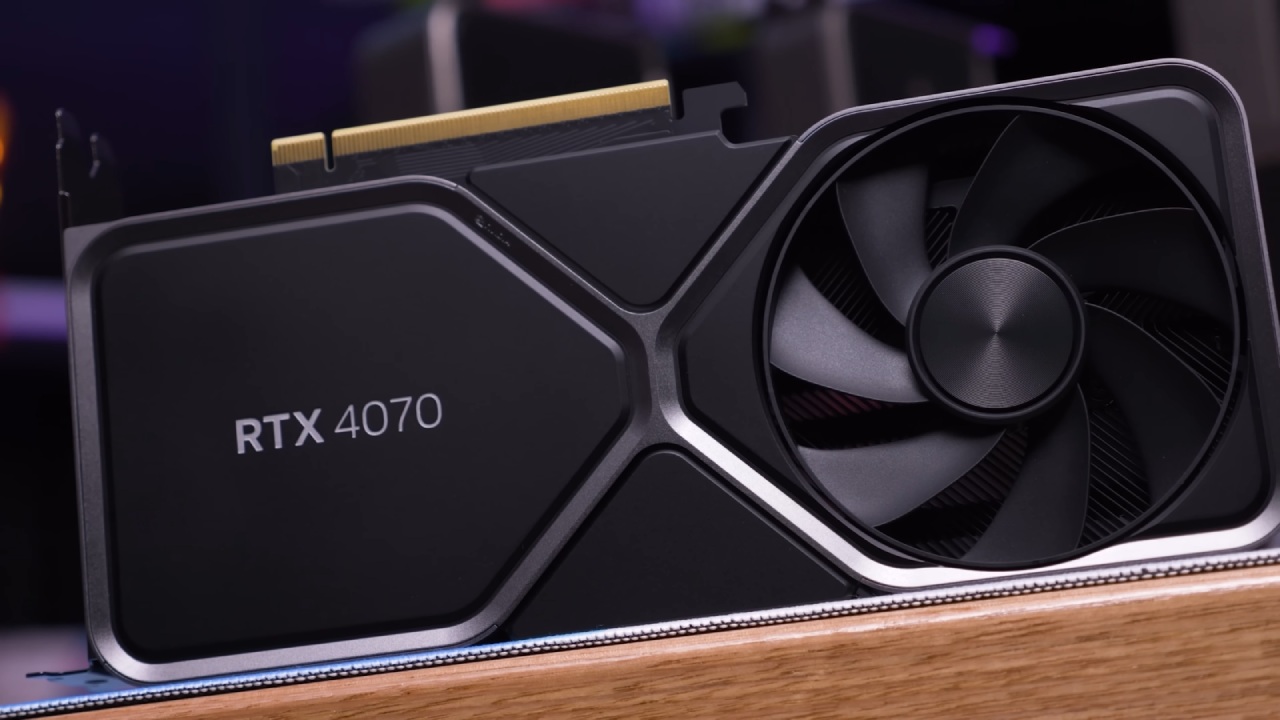
We tried the configuration on an RTX 4070, which doesn't officially support Multi Frame Generation. After you install it, the in-game interface lets you choose between 2x, 3x, or 4x frame creation modes.
How the Mod Works
The menu shows DLSS Frame Generation; the mod actually adds FSR Frame Generation through DLSS inputs. DLSS inputs handle frame pacing and data, helping maintain steady frame timing. The hack sends FSR through DLSS rather than using FSR's native pipeline. This makes the pacing work better.
This approach makes frame times look like DLSS behavior, even when FSR is making the frames. The developers say that artifact-reduction changes are made before the frame-creation pipeline, not after. This makes artifacts less evident than with normal FSR Frame creation.
Results of Performance
When I ran Black Myth Wukong on an RTX 4070, enabling 3x Multi Frame Generation resulted in about 120-130 fps. Going to 4x increased the performance from 150 fps to 160 fps. NVIDIA Reflex kept latency under control by being active through DLSS inputs.
The visual quality isn't as good as native DLSS Multi Frame Generation. Still, it works better than just FSR Frame Generation. In some situations, artifacts appear, but performance scaling remains the same.
When I played Titan Quest at 4K with the settings changed, the base performance was about 60 fps. When 2x Frame Generation was enabled, the output reached about 90 fps. When I switched to 3x, it got to about 120 fps. Frame pace stayed the same, but there were some issues with the menu during testing.
In Marvel's Spider-Man2, turning on 2x Frame Generation made the game run faster, from about 70 fps to 100 fps. When I switched to 3x, I got about 130fps. Using 4x improved performance even more while keeping latency low thanks to Reflex integration.
Integration with Optiscaler
Optiscaler is integrated into the same DLL file as DLSS Enabler4. If we press Insert, we can change Optiscaler's settings right in the game. This lets you switch between DLSS models, FSR, and other frame generation methods.
There are also additional features such as Adaptive Frame Generation and Screen Space Ray Tracing. When you turn on Screen Space Ray Tracing, it adds global lighting, contact shadows, and reflections to scenes that support them.
Latency and Frame Rate
A lot of people are worried about frame pace and latency. The patch uses DLSS and NVIDIA Reflex, which keep latency lower than most FSR Frame Generation implementations. Even with 3 additional frames per real frame in 4x mode, the response time is still good.
The experience doesn't quite match official RTX 50 Multi Frame Generation; however, performance scaling is considerable, and frame time consistency is usually maintained. There are still a few minor issues and limitations in the technical preview.
Final Thoughts
DLSS Enabler4 lets you create multiple frames on the GTX 700, GTX 800, GTX 900, GTX 1000, RTX 20, RTX 30, and RTX 40 series.
To install, you just need to copy one DLL file into the executable directory of the games that support it. You don't need any other tools or prior versions of the enabler.
The mod is a technical preview and might not work in all games. But it does give you a way to add FSR to older GPUs via DLSS inputs, enabling Multi Frame Generation on them.
Also, check our other AMD articles below:
- AMD Ryzen 9 9950X3D Review: Setting The Standard For 2025 Gaming CPU
- AMD Ryzen 7 9800X3D Review: 3D V-Cache Goes God Mode with Stunning Gaming Performance
- AMD RX 9070 Performance Review: Thermals, Clocks, and Real-World FPS
- AMD Ryzen 5 7600 Review: Best Budget Gaming CPU of 2025?
- AMD Radeon RX 7800 XT Review: RDNA 3 Power For Midrange Gaming
- Sapphire NITRO+ AMD Radeon RX 9070 XT Review: The Ultimate 4K Gaming GPU
- AMD Ryzen 7 7800X3D: Delivers Gaming Performance Far Beyond Expectations
- AMD Ryzen 9 7900X Review: Powering the AM5 Era with DDR5 & PCIe 5.0
- Intel Core i9‑14900K vs. AMD Ryzen 7 7800X3D: Power Profiles & Gaming Benchmarks
Editor, NoobFeed
Gaming Hardware Updates
No Data.