
Legion Go 2 BIOS 16WW Update Tested Performance, Installation, and Improvements
New BIOS and GPU driver combination provides marginal gains in Cyberpunk testing with consistent frame rates and stable system operation.
Hardware by Shinji Okazaki on Apr 14, 2026
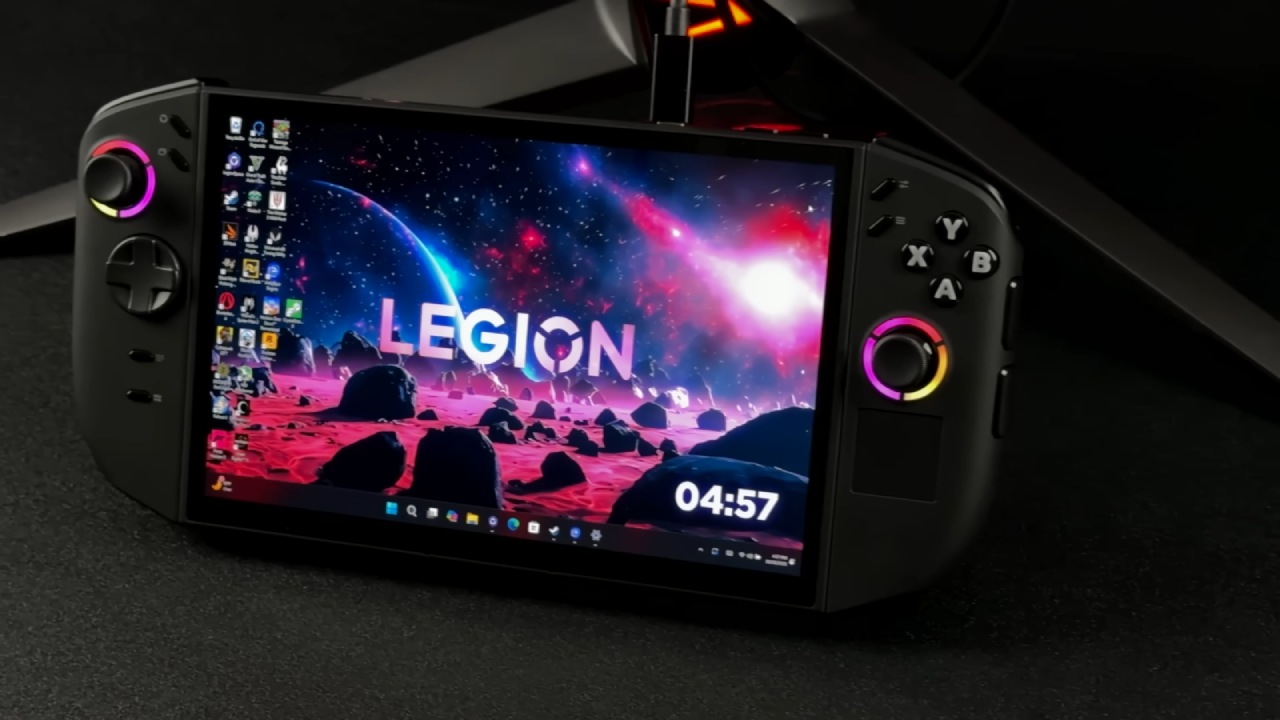
It now has a new BIOS update from Lenovo for the Legion Go 2 Z2 Extreme. The update, which was called 16WW, came out on April 13, 2026, after the 15WW version. There is also a new graphics driver update that might slow things down after it is installed.
We are currently on BIOS version 15WW, and you can get the new 16WW update from the support page. The list of changes hasn't been changed yet, so it still shows the 15WW notes. This makes it hard to find specific fixes or improvements. We need to keep an eye on this to get more information.
There are no BIOS updates to be found when you check for changes in Legion Space. This has been the same since the start. There have been times when BIOS changes came through Windows Update, but not this time. So, we have to manually download the update from the support page.
We use quick access to go to web support, select the device we want to update, find the drivers, and then perform a manual update. We then go to the BIOS section and grab version 16WW.
Getting Ready for Installation
We plug the device into a power source before loading the BIOS. To keep things running smoothly during BIOS changes, this has to be done. We also check the Windows Store for updates, such as those for the Xbox app and AMD Adrenalin, even if the graphics driver version doesn't change.
Putting in BIOS 16WW
When we open the downloaded BIOS file, the startup process starts on its own. We keep clicking "next" at each question until the process starts.
It usually takes between 5 and 8 minutes to install. After the system restarts and shows a loading process (with a red screen during the update phase), you are warned not to turn off the power. The installation is complete, and another loading process is underway.
The machine starts up in BIOS 16WW when the process is done.
System Status After Update
Everything stays the same in terms of settings after changing. The configurations, quick entry, and Legion Space are all still there. The VRAM stays at 10GB, and no settings are cleared or changed.
Testing how well Cyberpunk Works
Cyberpunk is used to test performance because it has been used consistently with earlier BIOS and driver updates. BIOS 15WW with the old GPU driver and BIOS 16WW with the new GPU driver are both compared.
A similar ability is shown in the results. The old setup gave about 65-66 fps, while the new BIOS and driver combination gave about 66 fps. Several runs show that the results are always the same.
At 17W TDP, things seem to be a little better. Tests done more than once show a rise of about 2 to 2.5fps. These gains might be due to both the new GPU driver and the BIOS change. It looks like the power balance may have been changed at lower TDP levels as well.

Some more Observations
Due to a lack of time, not much testing has been done on other games. More testing is planned, including using SteamOS to compare the results. For proper review, upcoming game releases also need updated configurations.
It has been observed that the new GPU driver improves game performance, including Crimson Desert, where noticeable improvements are evident.
Final Thoughts
The BIOS 16WW update runs without issues and maintains the system settings. There aren't many performance changes, but it gets a little better in some situations, especially when power options are low. More testing is needed to fully understand what this update and the latest GPU driver will do.
Also, check our other hardware articles:
- AMD Ryzen 9 9950X3D Review: Setting The Standard For 2025 Gaming CPU
- Amazon Luna 2025 Review: Is Prime Gaming's Cloud Service Your Go-To For Casual Fun?
- AMD RX 9070 XT Review: AMD's RDNA 4 Champion for 1440p Gaming
- GeForce Now Ultimate: Ditching Your Gaming PC For Cloud RTX 4080 Power?
- NVIDIA GeForce RTX 5080 Review (2025): Still A 4K Gaming Powerhouse?
- Intel Core Ultra 9 285K Review And Performance Breakdown (2025)
- AMD Ryzen 7 9800X3D Review: 3D V-Cache Goes God Mode with Stunning Gaming Performance
- Intel Core Ultra 9 285K vs AMD Ryzen 7 9800X3D: In-Depth Gaming Performance and Benchmark Comparison
- NVIDIA GeForce RTX 5080 Super Performance In Cyberpunk 2077: Path Tracing & DLSS 4.0 Tested
- AMD Radeon RX 9070 XT In Cyberpunk 2077: Ray Tracing & FSR 4.0 Tested
- Intel Arc B580 Review: The $250 GPU Revolutionizing 1440p Gaming
- Intel Arc B570 Vs. B580: Value, Specs, And Real-World Gaming Performance
- RTX 5090 Laptop Vs. M4 Max MacBook Pro: Ultimate Raw Performance Vs. Battery Endurance
- Intel Arc b580 Vs. RTX 4060: Game Performance And Value Analysis
- RTX5090 Hell Is Us Demo 4K Ultra Benchmark: DLSS Vs. Native Performance Guide
- NVIDIA RTX 5070 Review: Mid-Range Muscle or Marketing Hype?
- Nintendo Switch 2 Review: Handheld Performance, Features & Value Breakdown
- RTX 5070 Ti Review: Performance, Thermals & Power Efficiency Tested
- Samsung Odyssey OLED G81SF Review 2025: Ultimate 32-Inch QD-OLED Gaming Monitor
- AMD RX 9070 Performance Review: Thermals, Clocks, and Real-World FPS
- AMD Ryzen 5 7600 Review: Best Budget Gaming CPU of 2025?
- AMD Radeon RX 7800 XT Review: RDNA 3 Power For Midrange Gaming
- Asus ROG RTX 5090 Astral OC Vs. Founders Edition: The 4K Gaming Benchmark
Editor, NoobFeed
Gaming Hardware Updates
No Data.