
Surface Laptop Ultra vs. MacBook Pro M5 Pro: Battery and Gaming Performance compared against NVIDIA RTX Spark
The Surface Laptop Ultra challenges Apple's MacBook Pro with NVIDIA graphics, promising stronger gaming performance and broader Windows compatibility.
Hardware by Tanvir Kabbo on Oct 30, 2026
ARM laptops are getting really powerful. You get the energy efficiency, but also a much more powerful CPU and GPU. The Microsoft Surface Laptop Ultra with the NVIDIA RTX Spark and the Apple MacBook Pro 16-inch with the M5 Pro cost the same and offer the same memory and storage options. But differences in processor power, gaming compatibility, and battery efficiency determine which laptop delivers the better overall experience.
Surface Laptop Ultra vs. MacBook Pro: Specifications
The Microsoft Surface Laptop Ultra costs $ 2,599.99 and features an 18-core CPU, 5,120-core Blackwell GPU, 24GB of unified memory, and a 512GB SSD. The Apple MacBook Pro costs $2,699.99 and comes with the M5 Pro chip, an 18-core CPU, a 20-core GPU, 24GB of unified memory, and 512GB of storage.
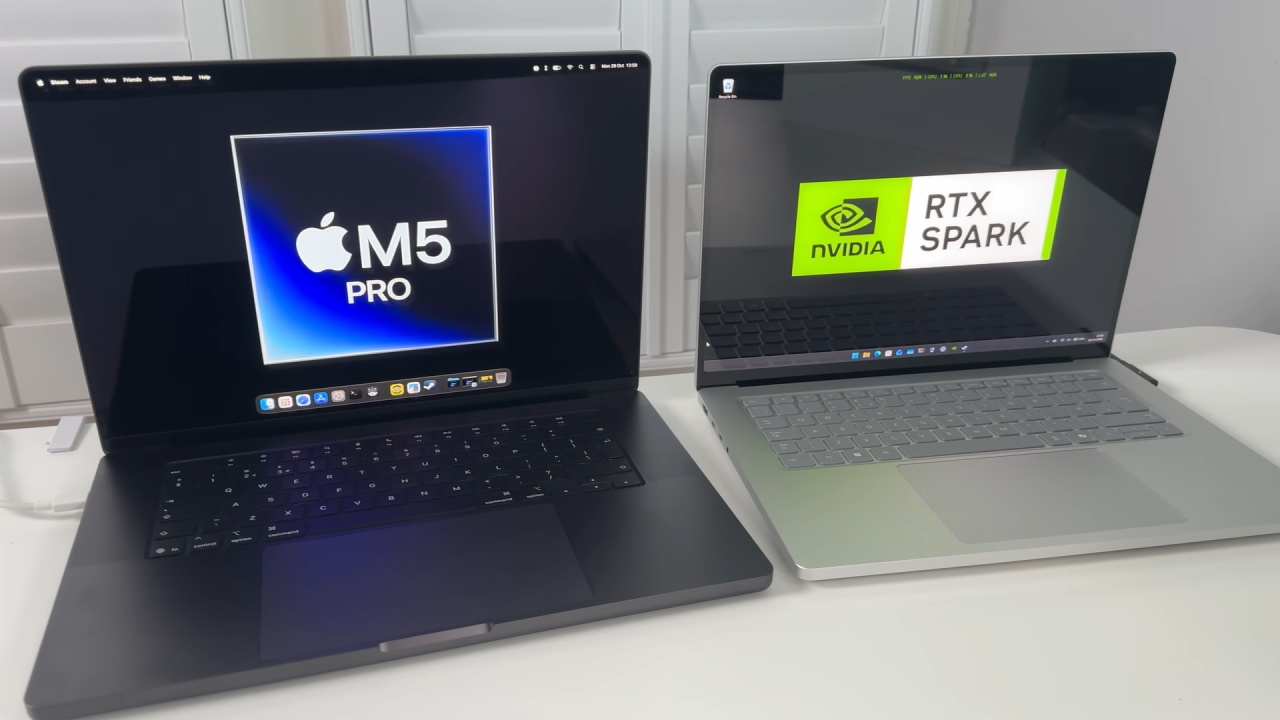
Both machines target productivity users, though NVIDIA promises better gaming performance with its integrated graphics engine, while Apple touts efficiency and streamlined software.
CPU Performance and Local AI Workloads
Geekbench 7 results reveal the M5 Pro delivers around 42% faster single-core performance and 64% faster multi-core performance than the NVIDIA N1X. Cinebench tests indicate Apple's edge in both single-threaded and multithreaded workloads. In terms of GPU benchmarks, though, NVIDIA is kinder, with the N1X beating the M5 Pro by about 22%. This advantage matters most for demanding games and graphics-intensive applications.
Local AI tests produce surprises. The N1X is faster in synthetic GPU benchmarks, but the M5 Pro is faster in token generation in Ollama with Qwen 3.5 9B. The 24GB Surface Laptop Ultra also runs into CUDA out-of-memory issues with the Gemma 4 26B model, although the MacBook Pro can run the same model.
The limitation seems to be in the GPU memory allocation parameters, which seem to limit the available GPU memory to around 8GB. This could change with future software versions.
Gaming Performance: Shadow of the Tomb Raider and Cyberpunk 2077
Shadow of the Tomb Raider at 1440p High gives similar average frame rates on both laptops. However, increasing the resolution to 4K gives the N1X about 14% higher performance. Cyberpunk 2077 is similar. The Surface Laptop Ultra is about 12% faster with upscaling at the tested settings, and the gap widens to about 25% at 4K High.
Ray tracing is another feather in NVIDIA's cap, giving around 28% more performance at 4K with the Medium ray tracing preset. Still, the Surface Laptop Ultra draws more power, so the MacBook Pro delivers better performance per watt.

Battery Efficiency and Gaming Compatibility
At 1600p, capped at 30 fps, and 50% brightness, games last around 1.5 hours before the Surface Laptop Ultra hits 20%. The MacBook Pro is more efficient, but the difference isn't that big here.
Compatibility is still a bigger challenge. You can play Black Myth: Wukong on macOS via CrossOver, which translates DirectX 12 graphics calls to Apple's Metal API. Surprisingly, the MacBook Pro achieves frame rates almost as good as the N1X, despite this extra translation burden.
Fortnite on Windows 11 ARM with Easy Anti-Cheat support is your gateway to multiplayer gameplay not available on macOS. PUBG: Battlegrounds won't launch, while Apex Legends says Windows ARM isn't supported.
Final Thoughts: Which Laptop Is Better?
The Surface Laptop Ultra's graphics performance looks impressive, especially at 4K and with ray tracing enabled. But its lower CPU performance, higher power draw, and seemingly limited local AI memory make it less attractive overall.
If you need more power for productivity, local AI tasks, and better battery life, the MacBook Pro M5 Pro is the one to get. But if gaming is your priority, you'll want a traditional x86 Windows laptop with a dedicated GPU. Compatibility is better on Windows on ARM.
At the end of the day, NVIDIA's ARM platform is promising, but better graphics benchmarks aren't enough to unseat Apple's well-established and efficient silicon ecosystem.
Senior Editor, NoobFeed
Gaming Hardware Updates
No Data.