
Breathedge 2 Guide | How to Get Tech Bits
Here’s a guide on how to get Techbits in Breathedge 2.
Game Guide by Jubair Baky on Sep 20, 2026
Techbits are a useful progression resource in Breathedge 2 that you can obtain by dismantling certain technological objects. The easiest sources are deactivated robots scattered around the map, but you need the Twister before you can harvest them.
Look for Deactivated Robots
Before looking for Techbits, make sure you have the Twister crafted and equipped. Standard starter tools cannot dismantle the robots that contain this resource.
Explore nearby wreckage and points of interest while looking for small broken or deactivated robots lying around the environment. Several can be found relatively close to the main progression areas, while more appear elsewhere as you continue exploring.
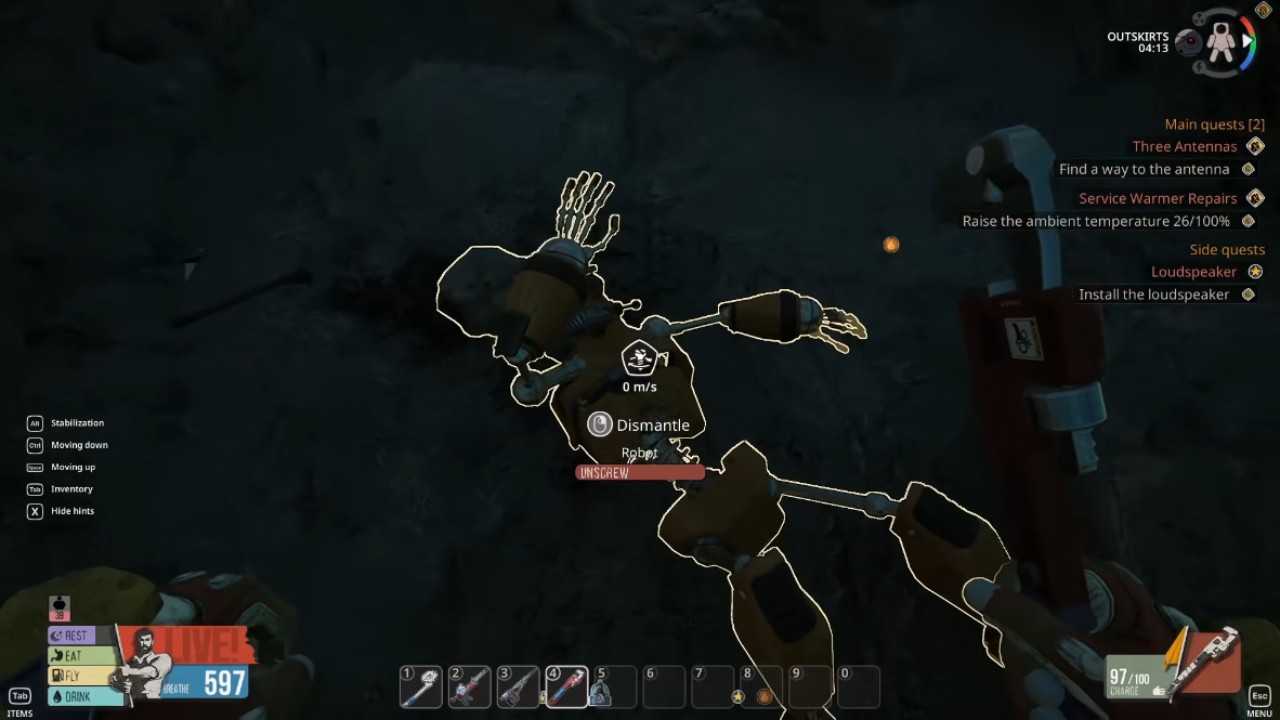
These robots can be easy to overlook among surrounding debris, so check wreckage carefully instead of searching only for loose resources.
Dismantle Robots With the Twister
Equip the Twister and approach one of the deactivated robots. Aim directly at the robot until the dismantling interaction becomes available, then use the Twister on it.
After the dismantling process finishes, you receive Techbits. Repeat the same process whenever you find another compatible robot.
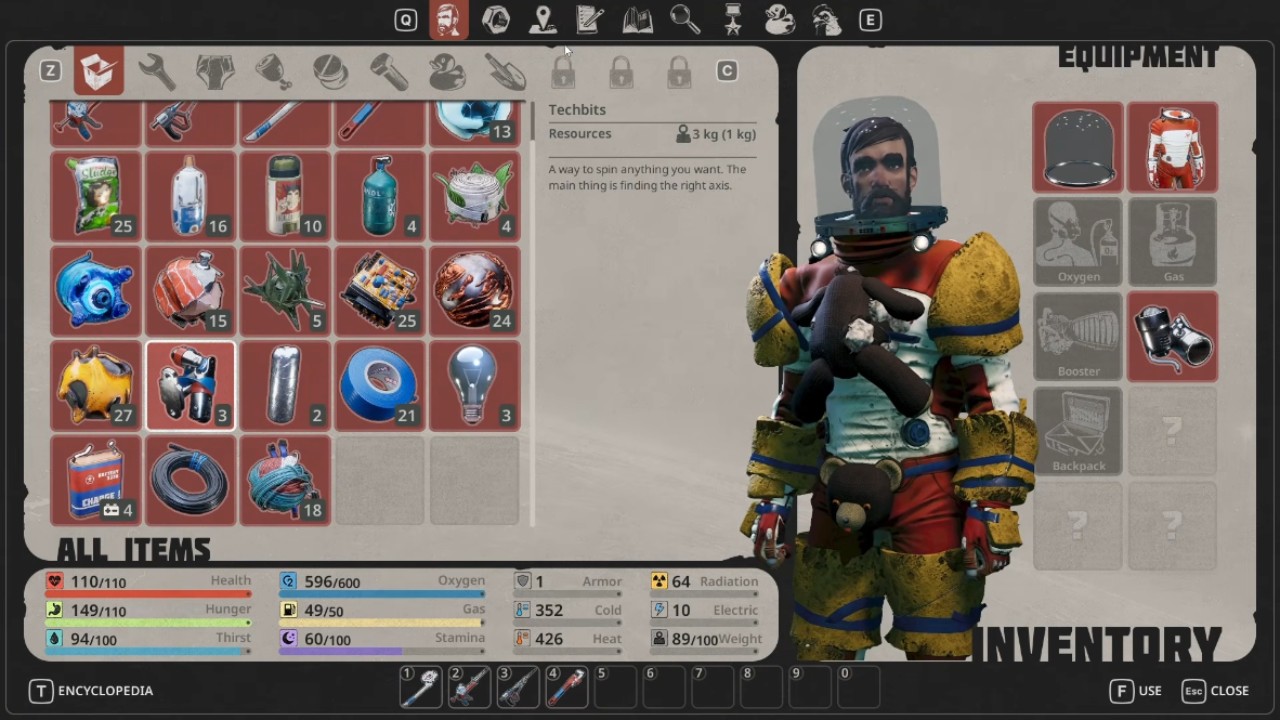
Broken technological objects such as certain signs can also provide Techbits when they support the Twister interaction. Checking these objects while exploring can help you build a supply before later objectives require the material.
Get the Twister and take apart robots that aren't working or other tech items that work with it to get Techbits in Breathedge 2.
FAQ
Q. What tool do you need to get Techbits in Breathedge 2?
A. You need the Twister to break apart robots and other objects that generate Techbits.
Q. Where can you find Techbits?
A. Techbits are found on deactivated robots and some broken tech objects scattered across the map.
Editor, NoobFeed
Latest Articles
No Data.