
Pokémon Scarlet and Violet Guide | How to Change Nature
Fix bad stats fast by buying Mints and applying the right one to any Pokémon you want to build.
Game Guide by Jubair Baky on Feb 20, 2026
A good Nature can make a Pokémon feel much stronger. A bad one can hold it back, even if it is rare or hard to replace.
In Pokémon Scarlet and Violet, you can fix this without re-catching Pokémon. Mints let you swap Nature's stat effects to make your build work as you want.
What A Nature Does To Your Stats
Every Pokémon has a Nature, which boosts one stat and lowers another. On the stat screen, the boosted stat is marked with a red up arrow, and the lowered stat with a blue down arrow.
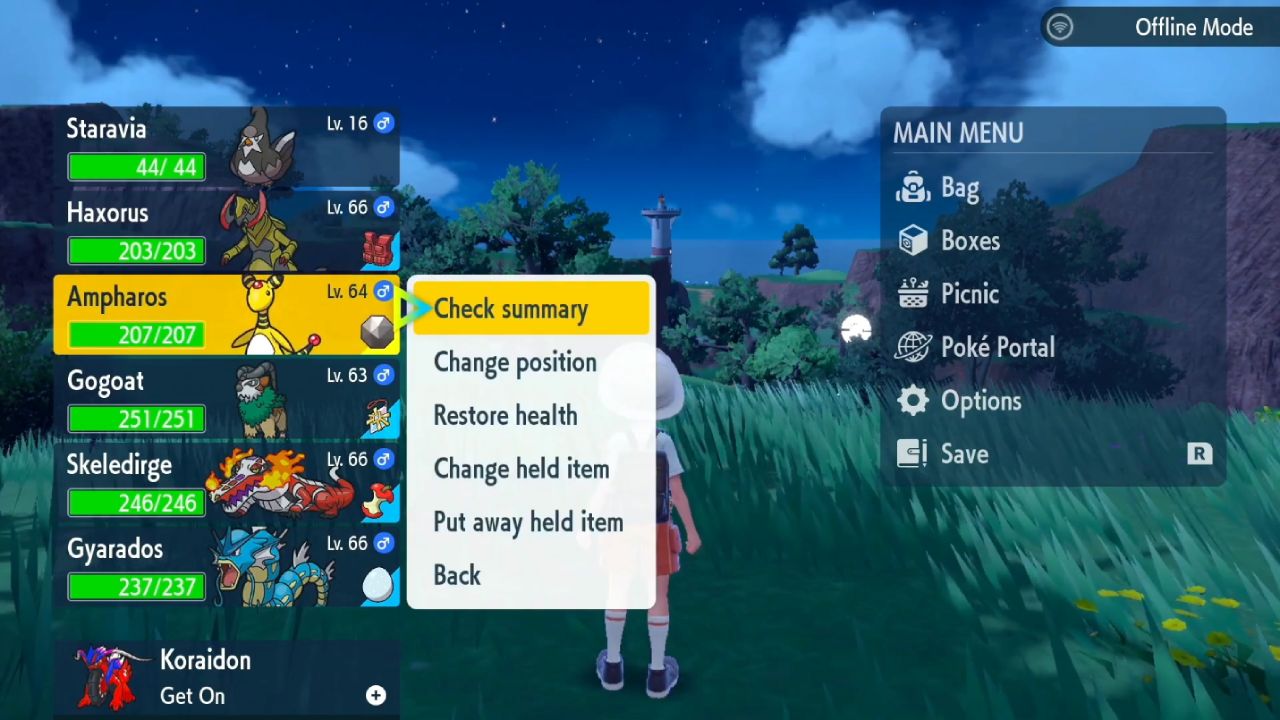
For example, Ampharos can have a Quiet Nature, which raises Special Attack and lowers Speed. That can be fine because Ampharos is not meant to be fast, and it can use strong special moves like Power Gem and Discharge.
Check Your Pokémon’s Nature First
To see Nature, open your party or boxes, select a Pokémon, and choose Check Summary. Move to the stats page to see which stat is boosted and which one is reduced. This quick check helps you decide if the Nature matches what you want the Pokémon to do.
Know When A Nature Is Bad For A Build
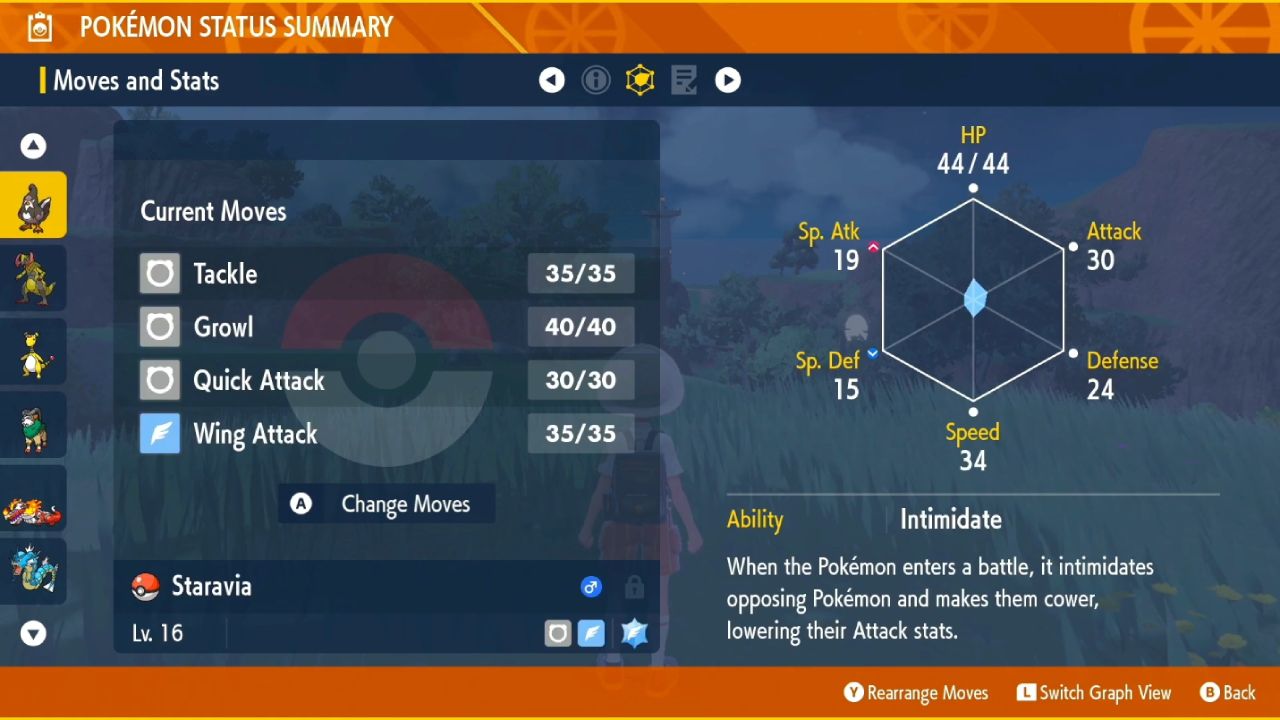
Some Natures are just not right for how a Pokémon generally fights. Staravia with a Rash Nature is a good example. Nature makes Special Attack stronger but Special Defense weaker. This doesn't work well because Staravia evolves into Staraptor, a strong physical attacker.
Staraptor usually uses physical moves like Close Combat, Fly, and Brave Bird instead of special strikes. When you lower Special Defense, it also makes it easier for Thunderbolt and Ice Beam to hit it.
Go To Montenevera For Mints
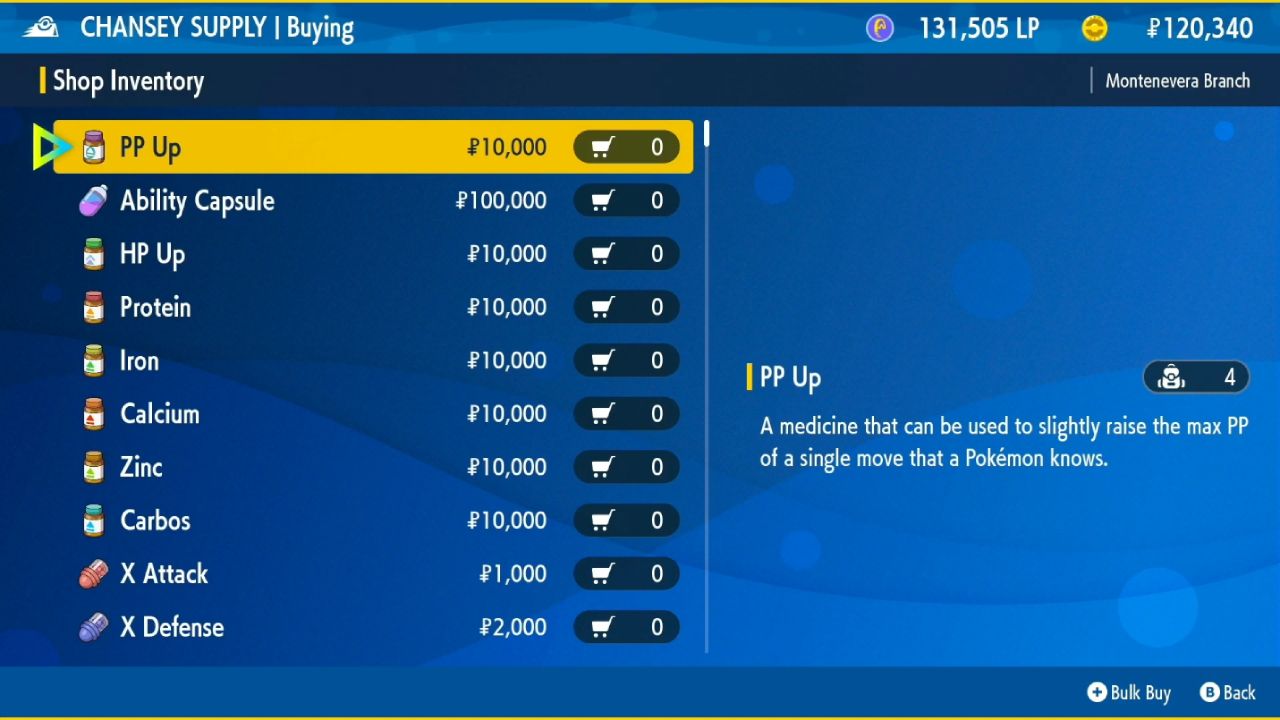
To change Nature effects, fly to Montenevera, the ice town at the top of the map, which has the shop selling the Mints you need. You can usually buy them after earning about 5 or 6 Gym Badges.
Go into the green building in town and open Chansey Supply. Choose Buy, then scroll down to the mint section. You will see many mint types, one for each Nature. Each mint costs 20,000.
Pick The Right Mint For Your Pokémon
Choose the mint that matches the Nature effect you want. For a physical attacker like Staravia or Staraptor, Adamant Mint is a strong choice because it raises Attack and lowers Special Attack. That trade is perfect when you are not using special moves.
Use The Mint And Confirm The Change
After you buy a mint, open your bag and walk to the candy aisle. Choose the mint and give it to the Pokémon. After that, you can look at the summary again to see the stat arrows change. For instance, Staravia's Attack 30 may go up after using Adamant Mint, while its Special Attack could go down, as seen by the arrows changing.
One important detail stays the same. The Pokémon's Nature name can still be the same as the original Nature, like Rash. But the stat effects now act like they have the new Nature, such as Adamant. This means it works right for battles, even when they are competitive.
Also, check our other guides below:
- Pokémon Scarlet and Violet Guide | How to Get Shiny Cinderace
- Pokémon Scarlet and Violet Guide | How to Get A Shiny Charizard
- Pokémon Scarlet and Violet Guide | How to Get Shiny Charmander
- Pokémon Scarlet and Violet Guide | How to Get Shiny Decidueye
- Pokémon Scarlet and Violet Guide | How to Max IVs With Bottle Caps
- Pokémon Scarlet and Violet Guide | How to Get Frigibax Early
- Pokémon Scarlet & Violet Guide | How to Find and Catch Ditto
- Pokémon Scarlet and Violet Guide | How to Farm Shiny Pokémon
- Pokémon Scarlet and Violet Guide | All Blue Stakes and Shrine Locations
- Pokémon Scarlet and Violet Guide | How to Get 8 Eggs in 10 Minutes
- Pokémon Scarlet and Violet Guide | All Orange Stakes and Shrine Locations
- Pokémon Scarlet and Violet Guide | How to Find Charcadet Early and Evolve into Armarouge
- Pokémon Scarlet and Violet Guide | All Purple Stakes and Firescourge Shrine Locations
- Pokémon Scarlet and Violet Guide | Where to Find Pawmi and Evolve It into Pawmot
- Pokémon Scarlet and Violet Guide | Where to Find Wiglett and Evolve It into Wugtrio
- Pokémon Scarlet and Violet Guide | All Yellow Stakes and Groundblight Shrine Locations
- Pokémon Scarlet and Violet Guide | How to Order Secret Menu Item in Medali Gym Test
- Pokémon Scarlet And Violet Guide | How to Find Applin and Evolve into Flapple or Appletun
- Pokémon Scarlet and Violet Guide | Where to Find Bramblin and Evolve Into Brambleghast
- Pokémon Scarlet And Violet Guide | How to Find Sunkern and Evolve Into Sunflora
- Pokémon Scarlet and Violet Guide | Where to Find Greavard and Evolve into Houndstone
- Pokémon Scarlet And Violet Guide | How to Evolve Gimmighoul into Gholdengo
- Pokémon Scarlet and Violet Guide | How to Catch Rotom and Unlock Every Rotom Form
Editor, NoobFeed
Latest Articles
No Data.