
ROG Xbox Ally X20 Performance and OLED Screen Explained
ROG Xbox Ally X20 balances OLED display quality, build quality, and ergonomics against performance limitations and competing handheld gaming PCs.
Handheld by Nahe Yan on Oct 29, 2026
The handheld gaming PC market offers different combinations of performance, display quality, portability, software, and price. The right choice depends on how these features compare and what each buyer values most. ROG Xbox Ally X20, Lenovo Legion Go 2, and other handhelds take different approaches, making it hard to choose a new device or upgrade from an existing one.
The big question is whether the ROG Xbox Ally X20 is worth it. It depends on what you value. Many people are buying one of these devices, even choosing the X20 over a G3E that costs about $100 more and delivers much better performance. It's easy to see why people choose the X20: it offers solid build quality.
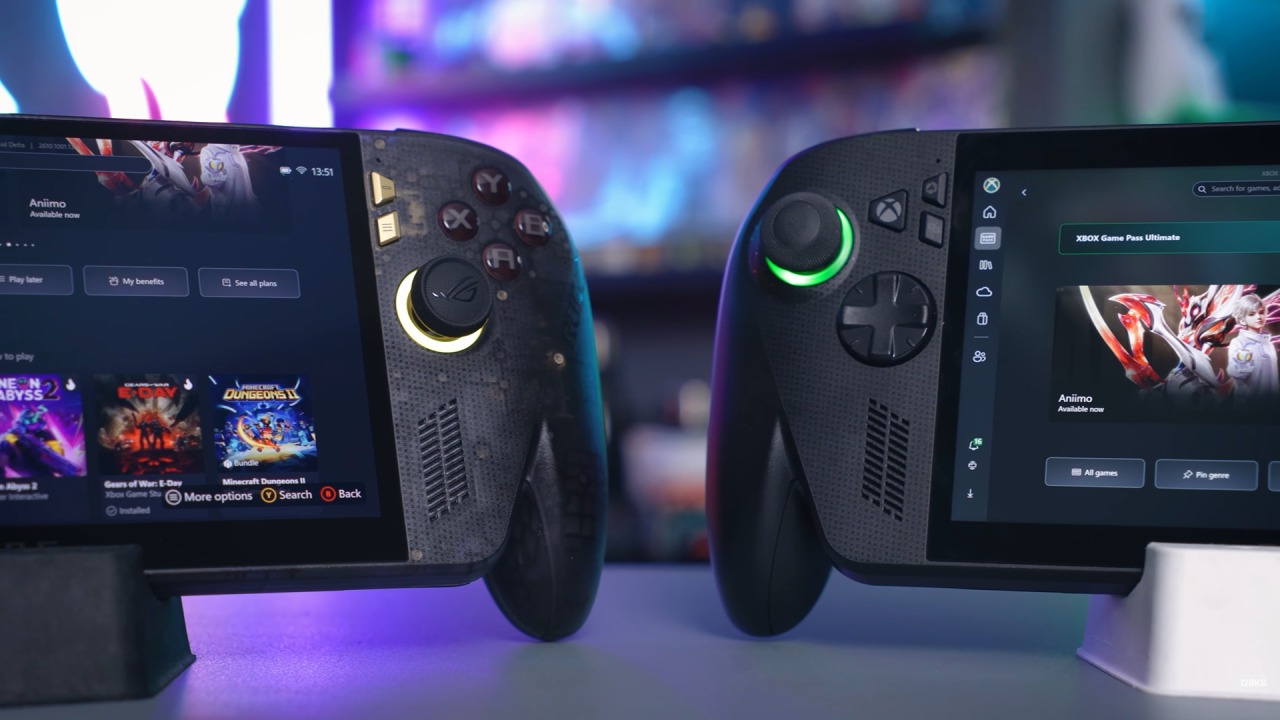
Build Quality and Performance Are the Main Trade-Offs
The device feels worthy of the Republic of Gamers badge, and its components and features work well together. Once another APU becomes available, ASUS could potentially put it into the same design without changing anything else. The biggest letdown right now is performance. At a price so close to a G3E device, you have to decide whether you want better performance or better build quality.
For only around $100 more, the alternatives are LCD G3E devices, which downgrade other areas besides the processor. That makes the decision difficult. The biggest missing feature is performance, while the rest of the device is already well set up. Having seen what the G3E can do, it becomes harder to ignore that difference.
There is no easy answer for everyone because different users have different priorities. Someone might prioritize performance, while another might only plan to play games released five years ago or earlier. Others might prioritize portability and an OLED display. When comparing devices on similar terms, the OneXPlayer 3 is another option, but it costs considerably more.
Its price has increased, and importing it can add complications. Although it comes with a warranty, you may have to pay the shipping costs yourself to send it back for service. Some users have also reported quality-control issues with the controllers. Experiences vary, but you should weigh these factors alongside the hardware.
On build quality and support, ASUS has the advantage.
OneXPlayer 3 offers a different experience, and getting an OLED display through that route remains more expensive. Meanwhile, the ROG Xbox Ally X20 combines the Z2 Extreme platform with a handheld-focused design. Lenovo Legion Go 2 is another option, but its price makes a direct comparison difficult.
Retailers sometimes discount it, but the Z2 Extreme version remains expensive. Its reported MSRP has also risen above $3,000, making it harder to justify against other handhelds. Legion Go 2 and ROG Xbox Ally X20 also serve different purposes. Legion Go 2 feels more like a laptop replacement than a device designed primarily for portability.
You may use it at a desk or on a sofa near a power outlet, and its detachable controllers enhance that experience. ASUS takes a different approach, focusing on a smaller screen, portability, and ergonomics. ROG Xbox Ally X20 is designed first as a handheld, while the Legion Go 2 can serve as a replacement for a portable computer.
Editor, NoobFeed
Latest Articles
No Data.