
SAND: Raiders of Sophie Guide | How to Build Trampler
Here's a guide on how to build trampler in SAND: Raiders of Sophie.
Game Guide by Rubaiyat Shihab on Jun 30, 2026
SAND: Raiders of Sophie gives you the option to create your own Trampler, rather than use the base designs. While the game does provide you with a blueprint system, a custom build is easy to put together so long as you get used to the game's controls.
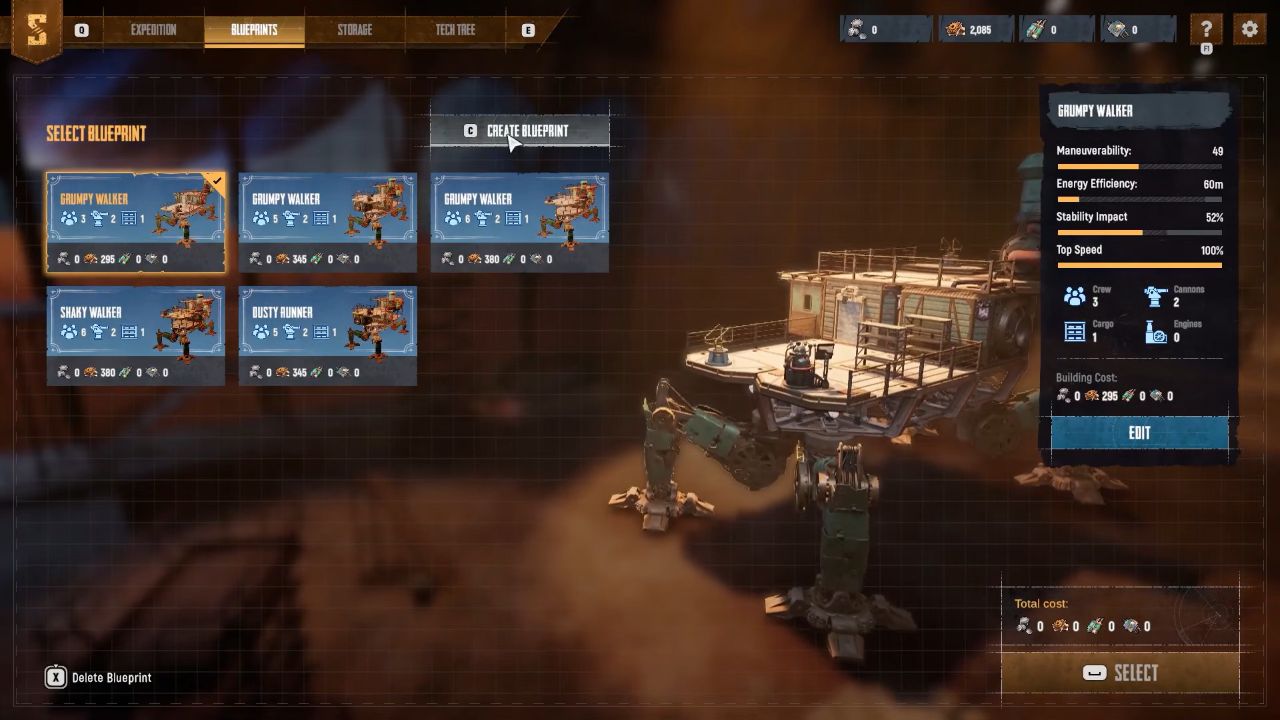
Opening the Blueprint System
Use the blueprints menu on the right side of the screen (or at the top) to open the blueprints menu. Then press C or click on create blueprint at the top of the list. This takes you to the design screen where the real building takes place.
Getting Around the Design Screen
The camera is controlled by the movement keys, and zoomed by the mouse wheel. Press R to increase the floor view and F to decrease the floor view. Use Q and E to rotate the camera. Hover over the core component area in the bottom right before placing any parts. It tells you what you have to have in order to make a working Trampler.
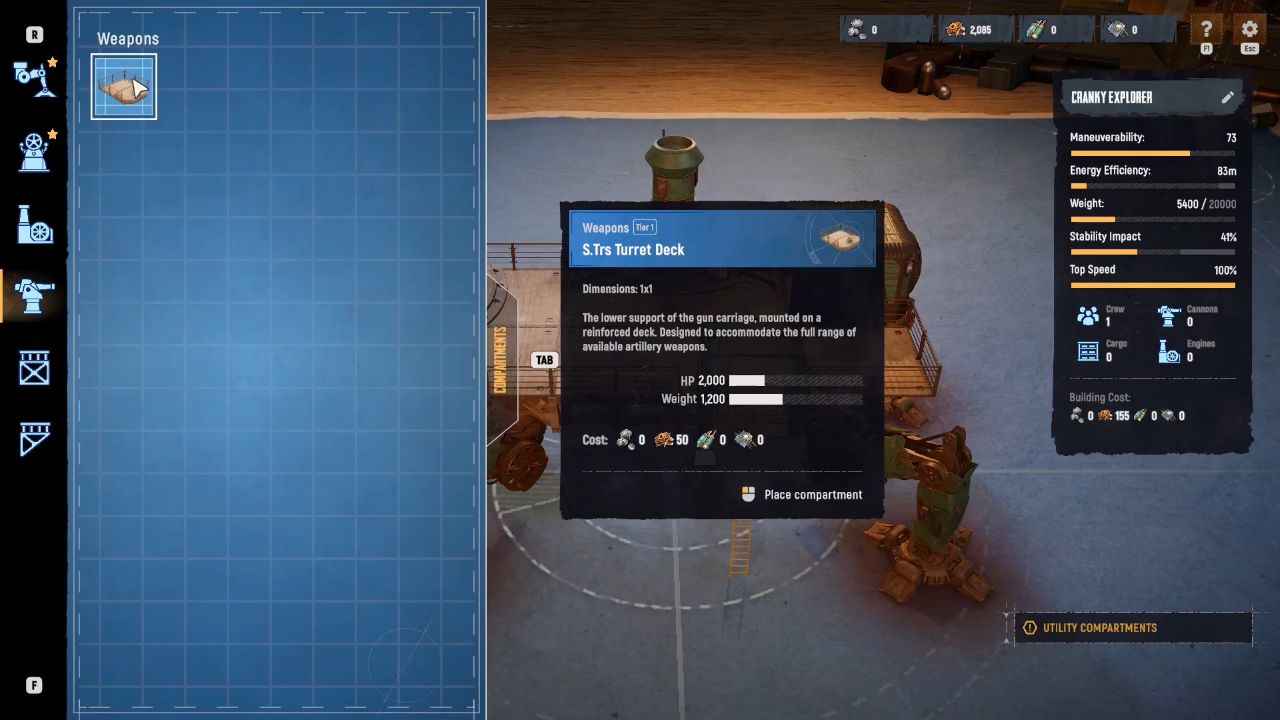
Placing the Core Components
Use the chassis tab, beginning with a chassis. Afterwards, the motor reactor will be added from the essential tab. Then add a fly bridge to serve as a steering compartment. Next add an entrance area and then a captain's compartment. After these basic elements are in place, it's time to link them together. Open the 'decks and frames' tab and add standard decks between each frame. Press C to copy a deck that you've already put down to empty decks that are close by. If all is connected correctly, the on-screen construction warnings will disappear.
Adding Combat and Storage
Unlock the combat tab and position turret decks around the location where you want your cannons to mount. You may have to unselect some standard decks if necessary: unselect and press X. Keep turret decks free of obstructions. To store, go to the chassis, open up the utility tab and mount a storage deck in any available space.
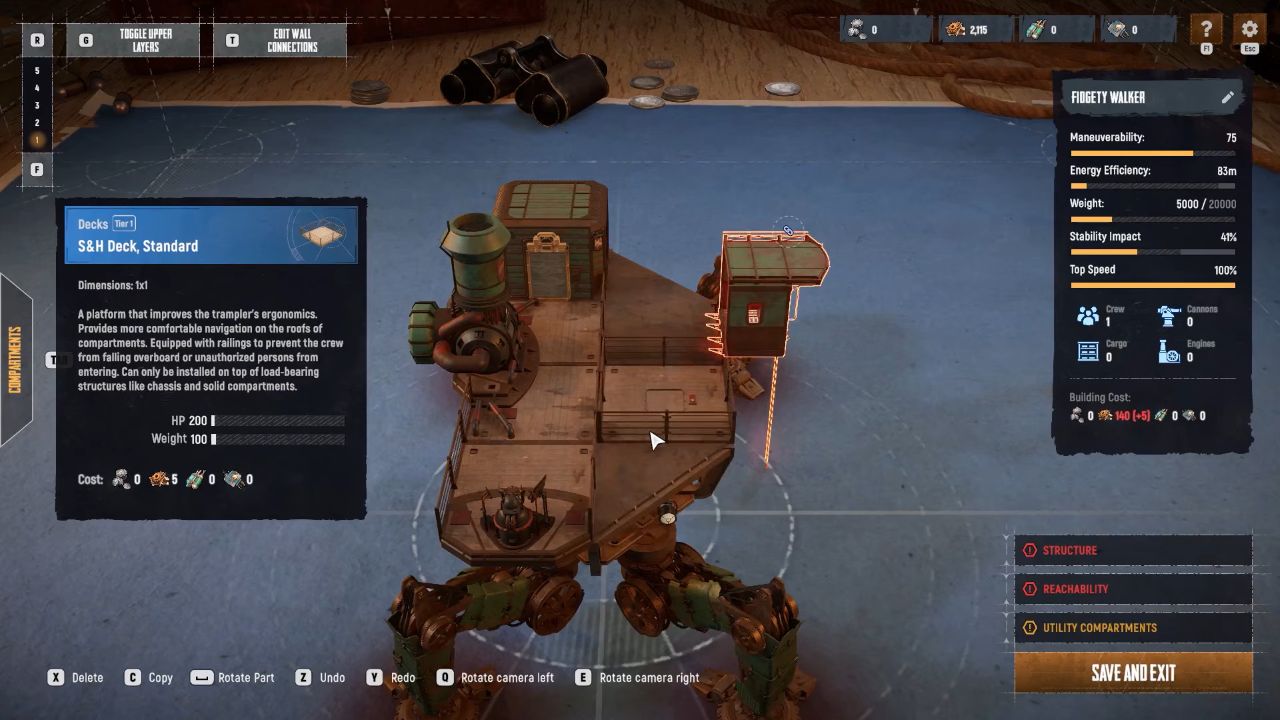
Building a Second Floor
To increase the height, add a support frame from the decks and frames tab and add more decks on top. This allows you to create more elaborate and intricate patterns as you become familiar with the system.
Finishing Your Build
Keep an eye on the statistics panel on the right-hand side of the screen while building. It illustrates the effects of decisions on speed, maneuverability, durability, and build cost, so be sure to balance creativity with functionality. Once satisfied with the design, click the pencil near the trampler's name to change its name. Click to save and exit the blueprint. How to use it: Return to the blueprints menu and choose the design you created.
Also, check our SAND: Raiders of Sophie Review and other guides below:
- SAND: Raiders of Sophie Guide | How to Get Mechanical Parts
- SAND: Raiders of Sophie Guide | How to Get Threads
- SAND: Raiders of Sophie Guide | How to Get Fabric Scraps
- SAND: Raiders of Sophie Guide | How to Add Cannons
- SAND: Raiders of Sophie Guide | How to Get Pneumatic Parts
- SAND: Raiders of Sophie Guide | How to Get Scrapped Ammo
- SAND: Raiders of Sophie Guide | How to Get Weird Corals
- SAND: Raiders of Sophie Guide | How to Refuel Trampler
- SAND: Raiders of Sophie Guide | How to Sell & Buy Items
- SAND: Raiders of Sophie Guide | How to Reload Cannons Faster
- SAND: Raiders of Sophie Guide | How to Unlock Weapons in Shop
- SAND: Raiders of Sophie Guide | How to Repair Trampler
- SAND: Raiders of Sophie Guide | How to Unlock Motor Reactors
Editor, NoobFeed
Latest Articles
No Data.