
STAR WARS: Galactic Racer Guide | How to Switch Camera
Here’s a guide on how to switch the camera in STAR WARS: Galactic Racer.
Game Guide by Ragib Rawnak on Oct 09, 2026
Controlling and tracking with the right perspective can make all the difference in STAR WARS: Galactic Racer. During a race, you can toggle between three different camera options with a quick button press at any time.
To switch your camera view, press R1 on PlayStation controllers, RB on Xbox controllers, or the Insert key on a keyboard.
Each camera mode changes your field of view and offers a different feeling of speed on the track in STAR WARS: Galactic Racer.
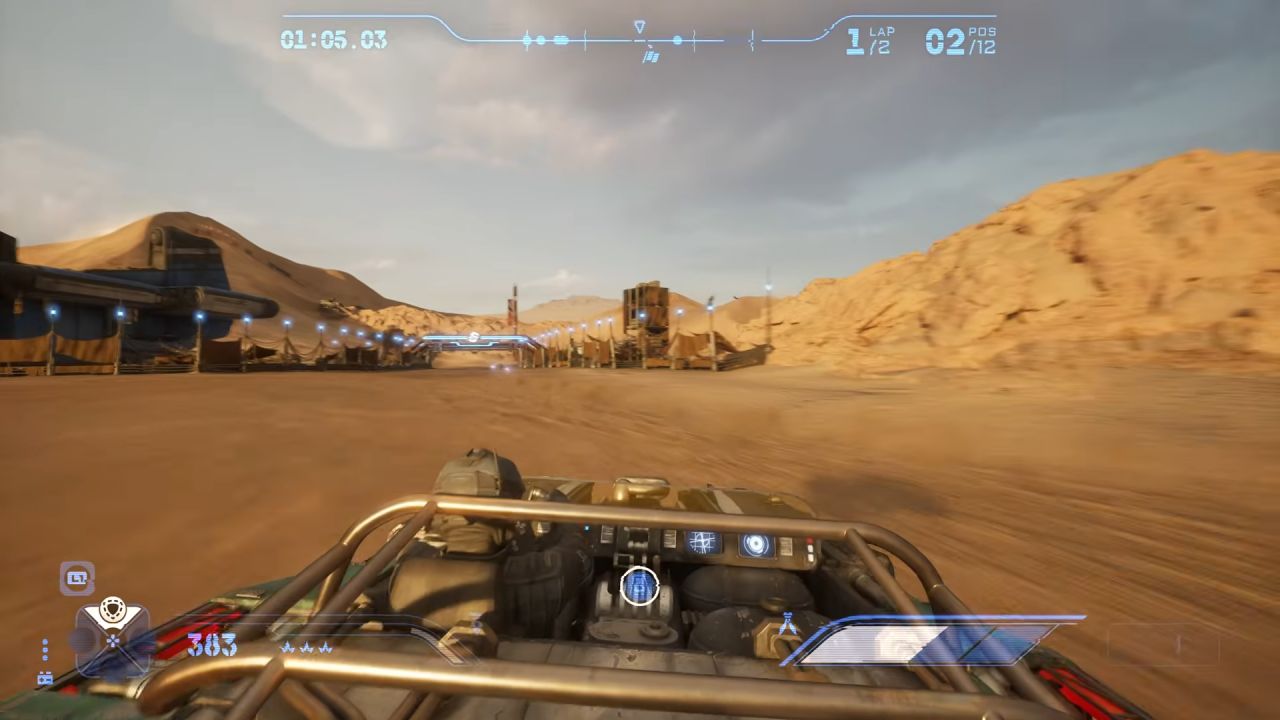
Camera #1: Far Chase View
This classic perspective places the view furthest back behind your vehicle. It provides the best all-round view of your surroundings, making it much easier to react to upcoming obstacles, negotiate tight turns, and keep track of opponent movements when racing at high speeds.
Camera #2: Close Chase View
This mode sits directly behind your character. This camera angle is a bit more in your face, closer to your vehicle, and adds to the feeling of speed and immersion, but it does cut off a little of your peripheral vision compared to the standard view in STAR WARS: Galactic Racer.
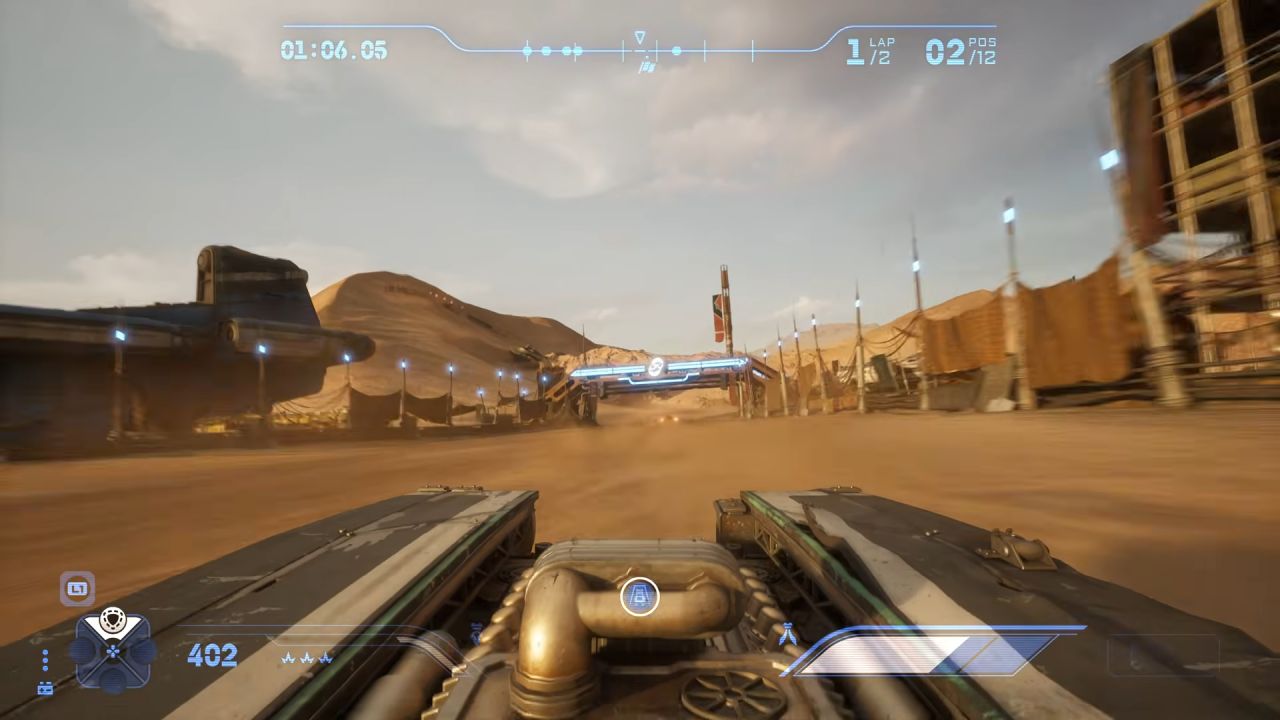
Camera #3: First-Person Bumper View
This view positions the camera right at the front bumper of your vehicle. It delivers the maximum sense of speed and immersion, putting you right in the middle of the action, though it removes your view of your own vehicle.
Free Look & Rear Camera Controls
Beyond cycling through camera angles, you can also manually inspect your surroundings while racing.
Use the Right Analog Stick to rotate your camera in any direction to look around your pod. If you pull and hold the Right Analog Stick upward, the camera flips 180 degrees, allowing you to quickly check on opponents trailing behind you in STAR WARS: Galactic Racer.
FAQ
Q. Which camera view is best for high-speed racing?
A. Camera #1 is an overall best option. The wide view lets you see danger coming and lets you mark spots ahead of time. As the speeds of the tracks increase, Camera #1 will give you a better advantage.
Q. Can I look behind my vehicle without switching camera modes?
A. Yes. Pulling the Right Analog Stick straight up immediately swings the camera around 180 degrees so you can see behind you, regardless of which camera mode you currently have selected.
Q. What is the default keyboard key to change the camera?
A. The default key to change camera angles on a keyboard is Insert.
Also, check our other guides below:
- STAR WARS: Galactic Racer Beginner’s Guide | Gameplay Tips & Tricks
- STAR WARS: Galactic Racer Guide | How to Get Tuning Points
- STAR WARS: Galactic Racer Guide | How to Do Perfect Landing
- STAR WARS: Galactic Racer Guide | How to Get Backer Rating
- STAR WARS: Galactic Racer Guide | How to Hit Starting Boost
- Star Wars: Galactic Racer Guide | Best Early Game Vehicle
- STAR WARS: Galactic Racer Guide | How to Win Galactic League Championship
- STAR WARS: Galactic Racer Guide | How to Unlock All Racer Styles
- STAR WARS: Galactic Racer Guide | How to Unlock Podracing
- STAR WARS: Galactic Racer Guide | How to Repair Vehicle
- STAR WARS: Galactic Racer Guide | How to Unlock Multiplayer Racers
- STAR WARS: Galactic Racer Guide | How to Unlock Abilities
- STAR WARS: Galactic Racer Guide | How to Upgrade Abilities
- STAR WARS: Galactic Racer Guide | How to Customize Vehicle
Senior Editor, NoobFeed
Latest Articles
No Data.