
STAR WARS: Galactic Racer Guide | How to Customize Vehicle
Here’s a guide on how to customize your vehicle in STAR WARS: Galactic Racer.
Game Guide by Ragib Rawnak on Oct 08, 2026
Raw speed and tight handling win races, but crossing the finish line in a machine you styled yourself feels a lot better.
STAR WARS: Galactic Racer lets you tweak your chassis, swap parts, and repaint colors so your racer stands out on the grid. Here is how the system works and the best way to spend your points.
Access Vehicle Customization
You can only modify your ride right before starting a new Campaign Tour. You cannot do it mid-run or from the pause menu during a race in STAR WARS: Galactic Racer.
Head into the campaign menu and start a fresh Campaign Tour. Scroll through the classes to pick your base ride, hover over the machine you want, and hit Square on PlayStation 5 or X on Xbox.
This button prompt opens the garage menu where all cosmetic options are stored. If you own the Deluxe Edition or claimed pre-order rewards, this is the exact screen where those bonus items appear.
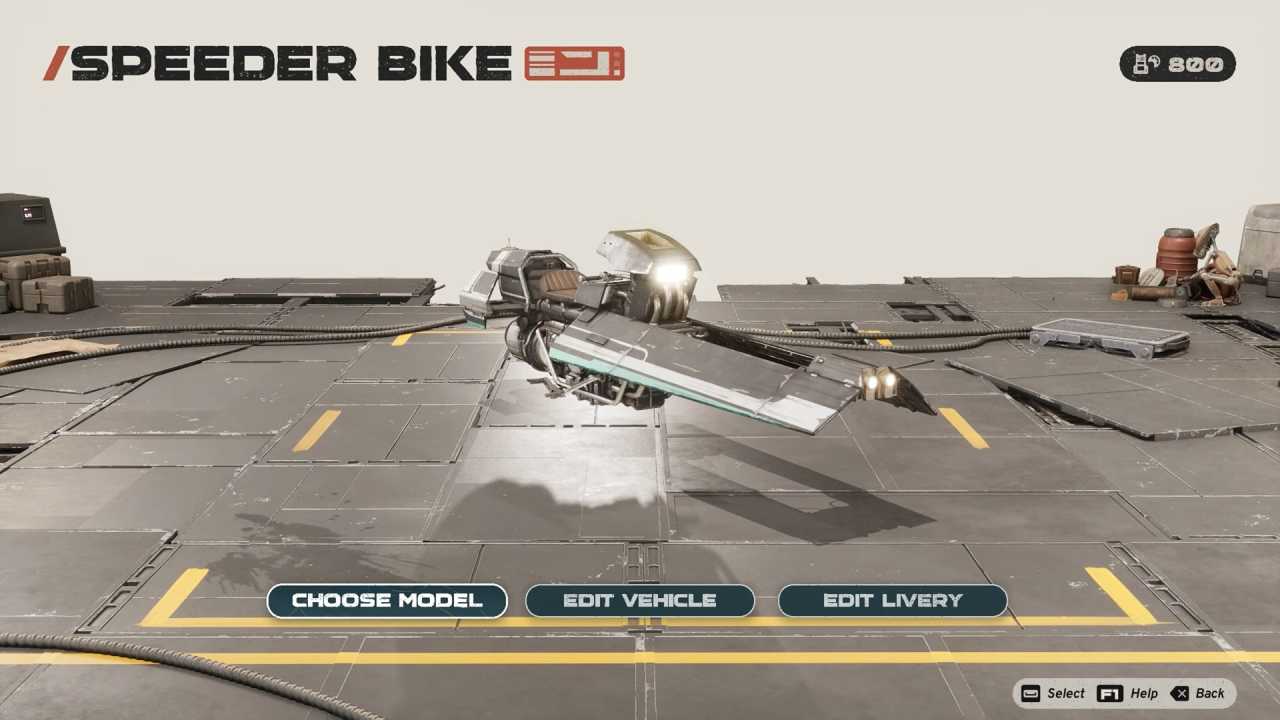
Vehicle Customization Options
Once you open the garage screen, the game gives you three distinct menus to work with.
The first option is Choose Model, which lets you pick the overall body style for your vehicle category. For instance, picking a Land Cruiser gives you access to more than ten distinct variants. Every variant shares identical base stats, so your choice here is purely visual.
The second option is Edit Vehicle, which lets you swap individual physical components across your machine. You can alter the front cowling, left front wing, left engine, rear thruster, right engine, and right front panels.
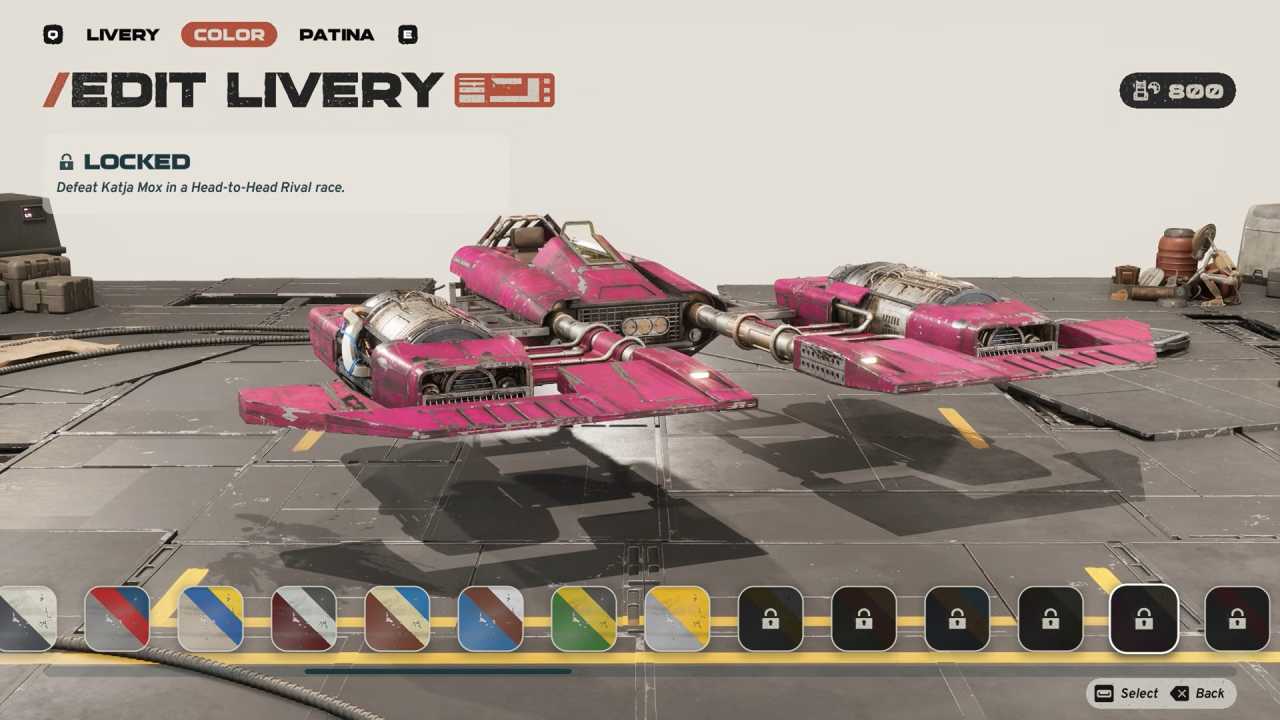
The third option is Edit Livery, which serves as your paint shop. You can pick different pattern schemes, adjust paint hues, and even select the surface patina to give your ride a showroom shine or a weathered, battle-worn finish.
Using Spend Tuning Points
Every new part, paint scheme, and finish costs Tuning Points. Here is the thing: do not spend your points on cosmetics early in the game in STAR WARS: Galactic Racer.
Tuning Points directly upgrade the core performance stats of your vehicles, such as top speed, acceleration, and boost capacity. In the early stages of the campaign, an underpowered machine will struggle to keep pace with the pack.
Hold off on buying paint and custom engine cowlings until you have won several race circuits and boosted your favorite vehicle's performance.
Once your base stats are high enough to win comfortably, you can safely dump spare points into cosmetics. As an added bonus, modifying your appearance is tied to your trophy list. Applying your first skin or livery unlocks the Let's Build a Real Racer achievement in STAR WARS: Galactic Racer.
FAQ
Q. Can I customize my vehicle in the middle of an active Campaign Tour?
A. No. You must finish or reset your current run. Vehicle customization is only accessible on the vehicle selection screen right as you launch a fresh Campaign Tour.
Q. Do visual body parts affect vehicle speed or handling?
A. No. Swapping models, cowlings, or engines under the cosmetic menu changes only the look of your machine. Your track performance is decided entirely by your vehicle class and stat upgrades.
Also, check our other guides below:
- STAR WARS: Galactic Racer Beginner’s Guide | Gameplay Tips & Tricks
- STAR WARS: Galactic Racer Guide | How to Win Galactic League Championship
- STAR WARS: Galactic Racer Guide | How to Unlock All Racer Styles
- STAR WARS: Galactic Racer Guide | How to Unlock Podracing
- STAR WARS: Galactic Racer Guide | How to Repair Vehicle
- STAR WARS: Galactic Racer Guide | How to Unlock Multiplayer Racers
- STAR WARS: Galactic Racer Guide | How to Unlock Abilities
- STAR WARS: Galactic Racer Guide | How to Upgrade Abilities
- Star Wars: Galactic Racer Guide | Best Early Game Vehicle
Senior Editor, NoobFeed
Latest Articles
No Data.