
Assassin's Creed Black Flag Resynced Guide | How to Switch Day & Night
Here’s a guide on how to switch Day & Night in Assassin's Creed Black Flag Resynced.
Game Guide by Ragib Rawnak on Jul 10, 2026
Changing the time of day in Assassin's Creed Black Flag Resynced lets you switch between light and darkness whenever you want. This feature helps you plan your stealth approaches or change the view, but you have to follow a few simple rules to make it work.
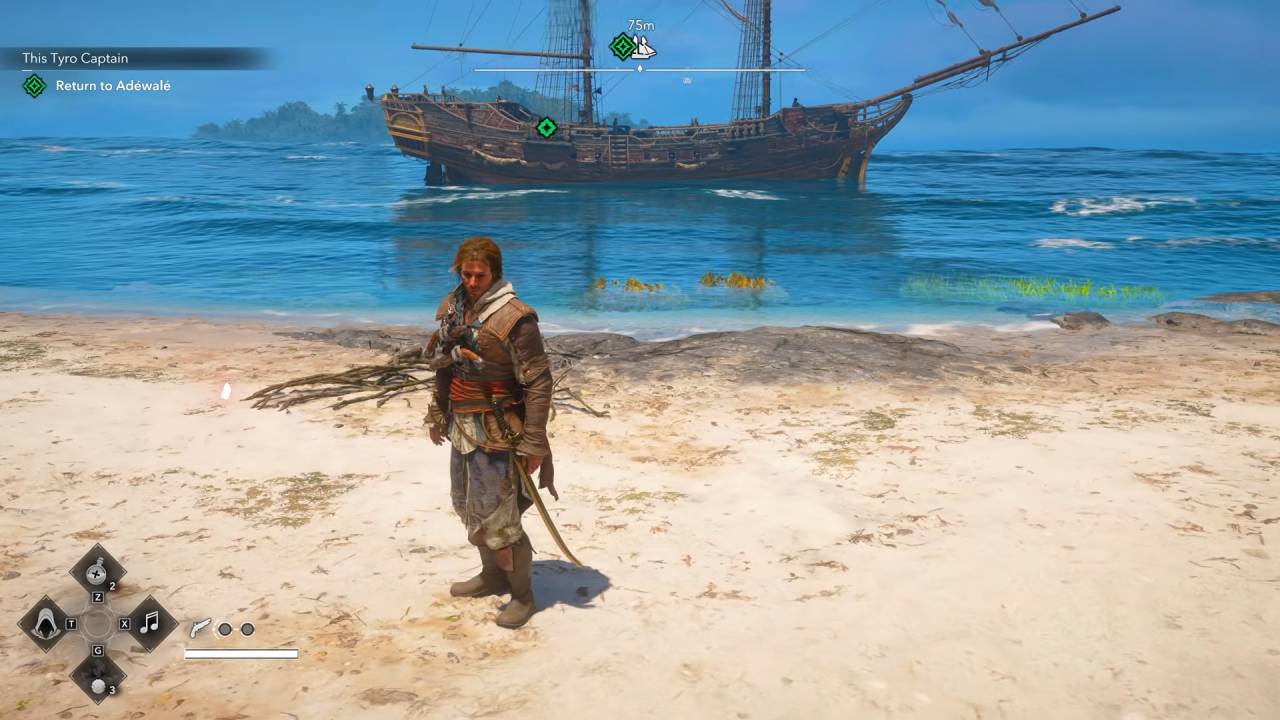
Ground Requirements
You cannot skip time just anywhere. The game forces you to find a flat piece of land before you can trigger the change.
If you try to do it in uneven spots, like among trees, a message will pop up saying you are unable to skip time. Even some parts of flat beaches might not work, so you must move around until you find a perfectly level surface in Assassin's Creed Black Flag Resynced.
How to Trigger the Change
Once you stand on the right spot, use the same control you use to whistle. On a PC, press and hold the X key. If you play with a controller, press and hold the right arrow on the D-pad. Do not just tap the button.
You must hold it down until your character sits down on the ground. If your character refuses to sit, the ground is not flat enough, and you need to find a better spot.
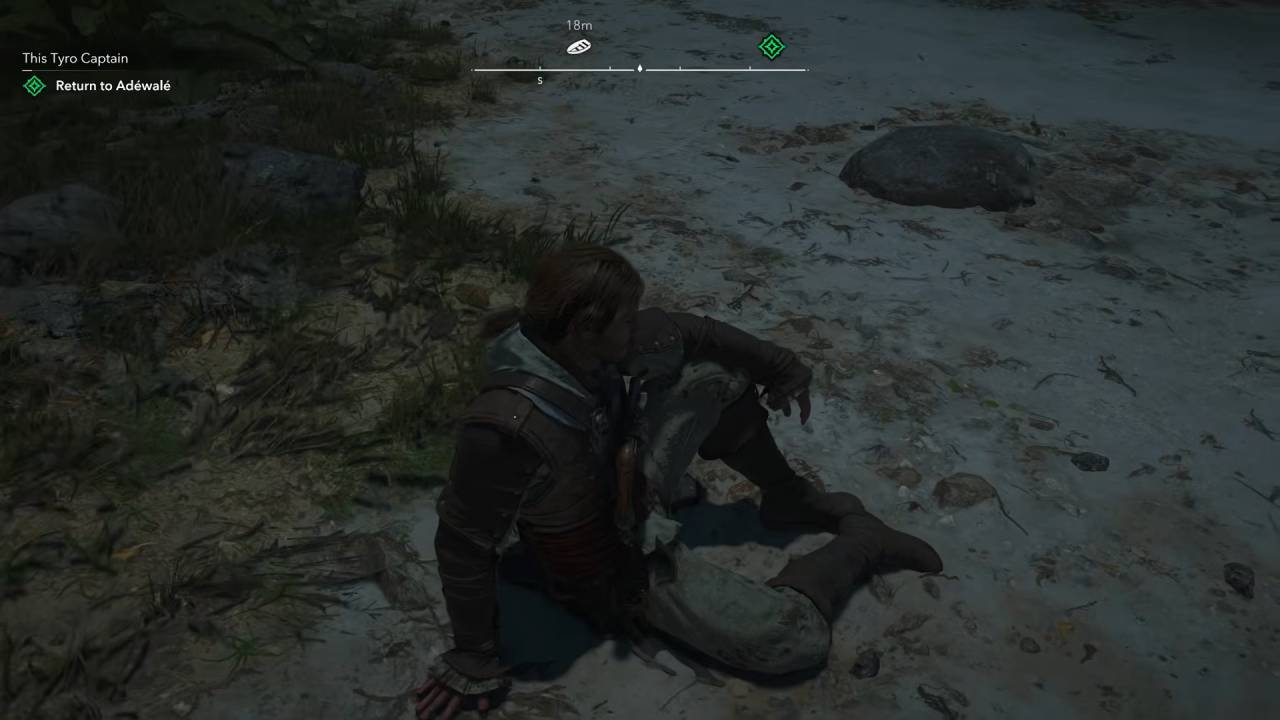
Cycling Time
Holding the button down long enough triggers a brief transition screen. The game automatically flips the clock to the opposite time of day in Assassin's Creed Black Flag Resynced.
If you start during the day, the game shifts to nighttime. To switch back to daytime, simply stand on flat ground and hold the same button down a second time.
Also, check our Assassin's Creed Black Flag Resynced Review and other guides below:
- Assassin's Creed Black Flag Resynced Beginner’s Guide | Gameplay Tips & Tricks
- Assassin's Creed Black Flag Resynced Guide | How to Get Exotic Sea Shells
- Assassin's Creed Black Flag Resynced Guide | All Ultimate Ship Upgrades
- Assassin's Creed Black Flag Resynced Guide | Best Early Ship Upgrades
- Assassin's Creed Black Flag Resynced Guide | How to Get Templar Armor
- Assassin's Creed Black Flag Resynced Guide | How to Reach Observation Room
- Assassin's Creed Black Flag Resynced Guide | How to Exit Observatory
- Assassin's Creed Black Flag Resynced Guide | How to Solve Sage’s Buried Secret Puzzle
- Assassin's Creed Black Flag Resynced Guide | All Mayan Stelae Locations
- Assassin's Creed Black Flag Resynced Guide | How to Upgrade Ship
- Assassin's Creed Black Flag Resynced Guide | How to Destroy Fortress Defense
- Assassin's Creed Black Flag Resynced Guide | How to Find Medicines in Wreckage
- Assassin's Creed Black Flag Resynced Guide | How to Find Sage’s Whereabouts
- Assassin's Creed Black Flag Resynced Guide | How to Defeat Charles Vane
- Assassin's Creed Black Flag Resynced Guide | How to Find Benjamin Hornigold
- Assassin's Creed Black Flag Resynced Guide | How to Find the Templar Meeting Place
- Assassin's Creed Black Flag Resynced Guide | How to Sink Portuguese Ships
- Assassin's Creed Black Flag Resynced Guide | How to Steal Chamberlaine's Plans
- Assassin's Creed Black Flag Resynced Guide | How to Assassinate Benjamin Hornigold
- Assassin's Creed Black Flag Resynced Guide | How to Enter the Prison
- Assassin's Creed Black Flag Resynced Guide | How to Board the HMS Demolition
- Assassin's Creed Black Flag Resynced Guide | How to Break 50 Potted Plants
- Assassin's Creed Black Flag Resynced Guide | How to Incapacitate Man O’ War
- Assassin's Creed Black Flag Resynced Guide | How to Board Royal African Company Ship
- Assassin's Creed Black Flag Resynced Guide | Where to Find Gold Locket
- Assassin's Creed Black Flag Resynced Guide | How to Get Mortar Storage Ultimate Plan
- Assassin's Creed Black Flag Resynced Guide | How to Get Harpoon Strength Ultimate Plan
- Assassin's Creed Black Flag Resynced Guide | How to Get Gilded Hull Design Plan
- Assassin's Creed Black Flag Resynced Guide | How to Get Guardian Beast Trinket
- Assassin's Creed Black Flag Resynced Guide | How to Get Hull Armor Ultimate Plan
- Assassin's Creed Black Flag Resynced Guide | How to Get Mortar Ultimate Plan
- Assassin's Creed Black Flag Resynced Guide | How to Get Swivel Guns Ultimate Plan
- Assassin's Creed Black Flag Resynced Guide | How to Get Ram Ultimate Plan
- Assassin's Creed Black Flag Resynced Guide | How to Get Uncrowned Prince
- Assassin's Creed Black Flag Resynced Guide | How to Get Dark Animus Familiar
- Assassin's Creed Black Flag Resynced Guide | How to Get Stormrunner Pendant
- Assassin's Creed Black Flag Resynced Guide | How to Destroy Powder Reserve
- Assassin's Creed Black Flag Resynced Guide | How to Farm Metals Early
- Assassin's Creed Black Flag Resynced Guide | How to Farm Money
- Assassin's Creed Black Flag Resynced Guide | Best Early Weapons & Items
- Assassin's Creed Black Flag Resynced Guide | How to Beat Five Star Ships
- Assassin's Creed Black Flag Resynced Guide | How to Get Elite Harpoon Upgrade
- Assassin's Creed Black Flag Resynced Guide | How to Find Prison Key to Rescue Sage
- Assassin's Creed Black Flag Resynced Guide | How to Parry
- Assassin's Creed Black Flag Resynced Guide | How to Win Ship Battles
Senior Editor, NoobFeed
Latest Articles
No Data.